Microsoft says uninstall Windows 11 KB5074109 to fix Outlook POP, PST hang, as 2026's first update causes havoc
Microsoft Says Uninstall Windows 11 KB5074109 to Fix Outlook POP, PST Hang, as 2026's First Update Causes Havoc
The year 2026 has barely begun, and yet, Windows 11 users are already grappling with a major system stability crisis. In what is quickly becoming one of the most problematic "Patch Tuesday" rollouts in recent memory, Microsoft has been forced to issue a severe warning: immediately uninstall the latest cumulative update, **KB5074109**, if you rely on Microsoft Outlook for your daily communications.
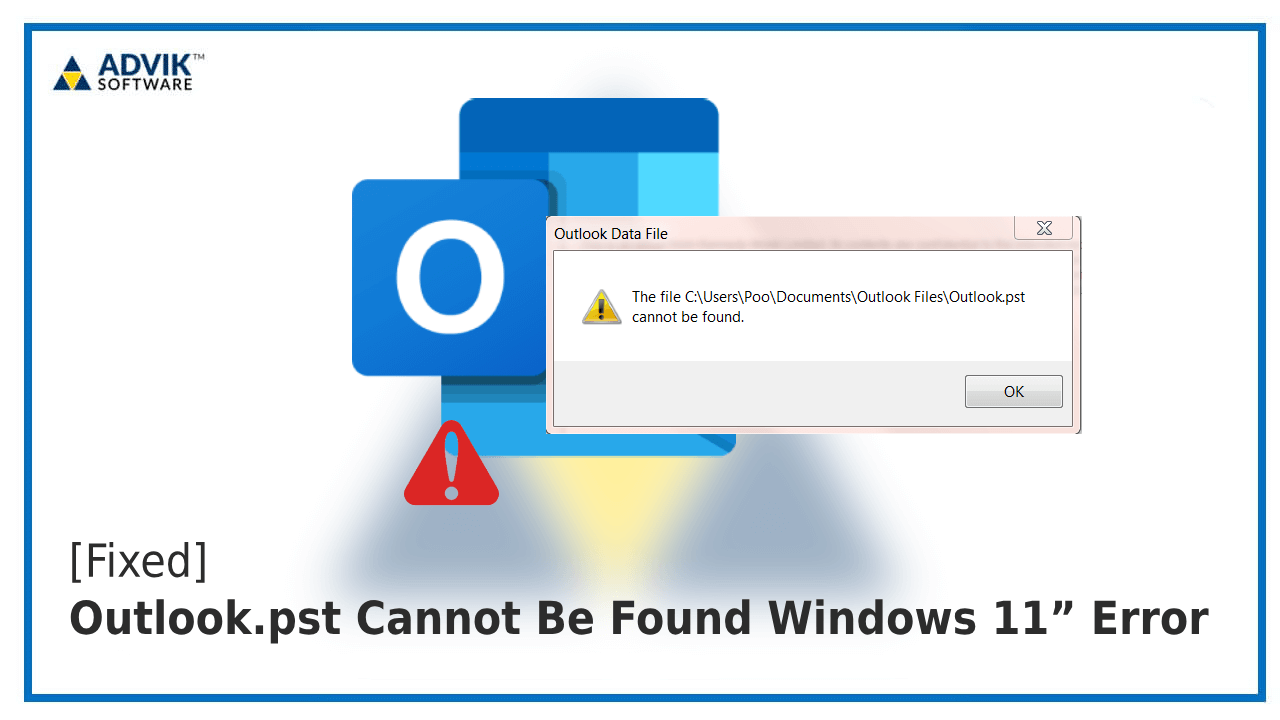
Reports flooded user forums and corporate help desks shortly after the mandatory update was deployed, detailing catastrophic performance issues specifically tied to how Outlook handles legacy email data files. The symptoms are unmistakable: severe hanging, prolonged unresponsiveness, and system freezes when accessing or managing POP3 accounts and older Personal Storage Table (.PST) files.
For millions of business and legacy users, particularly those in small to medium-sized enterprises (SMEs) and those relying on local data archiving, this isn't just an inconvenience—it's an immediate operational halt. Microsoft has confirmed the conflict, labeling the issue as a significant bug that corrupts the critical processes governing mail client data access on Windows 11 environments.
The urgency of the situation cannot be overstated. If you have installed the KB5074109 update in the last few days and are noticing your Outlook mail client grinding to a halt, performance degrading drastically, or encountering errors related to data file availability, the fix is manual and immediate: **you must uninstall the update now.**
The Culprit: Unpacking the KB5074109 Disaster
The KB5074109 cumulative update was intended to address various underlying security vulnerabilities and provide general stability improvements for Windows 11, version 23H2 and 24H2 systems. However, its deployment appears to have unintentionally introduced a critical regression bug impacting core data handling processes. Specifically, the patch clashes severely with how the operating system interacts with Microsoft Outlook's data structure.
The primary victims of this conflict are users who rely on the Post Office Protocol (POP3) for email retrieval and those who utilize Personal Storage Table (.PST) files—the traditional mechanism for storing large volumes of archived emails, calendar entries, and contacts locally. While modern corporate environments often favor Exchange or IMAP, countless users still depend on these mechanisms for compliance and offline access.
What exactly is happening? The update appears to introduce a deadlock or severe bottleneck when the Outlook application attempts to read, write, or synchronize large amounts of data stored within the PST file structure. Users report the following symptoms:
- Outlook freezing for several minutes immediately after startup or synchronization attempts.
- Total system unresponsiveness when closing Outlook or switching between large folders.
- Error messages referencing "data file access denied" or "PST file corruption" (even if the file is technically fine).
- Excessive CPU and disk usage spikes linked directly to the Outlook process, crippling overall system performance.
This is a particularly frustrating scenario for users handling critical business correspondence. The inability to reliably access archived emails or the constant threat of a freeze significantly hampers operational efficiency, turning a simple patch into a catastrophic failure of system stability.
According to initial findings shared by Microsoft support staff in private forums, the problem stems from a memory management routine introduced in the update, which incorrectly flags Outlook's persistent connection to large data files as a potential vulnerability or access violation, leading the system to force a halt in data processing.
Microsoft's Official Mitigation and Workaround: Rollback is Mandatory
After acknowledging the widespread reports and confirming the root cause, Microsoft has issued the only currently viable mitigation strategy: immediate rollback. There is no quick registry fix or small hotfix available; users must remove the entire cumulative update KB5074109 to restore stable Outlook operations.
A major concern accompanying this rollback is the temporary loss of security patches contained within KB5074109. However, Microsoft asserts that functional email access and data integrity outweigh the immediate security risks for most users, advising users to prioritize communication flow until an Out-of-Band (OOB) fix is released.
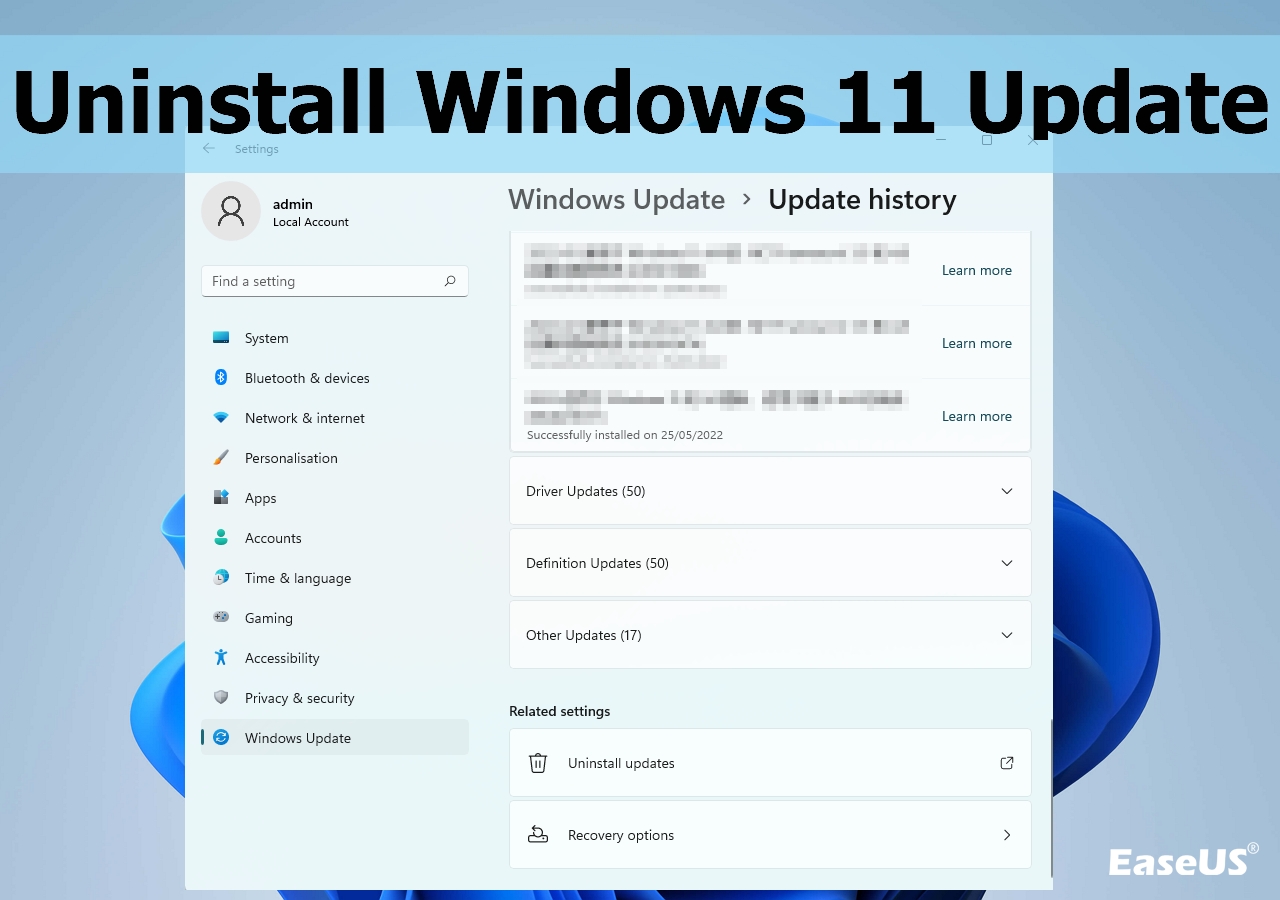
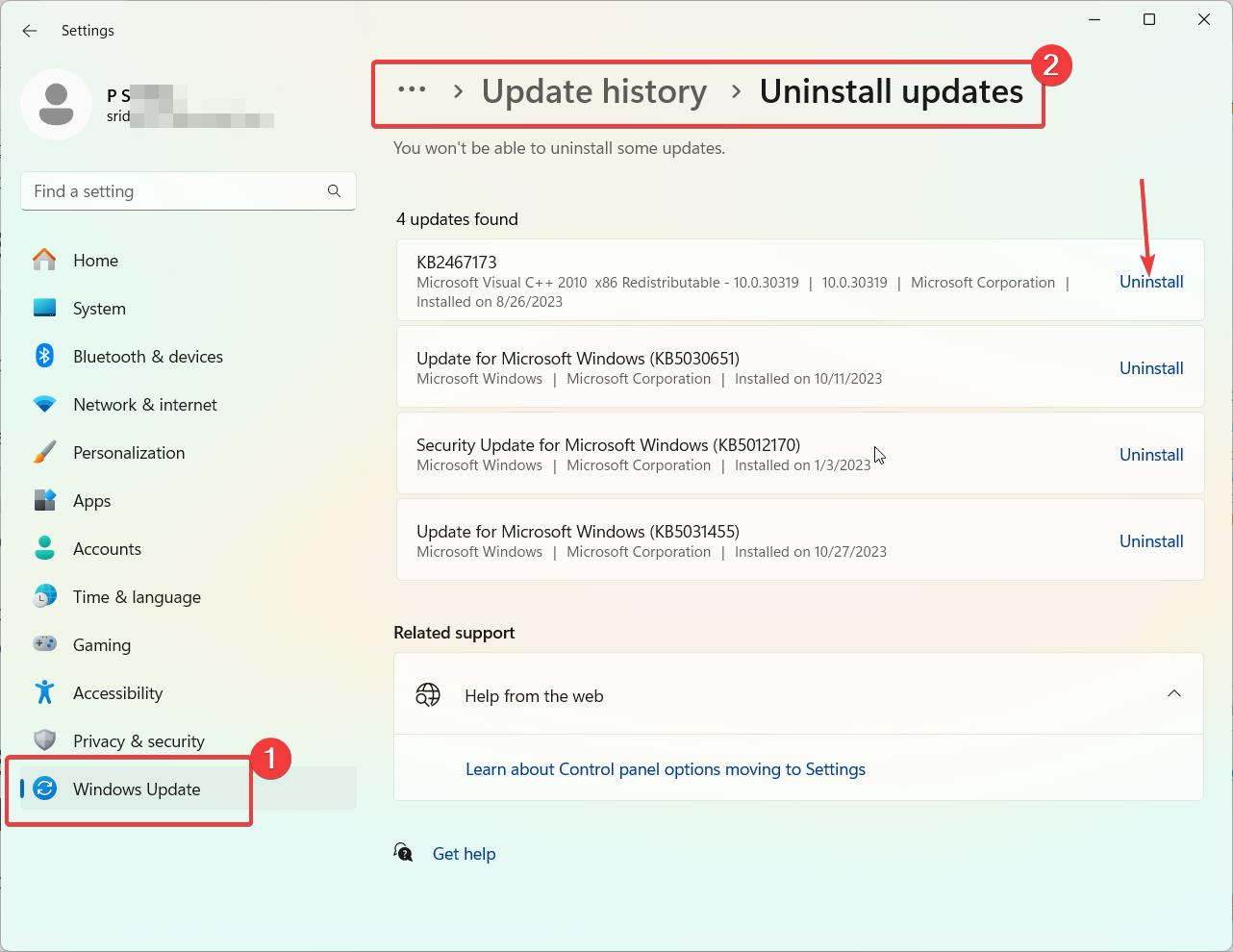
Here is the step-by-step procedure recommended by Microsoft to uninstall the problematic update:
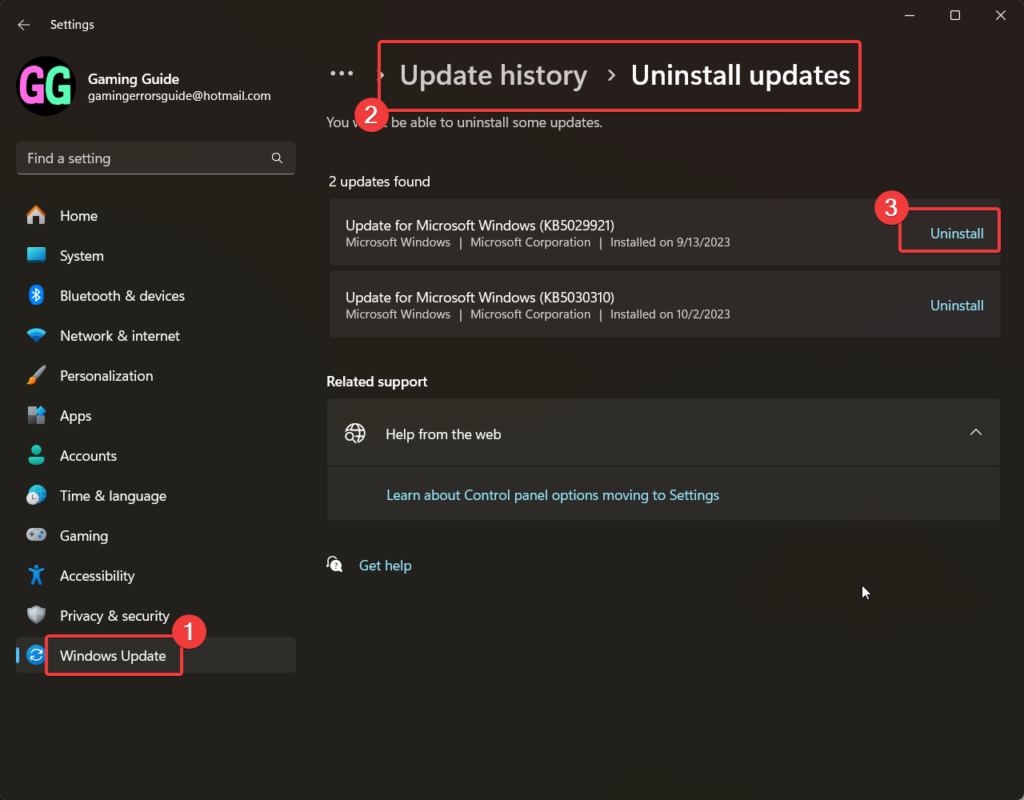
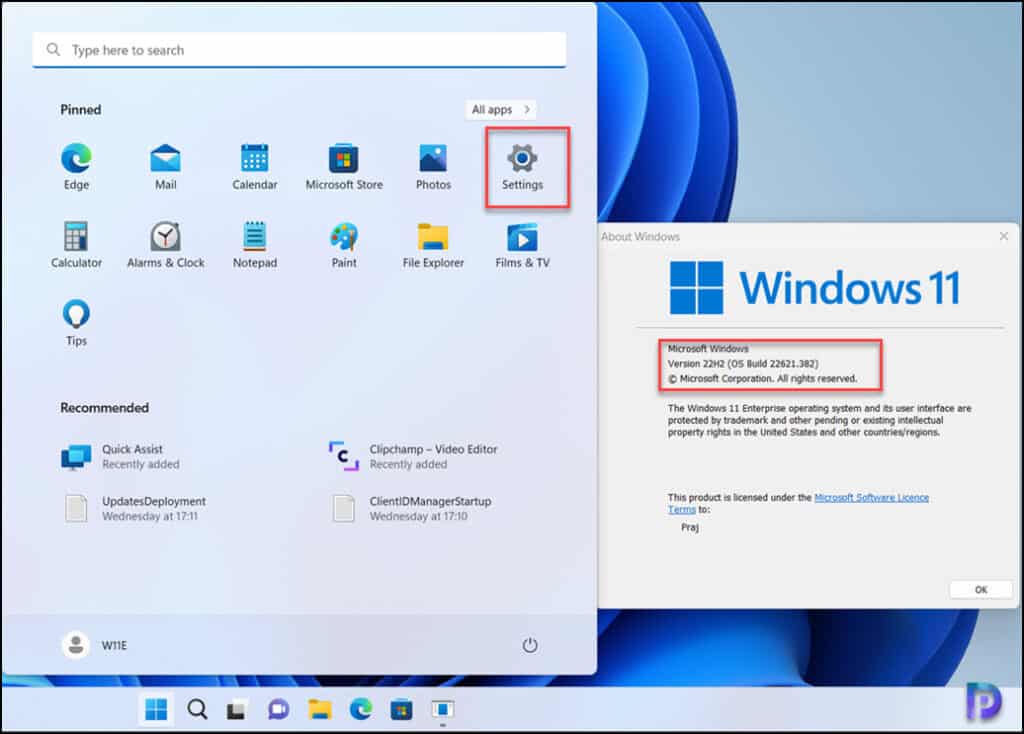
- Open the Windows Settings application (Win + I).
- Navigate to the "Windows Update" section.
- Click on "Update history."
- Select "Uninstall updates" located at the top of the history list.
- Locate the entry labeled "Security Update for Microsoft Windows (KB5074109)".
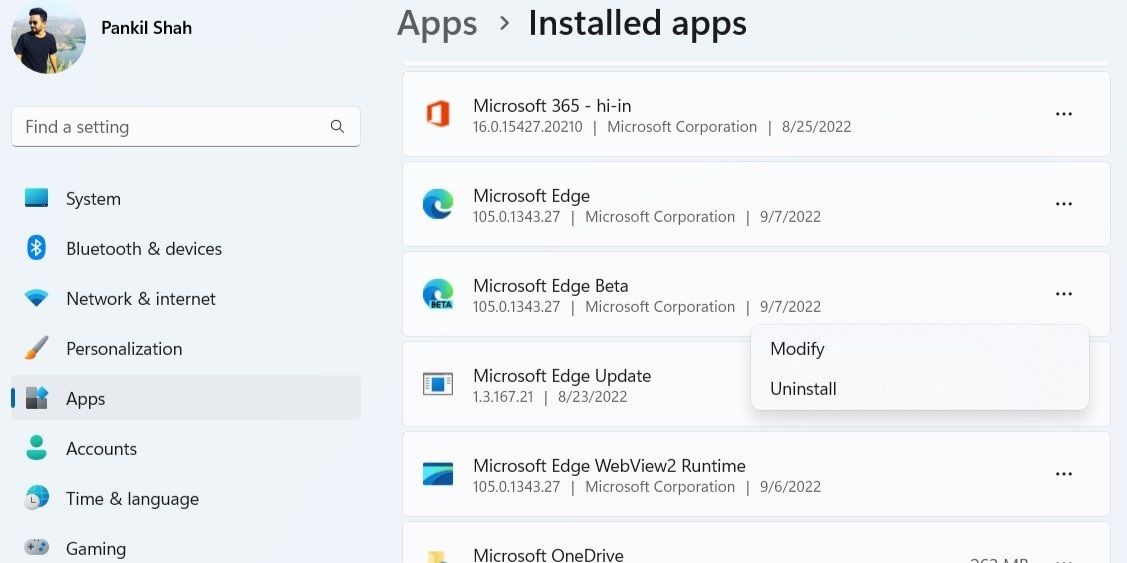
- Click "Uninstall" and follow the prompts.
- You must restart your PC immediately to complete the removal process.
After the restart, Outlook should return to its previous, stable performance level. Users are advised to pause automatic Windows updates for at least seven days following the uninstall. This crucial step prevents Windows from automatically redownloading and reinstalling the faulty KB5074109 patch before a corrected version is made available.
If you are an Enterprise or IT administrator managing a large fleet of workstations, immediate action should be taken to prevent KB5074109 from being deployed via corporate patching solutions like WSUS or Configuration Manager (SCCM). Deploying this patch widely could lead to significant help desk overload and massive productivity losses.
The Broader Impact and What Users Must Do Next
While the focus remains heavily on the Outlook POP/PST hang issues, the instability introduced by the KB5074109 update is a broader indicator of potential quality control lapses in this cycle's Patch Tuesday release. Users are reporting other, albeit less critical, performance hiccups across the Windows 11 interface, including sluggish File Explorer performance and occasional printing difficulties.
For the average user, the priority now shifts from fixing the problem to preventing its recurrence and ensuring future security coverage.
Expect an Out-of-Band Fix Soon
Given the severity and widespread nature of the Outlook issue, industry experts anticipate that Microsoft will release an Out-of-Band update (a patch released outside the standard monthly schedule) within the next few days. This emergency patch will specifically address the data handling conflicts without requiring users to wait until the next scheduled Patch Tuesday rollout.
Keep a close eye on official Windows Update channels. When the corrected update is released, Microsoft will likely give it a new KB number, and it will supersede the faulty KB5074109.
Managing Data Integrity
If your Outlook application was freezing or hanging repeatedly while KB5074109 was installed, there is a small risk that your PST data files might have been compromised or left in an inconsistent state due to abrupt shutdowns. Before restoring full use of Outlook, it is highly recommended to run the built-in Microsoft Outlook Inbox Repair Tool (Scanpst.exe) on any large or frequently used PST files to verify data integrity and prevent potential long-term data loss.
The saga of the KB5074109 patch serves as a sharp reminder that vigilance is crucial when applying mandatory cumulative updates. For those who rely on mission-critical applications like Outlook, pausing automatic updates for a few days immediately following the release ensures that early adopters can flag issues before they impact your system stability and productivity.
In summary: Uninstall KB5074109 immediately, pause your updates, and wait for Microsoft's urgent OOB fix to restore both security and seamless communication access.
Microsoft says uninstall Windows 11 KB5074109 to fix Outlook POP, PST hang, as 2026's first update causes havoc
Microsoft says uninstall Windows 11 KB5074109 to fix Outlook POP, PST hang, as 2026's first update causes havoc Wallpapers
Collection of microsoft says uninstall windows 11 kb5074109 to fix outlook pop, pst hang, as 2026's first update causes havoc wallpapers for your desktop and mobile devices.
Vivid Microsoft Says Uninstall Windows 11 Kb5074109 To Fix Outlook Pop, Pst Hang, As 2026's First Update Causes Havoc Abstract Collection
Discover an amazing microsoft says uninstall windows 11 kb5074109 to fix outlook pop, pst hang, as 2026's first update causes havoc background image, ideal for personalizing your devices with vibrant colors and intricate designs.
Dynamic Microsoft Says Uninstall Windows 11 Kb5074109 To Fix Outlook Pop, Pst Hang, As 2026's First Update Causes Havoc Scene Collection
A captivating microsoft says uninstall windows 11 kb5074109 to fix outlook pop, pst hang, as 2026's first update causes havoc scene that brings tranquility and beauty to any device.
Vibrant Microsoft Says Uninstall Windows 11 Kb5074109 To Fix Outlook Pop, Pst Hang, As 2026's First Update Causes Havoc Photo Photography
Discover an amazing microsoft says uninstall windows 11 kb5074109 to fix outlook pop, pst hang, as 2026's first update causes havoc background image, ideal for personalizing your devices with vibrant colors and intricate designs.
Vibrant Microsoft Says Uninstall Windows 11 Kb5074109 To Fix Outlook Pop, Pst Hang, As 2026's First Update Causes Havoc Landscape in HD
Explore this high-quality microsoft says uninstall windows 11 kb5074109 to fix outlook pop, pst hang, as 2026's first update causes havoc image, perfect for enhancing your desktop or mobile wallpaper.
Artistic Microsoft Says Uninstall Windows 11 Kb5074109 To Fix Outlook Pop, Pst Hang, As 2026's First Update Causes Havoc Wallpaper Photography
A captivating microsoft says uninstall windows 11 kb5074109 to fix outlook pop, pst hang, as 2026's first update causes havoc scene that brings tranquility and beauty to any device.

Crisp Microsoft Says Uninstall Windows 11 Kb5074109 To Fix Outlook Pop, Pst Hang, As 2026's First Update Causes Havoc Image for Desktop
Find inspiration with this unique microsoft says uninstall windows 11 kb5074109 to fix outlook pop, pst hang, as 2026's first update causes havoc illustration, crafted to provide a fresh look for your background.
Captivating Microsoft Says Uninstall Windows 11 Kb5074109 To Fix Outlook Pop, Pst Hang, As 2026's First Update Causes Havoc Scene in HD
Find inspiration with this unique microsoft says uninstall windows 11 kb5074109 to fix outlook pop, pst hang, as 2026's first update causes havoc illustration, crafted to provide a fresh look for your background.

Vibrant Microsoft Says Uninstall Windows 11 Kb5074109 To Fix Outlook Pop, Pst Hang, As 2026's First Update Causes Havoc Artwork in 4K
Discover an amazing microsoft says uninstall windows 11 kb5074109 to fix outlook pop, pst hang, as 2026's first update causes havoc background image, ideal for personalizing your devices with vibrant colors and intricate designs.

Crisp Microsoft Says Uninstall Windows 11 Kb5074109 To Fix Outlook Pop, Pst Hang, As 2026's First Update Causes Havoc Background in 4K
A captivating microsoft says uninstall windows 11 kb5074109 to fix outlook pop, pst hang, as 2026's first update causes havoc scene that brings tranquility and beauty to any device.
Vivid Microsoft Says Uninstall Windows 11 Kb5074109 To Fix Outlook Pop, Pst Hang, As 2026's First Update Causes Havoc Capture for Mobile
Transform your screen with this vivid microsoft says uninstall windows 11 kb5074109 to fix outlook pop, pst hang, as 2026's first update causes havoc artwork, a true masterpiece of digital design.

Exquisite Microsoft Says Uninstall Windows 11 Kb5074109 To Fix Outlook Pop, Pst Hang, As 2026's First Update Causes Havoc Design Photography
Find inspiration with this unique microsoft says uninstall windows 11 kb5074109 to fix outlook pop, pst hang, as 2026's first update causes havoc illustration, crafted to provide a fresh look for your background.

Lush Microsoft Says Uninstall Windows 11 Kb5074109 To Fix Outlook Pop, Pst Hang, As 2026's First Update Causes Havoc Photo Concept
Find inspiration with this unique microsoft says uninstall windows 11 kb5074109 to fix outlook pop, pst hang, as 2026's first update causes havoc illustration, crafted to provide a fresh look for your background.
Dynamic Microsoft Says Uninstall Windows 11 Kb5074109 To Fix Outlook Pop, Pst Hang, As 2026's First Update Causes Havoc Photo for Mobile
Immerse yourself in the stunning details of this beautiful microsoft says uninstall windows 11 kb5074109 to fix outlook pop, pst hang, as 2026's first update causes havoc wallpaper, designed for a captivating visual experience.
Serene Microsoft Says Uninstall Windows 11 Kb5074109 To Fix Outlook Pop, Pst Hang, As 2026's First Update Causes Havoc Picture in 4K
Transform your screen with this vivid microsoft says uninstall windows 11 kb5074109 to fix outlook pop, pst hang, as 2026's first update causes havoc artwork, a true masterpiece of digital design.
High-Quality Microsoft Says Uninstall Windows 11 Kb5074109 To Fix Outlook Pop, Pst Hang, As 2026's First Update Causes Havoc Abstract Nature
Discover an amazing microsoft says uninstall windows 11 kb5074109 to fix outlook pop, pst hang, as 2026's first update causes havoc background image, ideal for personalizing your devices with vibrant colors and intricate designs.
Captivating Microsoft Says Uninstall Windows 11 Kb5074109 To Fix Outlook Pop, Pst Hang, As 2026's First Update Causes Havoc Artwork in 4K
Find inspiration with this unique microsoft says uninstall windows 11 kb5074109 to fix outlook pop, pst hang, as 2026's first update causes havoc illustration, crafted to provide a fresh look for your background.
Serene Microsoft Says Uninstall Windows 11 Kb5074109 To Fix Outlook Pop, Pst Hang, As 2026's First Update Causes Havoc Capture Art
Transform your screen with this vivid microsoft says uninstall windows 11 kb5074109 to fix outlook pop, pst hang, as 2026's first update causes havoc artwork, a true masterpiece of digital design.

Detailed Microsoft Says Uninstall Windows 11 Kb5074109 To Fix Outlook Pop, Pst Hang, As 2026's First Update Causes Havoc Scene Digital Art
Experience the crisp clarity of this stunning microsoft says uninstall windows 11 kb5074109 to fix outlook pop, pst hang, as 2026's first update causes havoc image, available in high resolution for all your screens.
Captivating Microsoft Says Uninstall Windows 11 Kb5074109 To Fix Outlook Pop, Pst Hang, As 2026's First Update Causes Havoc Scene Collection
Find inspiration with this unique microsoft says uninstall windows 11 kb5074109 to fix outlook pop, pst hang, as 2026's first update causes havoc illustration, crafted to provide a fresh look for your background.
Crisp Microsoft Says Uninstall Windows 11 Kb5074109 To Fix Outlook Pop, Pst Hang, As 2026's First Update Causes Havoc Photo in HD
Immerse yourself in the stunning details of this beautiful microsoft says uninstall windows 11 kb5074109 to fix outlook pop, pst hang, as 2026's first update causes havoc wallpaper, designed for a captivating visual experience.
Download these microsoft says uninstall windows 11 kb5074109 to fix outlook pop, pst hang, as 2026's first update causes havoc wallpapers for free and use them on your desktop or mobile devices.