Teachers can now record audio, video, and screencasts directly in Google Classroom
Teachers Can Now Record Audio, Video, and Screencasts Directly in Google Classroom: The EdTech Revolution You've Been Waiting For
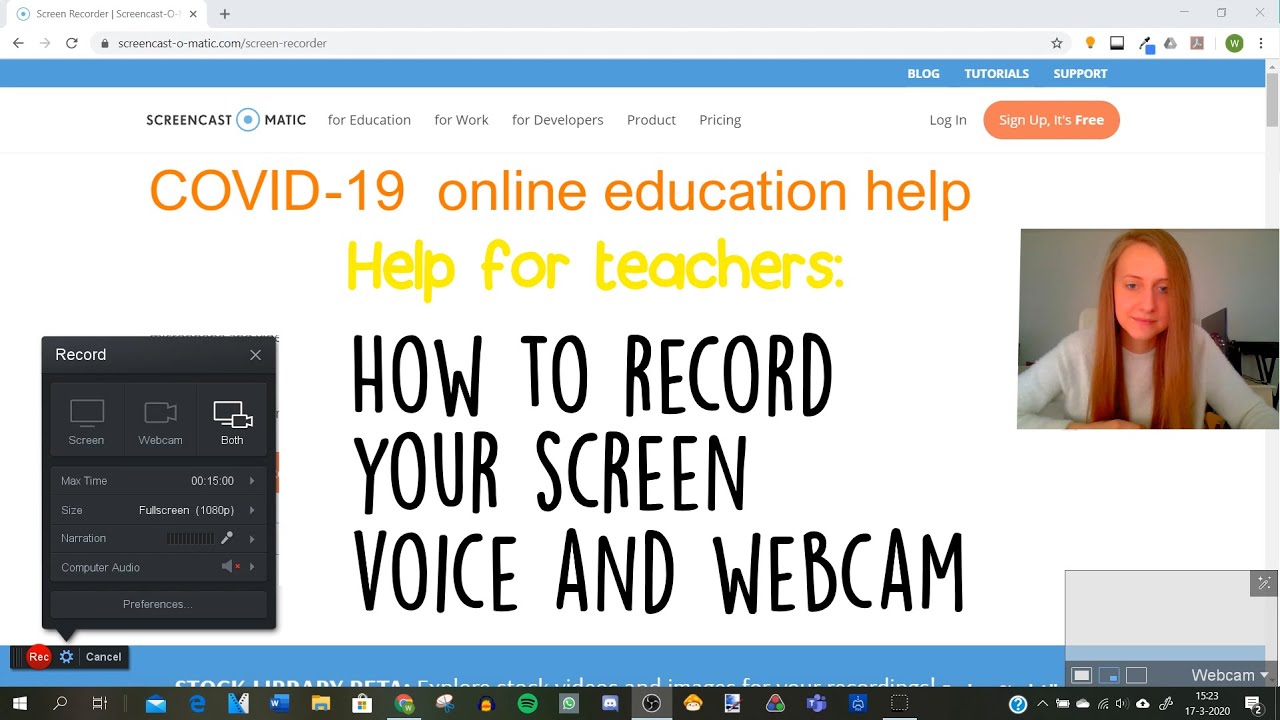
For years, educators relying on the Google Classroom ecosystem faced a nagging workflow hurdle: creating personalized multimedia content. We all remember the tedious routine—record externally using a third-party app like Screencastify or Loom, download the file, upload it to Google Drive, and then finally paste the link into an assignment or comment.
That era of clunky workarounds is officially over.
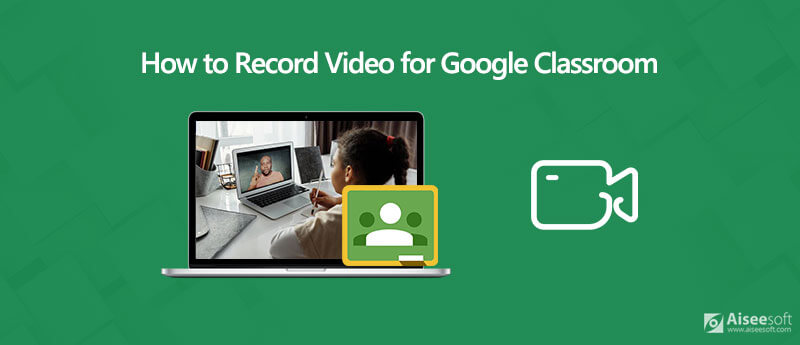
In a massive, highly anticipated update signaling a deeper commitment to integrated educational technology, Google has rolled out native recording capabilities. Teachers can now capture high-quality audio clips, instructional videos, and detailed screencasts without ever leaving the Google Classroom interface.
This isn't just a minor feature tweak; it's a fundamental shift in teacher workflow efficiency and the delivery of personalized, asynchronous learning.
The Game-Changing Feature: Direct Recording for Ultimate Workflow Efficiency
The core of this update is integration. Google Classroom has streamlined the content creation process, embedding the record function directly into key areas where teachers interact with students and assignments. This seamless integration eliminates the friction caused by external apps and file transfers.
The feature supports three critical multimedia formats:
- Audio Clips: Perfect for giving quick, verbal feedback on assignments, summarizing instructions, or assisting younger students who benefit from auditory learning.
- Video Recording: Ideal for daily check-ins, delivering brief announcements, or modeling behavior/procedures directly to the camera.
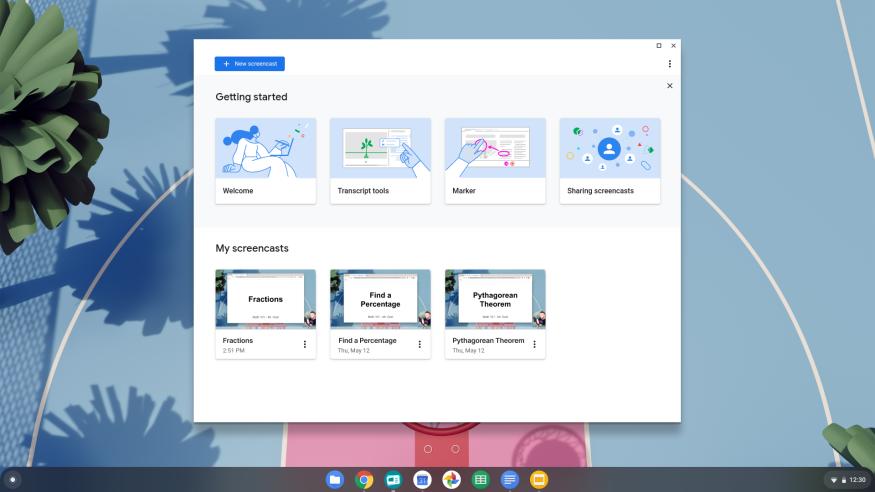
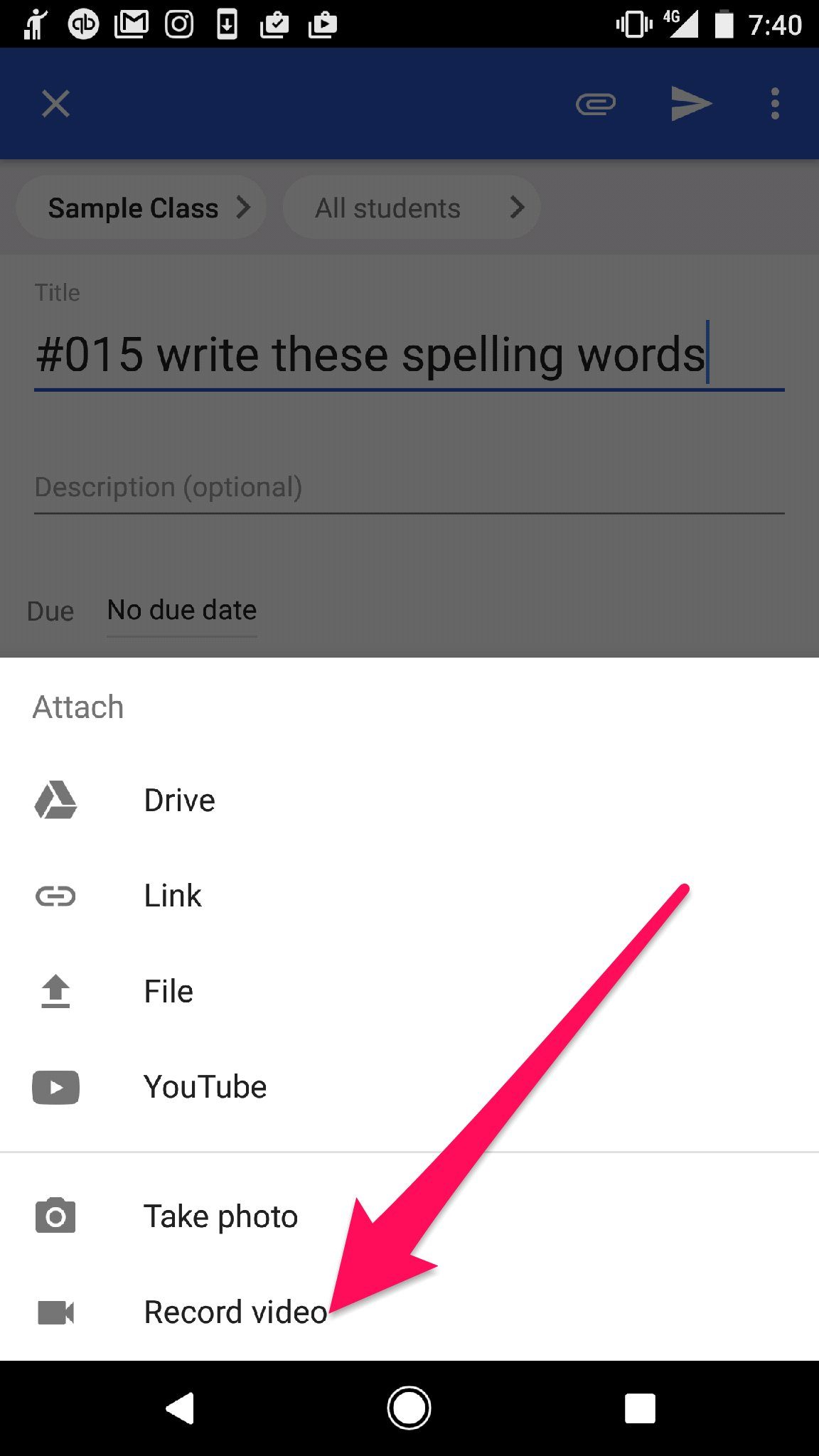
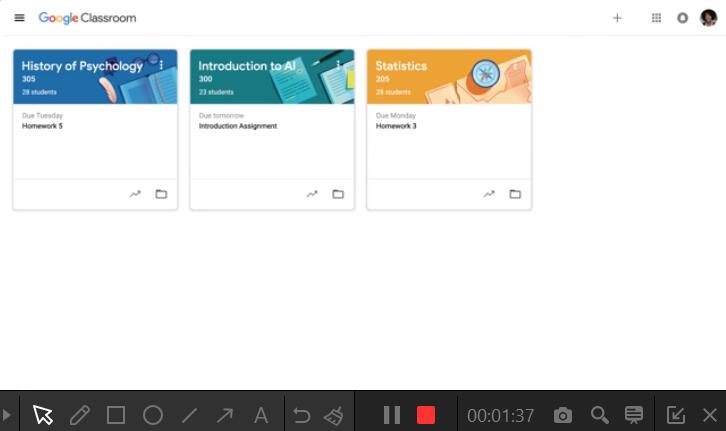
- Screencasts: The powerhouse tool for explaining complex concepts. Teachers can now record their screen—perhaps walking through a difficult math problem in a Google Doc or demonstrating navigation in a digital textbook—and embed it instantly.
Think about the immediate time savings. If a teacher spends just five minutes per day managing file uploads from external platforms, this integrated tool could save hours every month. For busy educators balancing administrative tasks, lesson planning, and direct instruction, these efficiency gains are invaluable.
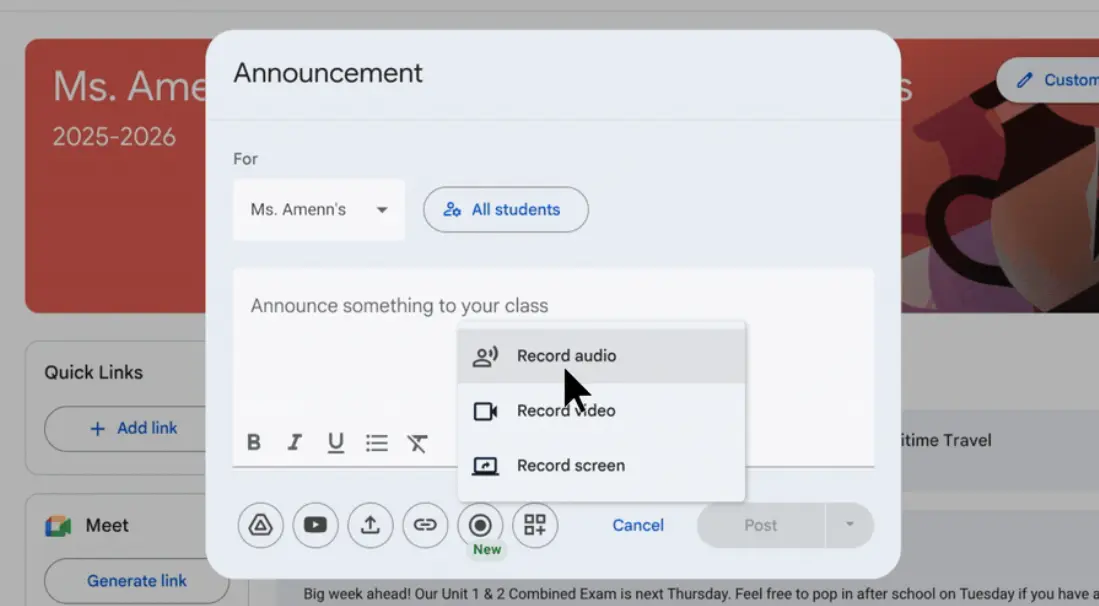
The intuitive interface ensures accessibility. When teachers go to create an assignment, announce a class update, or leave a private comment on a student's submission, a new "Record" icon appears alongside the traditional "Attach" and "Link" options. A simple click launches the recording module, and once finished, the video or audio is processed and embedded almost immediately.
This move positions Google Classroom not just as a content delivery platform, but as a robust, all-in-one content creation hub, significantly boosting the quality and speed of blended instruction.
Why This Matters: Revolutionizing Personalized Feedback and Accessibility
Beyond saving time, the ability to record audio, video, and screencasts directly changes the fundamental dynamics of teacher-student interaction in a digital environment. It moves feedback from sterile text comments to rich, personalized interactions, crucial for fostering connection and clarity.
Personalized Feedback at Scale:
Text comments, while useful, often lack tone and context. A recorded video message, even one minute long, allows the teacher to use facial expressions and vocal inflection to convey encouragement, serious concern, or specific instructional advice. This personalized approach is a cornerstone of effective differentiated instruction.
For example, instead of typing out a long paragraph explaining why a student's essay structure is weak, a teacher can quickly record a screencast highlighting the actual essay document while verbally explaining the necessary revisions. This is powerful formative assessment delivered exactly when the student needs it most.
Major Accessibility Gains (LSI Focus):
This update is a win for accessibility standards, particularly for English Language Learners (ELL) and students with specific learning differences. Audio and visual instruction often bridge gaps that text-heavy instruction creates.
- For ELL Students: Hearing instructions spoken clearly, perhaps with visual cues, aids comprehension far better than reading complex written directions alone.
- For Visual Learners: Screencasts provide explicit visual modeling of procedures, which is critical in subjects like science labs, computer science, or detailed graphic design courses.
- For Students Needing Encouragement: Receiving a video clip where a teacher smiles and praises specific efforts offers crucial emotional support that text cannot replicate.
This feature directly supports asynchronous learning models by making high-quality instruction available on demand. Students can replay complex concepts repeatedly at their own pace, transforming the learning experience into a truly student-centered endeavor.
Implementation and The Future Trajectory of Digital Learning Environments
With this tool now live, educators need to consider how to best integrate it into their existing curriculum. The immediate use cases span all grade levels and disciplines, solidifying the trend toward richer, multimedia-heavy digital learning environments.
Best Practices for Immediate Integration:
Teachers should start small, perhaps focusing first on maximizing the power of audio feedback, which is often the quickest recording format.
- Daily Assignment Summaries: Start the week with a brief 30-second audio clip summarizing the key goals for the week's assignment.
- Math Problem Walkthroughs: Use a screencast to solve the first example problem in a practice set, guiding students step-by-step before they attempt the rest independently.
- Student Video Responses: While the feature is currently teacher-focused, its presence signals that Google is prioritizing multimedia input. Teachers should encourage students to use their own devices to create and upload short response videos, preparing them for a future where interactive media is standard.
This integration signals a serious ramp-up in the competition within the EdTech sector. By absorbing key functions previously provided by third-party extensions, Google is attempting to create a frictionless, unified ecosystem for educational instruction.
The future implications are vast. We can expect subsequent updates to enhance these recording tools, perhaps adding light editing capabilities or advanced analytics on student engagement with the recorded media. This move reinforces Google Classroom's position as a central pillar in the adoption of blended instruction models globally.
The ability for teachers to connect instantly and personally with their students, bridging the physical distance inherent in digital education, marks a significant milestone. Educators should jump on this update immediately to transform their teaching presence and deliver unparalleled support to every student, everywhere.
The age of complicated file uploads is definitively over. Welcome to the new era of instantaneous, powerful multimedia instruction.
Teachers can now record audio, video, and screencasts directly in Google Classroom
Teachers can now record audio, video, and screencasts directly in Google Classroom Wallpapers
Collection of teachers can now record audio, video, and screencasts directly in google classroom wallpapers for your desktop and mobile devices.
Exquisite Teachers Can Now Record Audio, Video, And Screencasts Directly In Google Classroom Background for Desktop
A captivating teachers can now record audio, video, and screencasts directly in google classroom scene that brings tranquility and beauty to any device.
Spectacular Teachers Can Now Record Audio, Video, And Screencasts Directly In Google Classroom Background Nature
Find inspiration with this unique teachers can now record audio, video, and screencasts directly in google classroom illustration, crafted to provide a fresh look for your background.
Breathtaking Teachers Can Now Record Audio, Video, And Screencasts Directly In Google Classroom Abstract Digital Art
Discover an amazing teachers can now record audio, video, and screencasts directly in google classroom background image, ideal for personalizing your devices with vibrant colors and intricate designs.

Vivid Teachers Can Now Record Audio, Video, And Screencasts Directly In Google Classroom Artwork Digital Art
Discover an amazing teachers can now record audio, video, and screencasts directly in google classroom background image, ideal for personalizing your devices with vibrant colors and intricate designs.

High-Quality Teachers Can Now Record Audio, Video, And Screencasts Directly In Google Classroom Moment Illustration
Explore this high-quality teachers can now record audio, video, and screencasts directly in google classroom image, perfect for enhancing your desktop or mobile wallpaper.
Detailed Teachers Can Now Record Audio, Video, And Screencasts Directly In Google Classroom Picture Digital Art
Explore this high-quality teachers can now record audio, video, and screencasts directly in google classroom image, perfect for enhancing your desktop or mobile wallpaper.

Exquisite Teachers Can Now Record Audio, Video, And Screencasts Directly In Google Classroom Scene for Mobile
A captivating teachers can now record audio, video, and screencasts directly in google classroom scene that brings tranquility and beauty to any device.
Breathtaking Teachers Can Now Record Audio, Video, And Screencasts Directly In Google Classroom View for Mobile
Experience the crisp clarity of this stunning teachers can now record audio, video, and screencasts directly in google classroom image, available in high resolution for all your screens.
Gorgeous Teachers Can Now Record Audio, Video, And Screencasts Directly In Google Classroom Moment for Desktop
Immerse yourself in the stunning details of this beautiful teachers can now record audio, video, and screencasts directly in google classroom wallpaper, designed for a captivating visual experience.

Amazing Teachers Can Now Record Audio, Video, And Screencasts Directly In Google Classroom Scene Nature
Transform your screen with this vivid teachers can now record audio, video, and screencasts directly in google classroom artwork, a true masterpiece of digital design.

Crisp Teachers Can Now Record Audio, Video, And Screencasts Directly In Google Classroom Photo for Mobile
This gorgeous teachers can now record audio, video, and screencasts directly in google classroom photo offers a breathtaking view, making it a perfect choice for your next wallpaper.

Gorgeous Teachers Can Now Record Audio, Video, And Screencasts Directly In Google Classroom Artwork for Mobile
This gorgeous teachers can now record audio, video, and screencasts directly in google classroom photo offers a breathtaking view, making it a perfect choice for your next wallpaper.
Artistic Teachers Can Now Record Audio, Video, And Screencasts Directly In Google Classroom Background Illustration
Immerse yourself in the stunning details of this beautiful teachers can now record audio, video, and screencasts directly in google classroom wallpaper, designed for a captivating visual experience.

Breathtaking Teachers Can Now Record Audio, Video, And Screencasts Directly In Google Classroom Picture Digital Art
Discover an amazing teachers can now record audio, video, and screencasts directly in google classroom background image, ideal for personalizing your devices with vibrant colors and intricate designs.
Amazing Teachers Can Now Record Audio, Video, And Screencasts Directly In Google Classroom Capture Nature
Explore this high-quality teachers can now record audio, video, and screencasts directly in google classroom image, perfect for enhancing your desktop or mobile wallpaper.
Artistic Teachers Can Now Record Audio, Video, And Screencasts Directly In Google Classroom Picture Photography
Find inspiration with this unique teachers can now record audio, video, and screencasts directly in google classroom illustration, crafted to provide a fresh look for your background.
Artistic Teachers Can Now Record Audio, Video, And Screencasts Directly In Google Classroom Artwork Art
A captivating teachers can now record audio, video, and screencasts directly in google classroom scene that brings tranquility and beauty to any device.
Amazing Teachers Can Now Record Audio, Video, And Screencasts Directly In Google Classroom Artwork Digital Art
Explore this high-quality teachers can now record audio, video, and screencasts directly in google classroom image, perfect for enhancing your desktop or mobile wallpaper.

Serene Teachers Can Now Record Audio, Video, And Screencasts Directly In Google Classroom Image Collection
Explore this high-quality teachers can now record audio, video, and screencasts directly in google classroom image, perfect for enhancing your desktop or mobile wallpaper.
High-Quality Teachers Can Now Record Audio, Video, And Screencasts Directly In Google Classroom Photo Collection
Experience the crisp clarity of this stunning teachers can now record audio, video, and screencasts directly in google classroom image, available in high resolution for all your screens.
Download these teachers can now record audio, video, and screencasts directly in google classroom wallpapers for free and use them on your desktop or mobile devices.