Mastering Kling AI: The Ultimate Prompting Guide for Cinematic Video Generation
Mastering Kling AI: The Ultimate Prompting Guide for Cinematic Video Generation
The landscape of artificial intelligence is shifting from static images to dynamic, breathtaking video content. At the forefront of this revolution is Kling AI, a powerful text-to-video model that has taken the creative world by storm. Capable of generating high-definition videos with complex physical simulations and stunning realism, Kling AI bridges the gap between imagination and cinema. However, the quality of your output is directly tied to the quality of your input. This comprehensive Kling AI prompting guide is designed to help you master the art of prompt engineering, ensuring your AI-generated videos are nothing short of professional masterpieces.
Understanding the Kling AI Engine
Kling AI, developed by the Chinese tech giant Kuaishou, utilizes advanced Diffusion Transformer technology. Unlike simpler models, Kling understands the physics of the real world—how liquid pours, how cloth drapes, and how humans move. To leverage this, your prompts must be more than just a string of words; they must be a blueprint for a scene. Effective prompting in Kling AI requires a balance of descriptive subjects, environmental context, and technical cinematic instructions.
When you provide a prompt to Kling AI, the model parses your text to identify three primary components: the Subject (who or what), the Action (what is happening), and the Style/Environment (where and how it looks). Mastering the interplay between these three pillars is the secret to high-quality video generation.
The Core Framework: Building a Perfect Prompt
To get the best results, you should follow a structured approach to writing your prompts. A random sentence might give you a decent result, but a structured prompt will give you a professional-grade video. Here is the recommended framework for a Kling AI prompt:
1. Defining the Subject with Precision
Instead of saying "a man," say "a middle-aged fisherman with a weathered face and a salt-and-pepper beard." The more specific you are about textures, clothing, and features, the more consistent the AI will be in maintaining that character's identity throughout the clip. Details like "wearing a yellow waterproof raincoat" or "eyes reflecting the blue of the ocean" help the AI anchor the visual details.
2. Describing Motion and Physics
Kling AI excels at motion. Use strong verbs to describe actions. Instead of "walking," try "striding purposefully through a crowded market" or "stumbling through a thick, muddy swamp." Mentioning how objects interact with each other—such as "steam rising from a hot cup of coffee" or "leaves swirling in a localized wind gust"—triggers the model’s physics engine to produce more realistic movement.
3. Lighting and Atmospheric Conditions
Lighting defines the mood. In your Kling AI prompting guide checklist, always include a lighting style. Common keywords include "golden hour," "cinematic noir lighting," "soft diffused sunlight," or "neon-lit cyberpunk aesthetics." Atmospheric details like "dense fog," "sparkling dust motes," or "heavy rain hitting the pavement" add layers of depth that make the video feel lived-in and real.
Advanced Techniques: Camera Controls and Styles
One of the features that sets professional AI creators apart is the use of camera terminology. Kling AI responds exceptionally well to cinematography keywords. By instructing the "camera," you control the viewer's perspective and the emotional weight of the scene.
- Camera Angles: Use terms like "Low-angle shot" to make a subject look powerful, or "Bird's-eye view" for a sense of scale.
- Camera Movement: Incorporate "Dynamic tracking shot," "Slow zoom-in," or "Panning shot from left to right" to add professional fluidity.
- Lens Types: "35mm film," "Macro lens detail," or "Wide-angle GoPro style" will change the field of view and the "look" of the footage.
| Feature/Aspect | Description |
|---|---|
| Video Duration | Standard clips are 5-10 seconds, with extension capabilities up to 2 minutes in professional modes. |
| Resolution Output | Supports up to 1080p high-definition generation with high frame rates (30fps). |
| Motion Consistency | High-level temporal consistency, meaning objects don't morph or disappear easily between frames. |
| Negative Prompting | The ability to exclude unwanted elements like "blurry," "deformed limbs," or "low quality." |
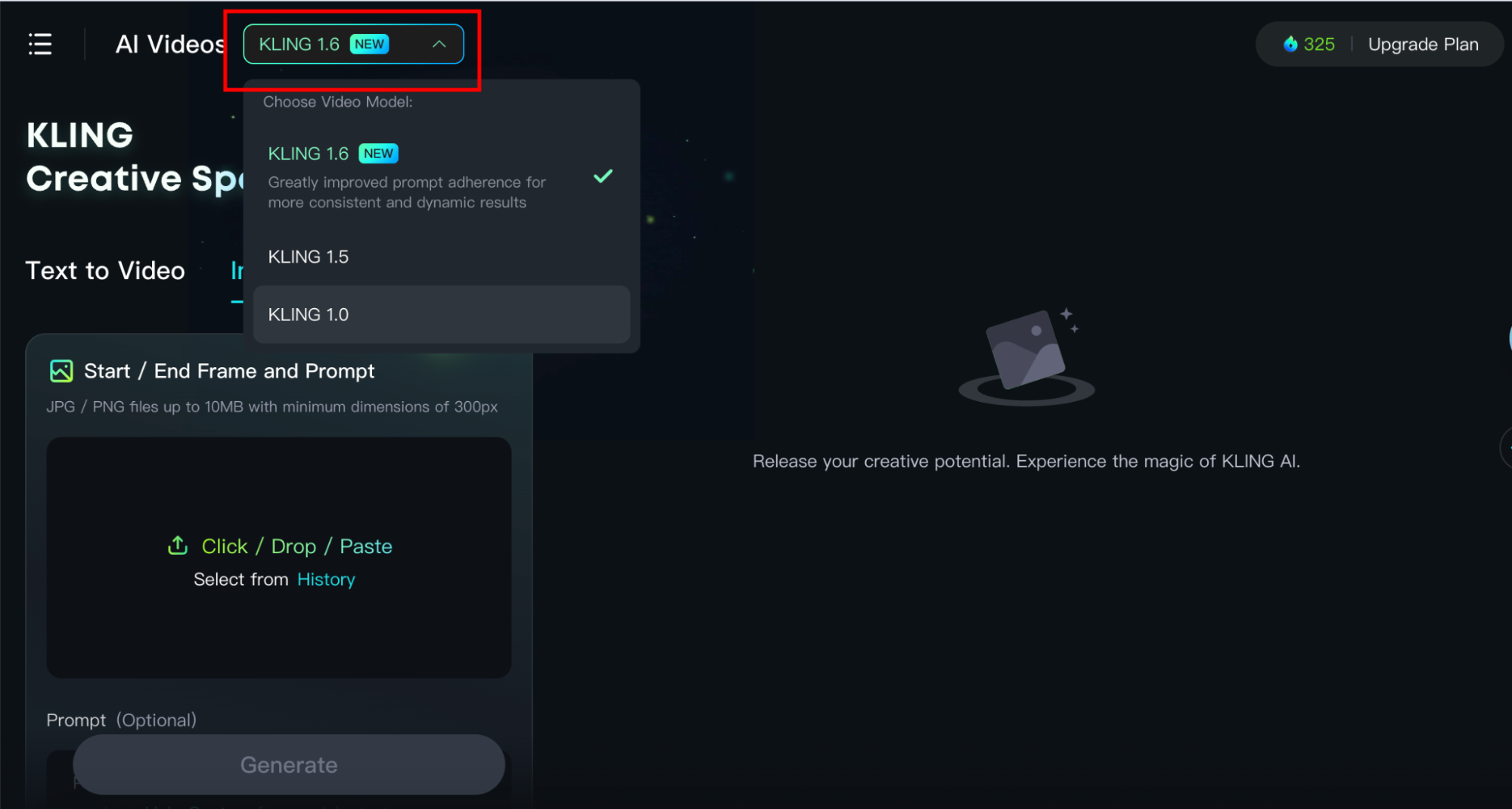
| Multi-Modal Input | Supports both Text-to-Video and Image-to-Video (using a reference image for style/character). |
Using Negative Prompts for Clean Results
While positive prompts tell Kling what to create, negative prompts tell it what to avoid. This is essential for maintaining "visual hygiene." When using Kling AI, consider adding a list of negative keywords to your settings to filter out common AI artifacts. Common negative prompts include:
"Deformed hands, extra fingers, flickering lights, morphing objects, low resolution, blurry background, watermark, text, distorted faces, unrealistic physics."
Prompt Examples for Inspiration
To help you get started with this Kling AI prompting guide, here are three prompt templates for different genres:
The Sci-Fi Epic
Prompt: "Cinematic wide shot of a futuristic neon city in the rain, flying vehicles weaving between skyscrapers, a lone figure in a chrome jacket standing on a balcony overlooking the city, 8k resolution, cyberpunk aesthetic, rainy atmosphere, blue and pink neon lighting, highly detailed textures."
The Nature Documentary
Prompt: "Macro shot of a honeybee landing on a vibrant purple lavender flower, slow motion, morning dew drops visible on the petals, soft sunlight bokeh background, 4k, hyper-realistic, national geographic style, shallow depth of field."
The Historical Drama
Prompt: "A 1920s jazz club, dim smoky atmosphere, a woman in a flapper dress dancing near a piano, golden warm lighting, vintage film grain, high dynamic range, intricate lace details on clothing, authentic period decor."
FAQ: Frequently Asked Questions about Kling AI
1. Can Kling AI generate videos longer than 10 seconds?
Yes, while the standard generation is typically 5 to 10 seconds, Kling AI offers an "extension" feature that allows users to continue the scene, potentially reaching up to 2 minutes while maintaining character and environmental consistency.
2. Does Kling AI support Image-to-Video?
Absolutely. You can upload a starting image to serve as a reference frame. This is highly recommended for users who want to ensure a specific character design or specific branding is followed accurately.
3. Is Kling AI available globally?
Initially launched in China, Kling AI has been rolling out international versions. Users may need to register with an email or phone number depending on the current regional access policies of Kuaishou.
4. How do I fix "warped" movements in my videos?
Warping usually happens when the prompt is too vague or the requested action is too complex. Try breaking the action down into simpler verbs and adding "consistent movement" or "smooth transitions" to your prompt.
Conclusion: The Future of Creativity is at Your Fingertips
Mastering Kling AI prompting is a journey of trial and error, but by following a structured approach—focusing on subject detail, motion physics, and cinematic controls—you can produce results that were once only possible with multi-million dollar VFX budgets. As Kling AI continues to evolve, the distinction between AI-generated content and traditional filmmaking will continue to blur.
Start small, experiment with different camera angles, and don't be afraid to use reference images to guide the AI's "eye." With the tips provided in this guide, you are now equipped to transform your textual ideas into vivid, high-definition realities. The only limit is your imagination.
kling ai prompting guide
kling ai prompting guide Wallpapers
Collection of kling ai prompting guide wallpapers for your desktop and mobile devices.

Breathtaking Kling Ai Prompting Guide Picture in HD
Experience the crisp clarity of this stunning kling ai prompting guide image, available in high resolution for all your screens.
Artistic Kling Ai Prompting Guide Design Illustration
A captivating kling ai prompting guide scene that brings tranquility and beauty to any device.

High-Quality Kling Ai Prompting Guide Design Illustration
Discover an amazing kling ai prompting guide background image, ideal for personalizing your devices with vibrant colors and intricate designs.

Crisp Kling Ai Prompting Guide Photo for Desktop
A captivating kling ai prompting guide scene that brings tranquility and beauty to any device.
Vibrant Kling Ai Prompting Guide Design in 4K
Discover an amazing kling ai prompting guide background image, ideal for personalizing your devices with vibrant colors and intricate designs.

Vibrant Kling Ai Prompting Guide Design Illustration
Transform your screen with this vivid kling ai prompting guide artwork, a true masterpiece of digital design.

Serene Kling Ai Prompting Guide Photo in HD
Explore this high-quality kling ai prompting guide image, perfect for enhancing your desktop or mobile wallpaper.
Amazing Kling Ai Prompting Guide Landscape Art
Discover an amazing kling ai prompting guide background image, ideal for personalizing your devices with vibrant colors and intricate designs.

Dynamic Kling Ai Prompting Guide Picture Nature
This gorgeous kling ai prompting guide photo offers a breathtaking view, making it a perfect choice for your next wallpaper.
Spectacular Kling Ai Prompting Guide Artwork for Mobile
A captivating kling ai prompting guide scene that brings tranquility and beauty to any device.
Exquisite Kling Ai Prompting Guide Photo Collection
Immerse yourself in the stunning details of this beautiful kling ai prompting guide wallpaper, designed for a captivating visual experience.
Spectacular Kling Ai Prompting Guide Photo Collection
Immerse yourself in the stunning details of this beautiful kling ai prompting guide wallpaper, designed for a captivating visual experience.

Dynamic Kling Ai Prompting Guide Wallpaper for Your Screen
Immerse yourself in the stunning details of this beautiful kling ai prompting guide wallpaper, designed for a captivating visual experience.
Detailed Kling Ai Prompting Guide Design in 4K
Experience the crisp clarity of this stunning kling ai prompting guide image, available in high resolution for all your screens.
Stunning Kling Ai Prompting Guide Photo Nature
A captivating kling ai prompting guide scene that brings tranquility and beauty to any device.

Amazing Kling Ai Prompting Guide Capture Nature
Transform your screen with this vivid kling ai prompting guide artwork, a true masterpiece of digital design.

Vivid Kling Ai Prompting Guide Photo Collection
Transform your screen with this vivid kling ai prompting guide artwork, a true masterpiece of digital design.
Serene Kling Ai Prompting Guide Artwork Illustration
Discover an amazing kling ai prompting guide background image, ideal for personalizing your devices with vibrant colors and intricate designs.

Captivating Kling Ai Prompting Guide Artwork Concept
This gorgeous kling ai prompting guide photo offers a breathtaking view, making it a perfect choice for your next wallpaper.
Captivating Kling Ai Prompting Guide Scene Digital Art
Find inspiration with this unique kling ai prompting guide illustration, crafted to provide a fresh look for your background.
Download these kling ai prompting guide wallpapers for free and use them on your desktop or mobile devices.