How to Watch Microsoft Movies and TV on Android: The Ultimate Step-by-Step Guide
How to Watch Microsoft Movies and TV on Android: The Ultimate Step-by-Step Guide
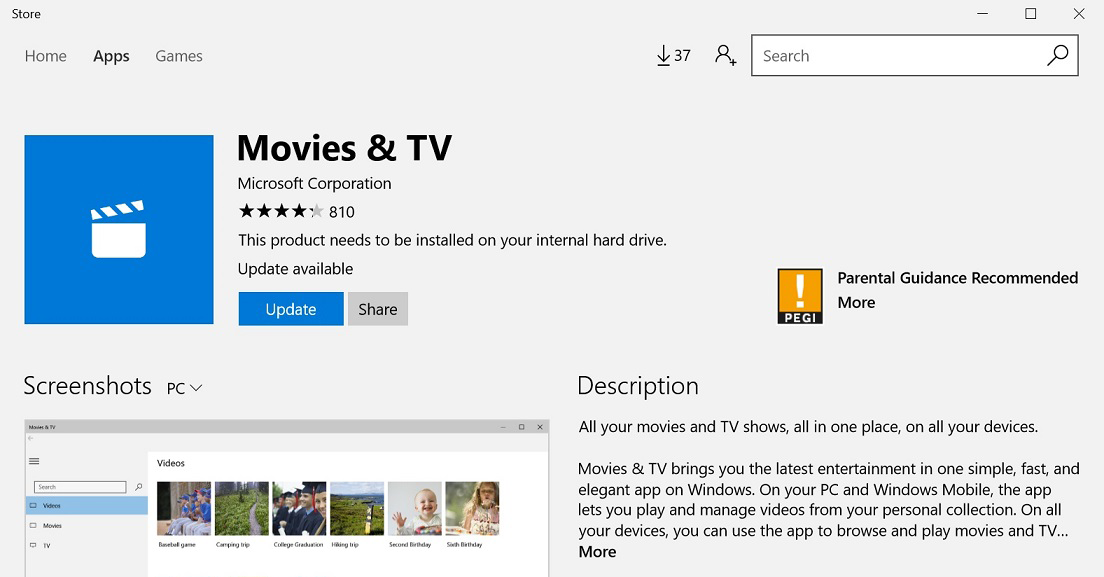
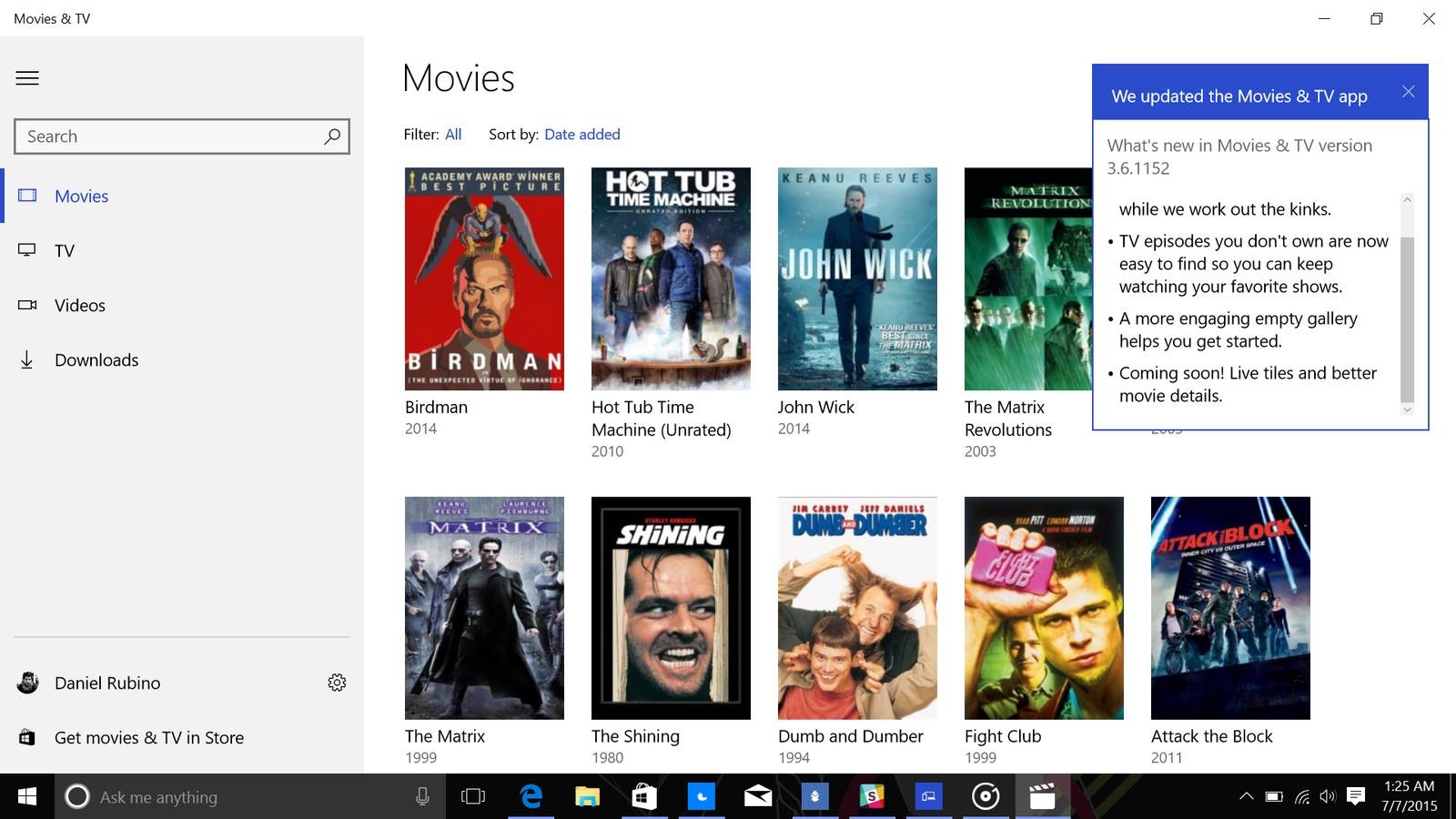
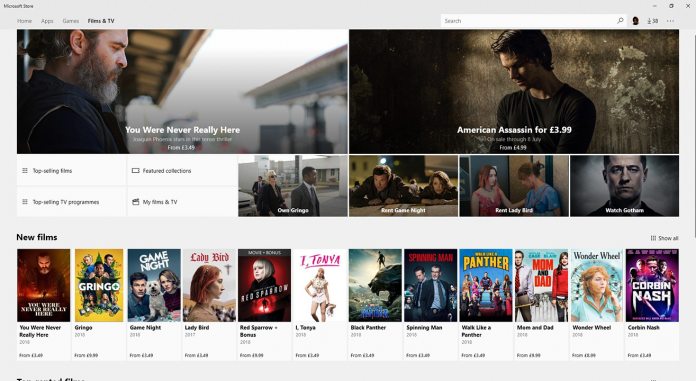
In the modern era of digital entertainment, many of us have built extensive libraries of films and television shows across various platforms. If you are an Xbox user or a Windows enthusiast, you likely have a collection sitting in the Microsoft Store (formerly known as Xbox Video). However, a common frustration arises when you switch from your PC or console to your mobile device: Microsoft does not currently offer a native "Microsoft Movies & TV" app for the Android operating system.
This absence often leaves users wondering if their purchased content is trapped within the Windows ecosystem. The good news is that you don't have to give up on your favorite films while on the go. While there isn't a direct "Install" button in the Google Play Store for Microsoft's video service, there are several effective workarounds to bridge the gap. This comprehensive guide will walk you through how to watch Microsoft Movies and TV on Android using official integrations and clever alternatives.
Method 1: Using Movies Anywhere (The Most Effective Solution)
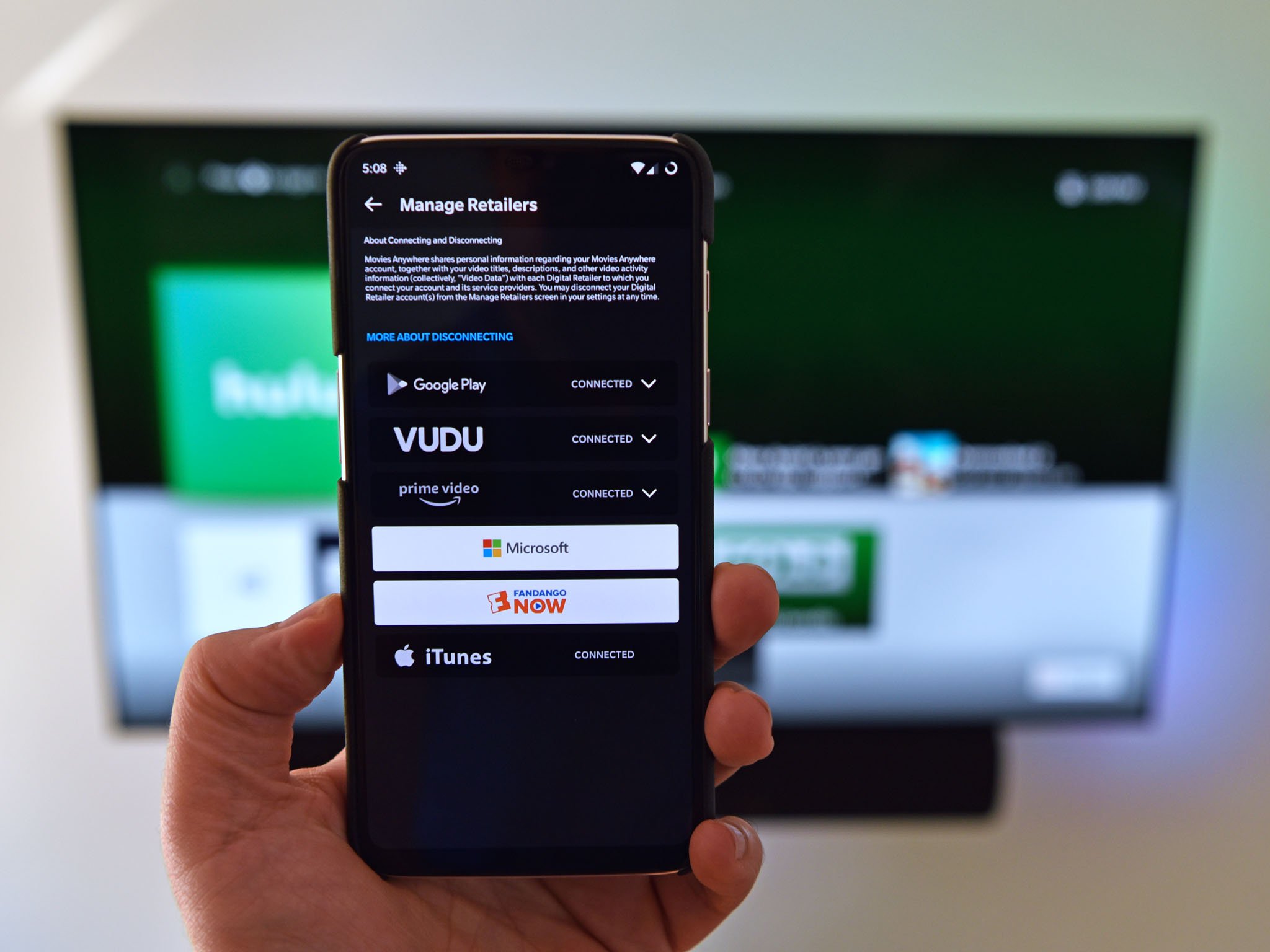
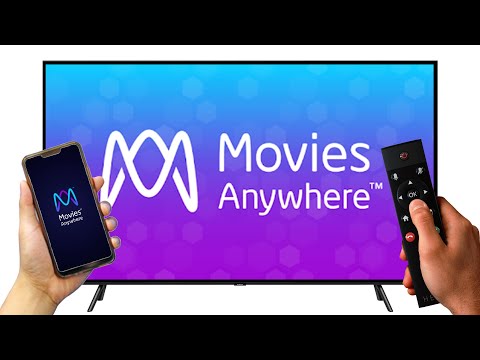
The most seamless way to access your Microsoft movie library on an Android device is through a service called Movies Anywhere. This is a cloud-based digital locker that acts as a bridge between various digital retailers, including Microsoft, Google Play, Amazon Prime Video, and Vudu/Fandango at Home.
How to Set Up Movies Anywhere
To use this method, you need to link your Microsoft account and your Google account to a single Movies Anywhere profile. Once linked, any eligible movie you purchase on the Microsoft Store will automatically appear in your Google TV (formerly Google Play Movies & TV) or YouTube library on your Android phone.
- Create an Account: Visit the Movies Anywhere website or download the app on your Android device and create a free account.
- Link Microsoft: Go to the "Manage Retailers" section and select Microsoft. Log in with your Microsoft credentials to authorize the sync.
- Link Google Play: In the same menu, select Google Play/Google TV and link your primary Google account.
- Wait for Sync: Give the service a few minutes to synchronize. Your Microsoft movies will now appear in the Google TV app or YouTube app under the "Library" or "Purchases" tab.
Important Limitations of Movies Anywhere
While this is the best method, it has two major caveats. First, it is currently only available to users in the United States. Second, not all movie studios participate. Major studios like Disney, Sony, Universal, and Warner Bros. are included, but others like Paramount, Lionsgate, and MGM are not. Furthermore, television shows are currently not supported by Movies Anywhere.
Method 2: Streaming via OneDrive for Personal Content
If you have DRM-free video files or personal recordings that you usually watch through the Microsoft Movies & TV app on your PC, the best way to access them on Android is via Microsoft OneDrive. Since Microsoft has integrated its cloud storage deeply into the Windows ecosystem, it serves as an excellent personal media server.
Steps to Stream via OneDrive:
- Upload to OneDrive: On your Windows PC, move your video files into the "Videos" folder within your OneDrive directory.
- Install OneDrive on Android: Download the official Microsoft OneDrive app from the Google Play Store.
- Play Directly: Open the app, navigate to your video folder, and tap the file. The OneDrive app has a built-in video player that supports many common formats like MP4 and MKV.
This method is ideal for content you own physically and have digitized, or for recordings, but it will not work for DRM-protected movies purchased directly from the Microsoft Store due to copyright protection protocols.
Understanding the Compatibility Landscape
To help you decide which method is best for your specific situation, refer to the table below which highlights the key aspects of watching Microsoft content on Android.
| Fitur/Aspek | Deskripsi |
|---|---|
| Primary Method | Movies Anywhere integration (Requires US account). |
| Supported Content | Movies from Disney, Warner Bros, Universal, Sony, and Fox. |
| Unsupported Content | TV Shows and movies from Paramount or Lionsgate. |
| Offline Viewing | Possible via the Google TV or YouTube app after syncing. |
| Regional Availability | Movies Anywhere is US-only; OneDrive works globally. |
Method 3: Alternative Solutions for International Users
For users outside the United States who cannot access Movies Anywhere, the options are more limited. Microsoft has not yet expanded its digital locker service globally. In this scenario, your best bet is to consider "future-proofing" your library.
Remote Desktop Access
If you absolutely must watch a TV show or a Paramount movie purchased on Microsoft on your Android tablet while at home, you can use a Remote Desktop application (like Chrome Remote Desktop or Microsoft Remote Desktop). You can essentially "stream" your PC screen to your Android device. While this is not ideal for high-action movies due to potential latency, it works for casual viewing within the same Wi-Fi network.
Transitioning Your Buying Habits
If you use an Android device as your primary mobile platform, SEO experts and tech reviewers often suggest purchasing future content through YouTube or Google TV. Because Google services are available on almost every platform (including web browsers on Windows), your library becomes more versatile than the Microsoft-exclusive library.
How to Troubleshoot Syncing Issues
Sometimes, even after linking your accounts, your movies might not show up. Here are a few troubleshooting tips:
- Check Studio Eligibility: Ensure the movie you are looking for is from a participating studio (e.g., check if it's a Disney or Warner Bros. film).
- Refresh Retailer Links: Go into the Movies Anywhere settings, disconnect the Microsoft account, and reconnect it.
- App Updates: Ensure your Google TV and YouTube apps are updated to the latest version via the Play Store.
Frequently Asked Questions (FAQ)
1. Is there an official Microsoft Movies & TV app for Android?
No, Microsoft has not released an official app for Android. You must use third-party integrations like Movies Anywhere or cloud storage like OneDrive.
2. Can I watch TV shows purchased on Microsoft Store on my Android phone?
Currently, TV shows are not supported by Movies Anywhere. There is no direct way to watch Microsoft-purchased TV shows on Android unless they are DRM-free and uploaded to OneDrive.
3. Does syncing movies cost extra money?
No, Movies Anywhere is a free service. You only pay for the movies you purchase from the retailers; the synchronization service itself is free of charge.
Conclusion
While the lack of a native app is a significant hurdle, knowing how to watch Microsoft Movies and TV on Android is entirely possible with the right tools. For US-based users, Movies Anywhere is an incredible resource that turns your fragmented digital purchases into a unified library accessible through Google TV or YouTube. For those with personal files, OneDrive remains a reliable backup.
As the digital landscape evolves, we can only hope Microsoft expands its mobile offerings. Until then, these workarounds ensure that your investment in the Microsoft Store doesn't go to waste. Start linking your accounts today and enjoy your favorite cinema experiences right from the palm of your hand!
how to watch microsoft movies and tv on android
how to watch microsoft movies and tv on android Wallpapers
Collection of how to watch microsoft movies and tv on android wallpapers for your desktop and mobile devices.
Serene How To Watch Microsoft Movies And Tv On Android Background for Your Screen
Experience the crisp clarity of this stunning how to watch microsoft movies and tv on android image, available in high resolution for all your screens.
Gorgeous How To Watch Microsoft Movies And Tv On Android Background in HD
This gorgeous how to watch microsoft movies and tv on android photo offers a breathtaking view, making it a perfect choice for your next wallpaper.
Vibrant How To Watch Microsoft Movies And Tv On Android Moment in HD
Experience the crisp clarity of this stunning how to watch microsoft movies and tv on android image, available in high resolution for all your screens.

Vivid How To Watch Microsoft Movies And Tv On Android Background for Mobile
Experience the crisp clarity of this stunning how to watch microsoft movies and tv on android image, available in high resolution for all your screens.

Gorgeous How To Watch Microsoft Movies And Tv On Android Moment Concept
Immerse yourself in the stunning details of this beautiful how to watch microsoft movies and tv on android wallpaper, designed for a captivating visual experience.

Vibrant How To Watch Microsoft Movies And Tv On Android Artwork Collection
Experience the crisp clarity of this stunning how to watch microsoft movies and tv on android image, available in high resolution for all your screens.
Detailed How To Watch Microsoft Movies And Tv On Android Picture Photography
Experience the crisp clarity of this stunning how to watch microsoft movies and tv on android image, available in high resolution for all your screens.

Crisp How To Watch Microsoft Movies And Tv On Android Scene for Desktop
Find inspiration with this unique how to watch microsoft movies and tv on android illustration, crafted to provide a fresh look for your background.
Crisp How To Watch Microsoft Movies And Tv On Android Moment Collection
This gorgeous how to watch microsoft movies and tv on android photo offers a breathtaking view, making it a perfect choice for your next wallpaper.

Mesmerizing How To Watch Microsoft Movies And Tv On Android Image Art
Experience the crisp clarity of this stunning how to watch microsoft movies and tv on android image, available in high resolution for all your screens.
Gorgeous How To Watch Microsoft Movies And Tv On Android Landscape Concept
This gorgeous how to watch microsoft movies and tv on android photo offers a breathtaking view, making it a perfect choice for your next wallpaper.
Dynamic How To Watch Microsoft Movies And Tv On Android Design Concept
A captivating how to watch microsoft movies and tv on android scene that brings tranquility and beauty to any device.
Stunning How To Watch Microsoft Movies And Tv On Android Abstract Digital Art
This gorgeous how to watch microsoft movies and tv on android photo offers a breathtaking view, making it a perfect choice for your next wallpaper.

High-Quality How To Watch Microsoft Movies And Tv On Android Image Digital Art
Discover an amazing how to watch microsoft movies and tv on android background image, ideal for personalizing your devices with vibrant colors and intricate designs.

Gorgeous How To Watch Microsoft Movies And Tv On Android Moment Digital Art
A captivating how to watch microsoft movies and tv on android scene that brings tranquility and beauty to any device.
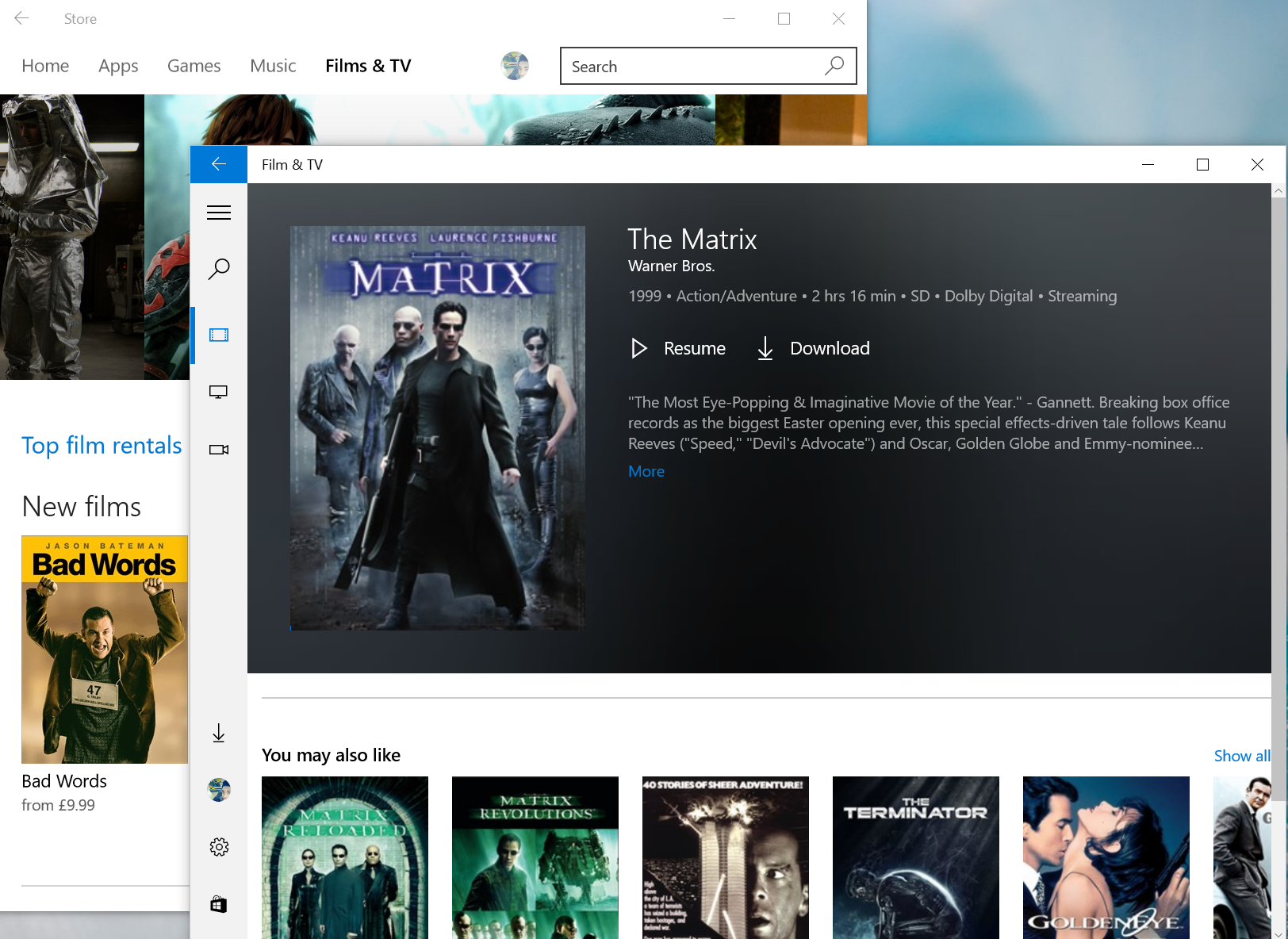
Amazing How To Watch Microsoft Movies And Tv On Android Picture in 4K
Transform your screen with this vivid how to watch microsoft movies and tv on android artwork, a true masterpiece of digital design.

Vivid How To Watch Microsoft Movies And Tv On Android Design Collection
Transform your screen with this vivid how to watch microsoft movies and tv on android artwork, a true masterpiece of digital design.

Exquisite How To Watch Microsoft Movies And Tv On Android Capture for Your Screen
Find inspiration with this unique how to watch microsoft movies and tv on android illustration, crafted to provide a fresh look for your background.

High-Quality How To Watch Microsoft Movies And Tv On Android Background for Your Screen
Explore this high-quality how to watch microsoft movies and tv on android image, perfect for enhancing your desktop or mobile wallpaper.
High-Quality How To Watch Microsoft Movies And Tv On Android Landscape Concept
Explore this high-quality how to watch microsoft movies and tv on android image, perfect for enhancing your desktop or mobile wallpaper.
Download these how to watch microsoft movies and tv on android wallpapers for free and use them on your desktop or mobile devices.