How To Save Multiple Photos As Pdf On Iphone
How to Save Multiple Photos as PDF on iPhone: The Ultimate Step-by-Step Guide
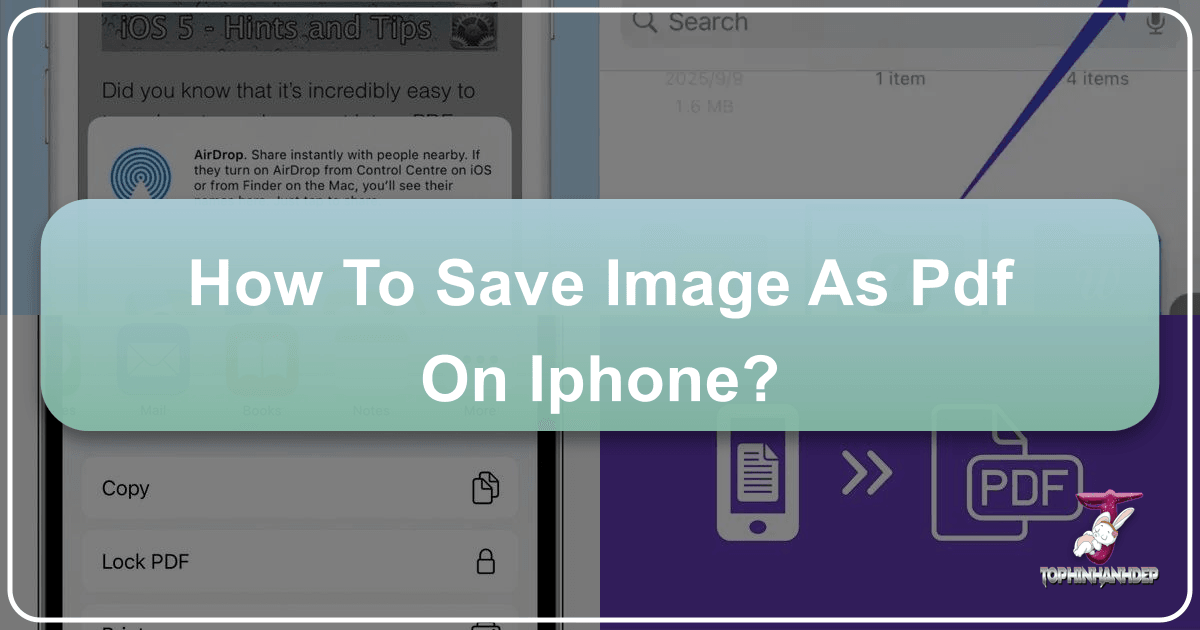
In today’s digital-first world, the ability to convert images into professional documents is a vital skill. Whether you are a student submitting an assignment, a freelancer sending receipts to a client, or a professional sharing a portfolio, knowing how to save multiple photos as PDF on iPhone can save you time and eliminate the need for bulky third-party applications. Apple’s iOS ecosystem provides powerful, built-in tools that allow you to merge several images into a single, high-quality PDF file in just a few taps.
Converting photos to PDF ensures that your images remain in a fixed layout, making them easily viewable on any device—be it a Windows PC, an Android tablet, or a Mac. In this comprehensive guide, we will explore the three most effective methods to achieve this using native iOS features like the Files app, the Print shortcut, and the Books app.
Why Convert Multiple Photos to PDF on Your iPhone?
Before diving into the "how-to," it is important to understand why the PDF format is superior for sharing multiple images. Unlike sending ten individual JPEG files, which can clutter an inbox or download folder, a single PDF keeps everything organized. Here are the primary benefits:
- Universal Compatibility: PDFs look the same on every device and operating system.
- File Size Optimization: PDF conversion can often compress images slightly without significant quality loss, making them easier to email.
- Professionalism: Sending a single document looks more polished than a string of loose image files.
- Security: PDFs can be password-protected and are harder to accidentally edit than raw image files.
Method 1: Using the Files App (The Fastest Way)
The Files app is perhaps the most efficient way to save multiple photos as PDF on iPhone. This method is available on iOS 13 and later and allows for quick batch processing. This is particularly useful because it doesn't require "printing" the document; it simply generates the file instantly.
Step 1: Move Photos to the Files App
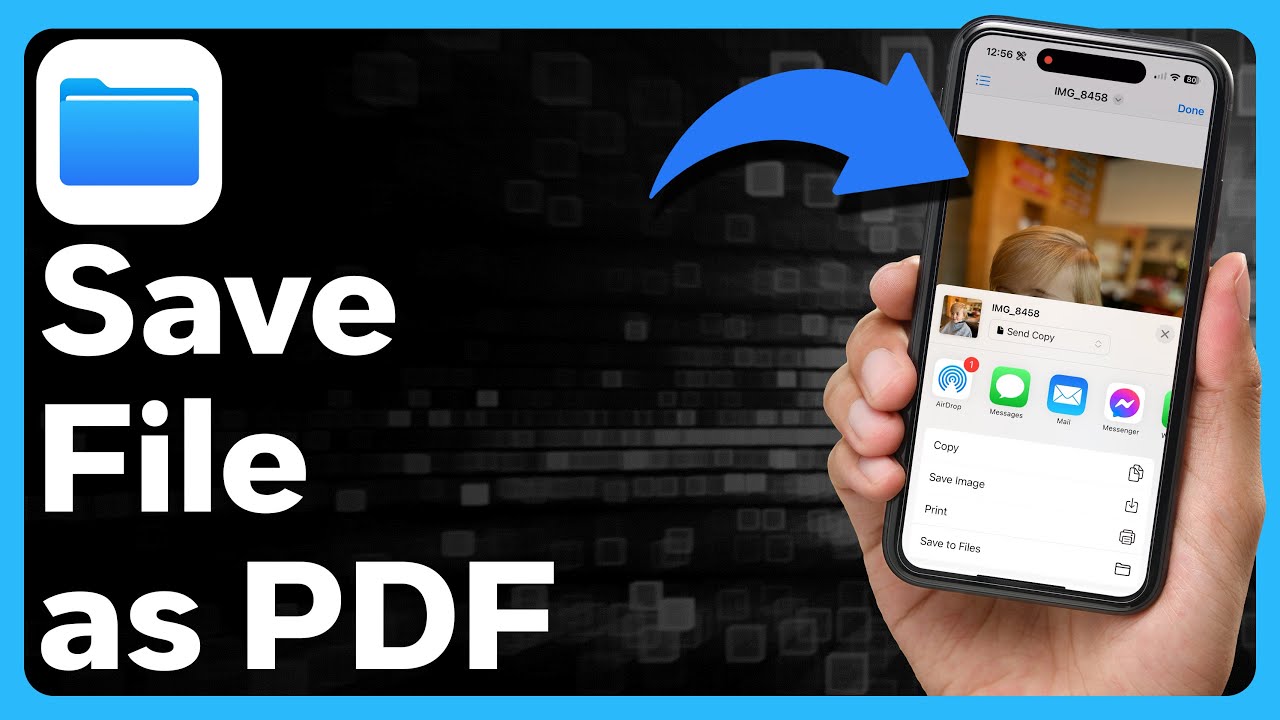
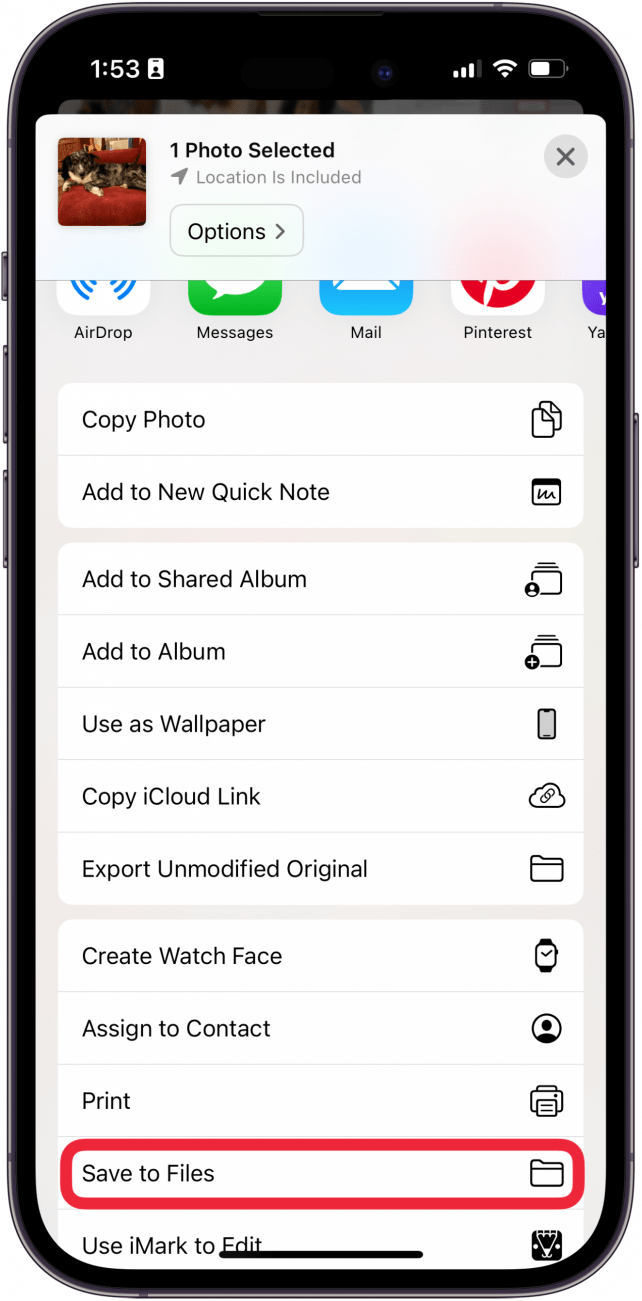
First, open your Photos app and select the images you wish to convert. Tap the Share button (the square with an upward arrow) and select Save to Files. Choose a folder (like "On My iPhone" or "iCloud Drive") and tap Save.
Step 2: Create the PDF
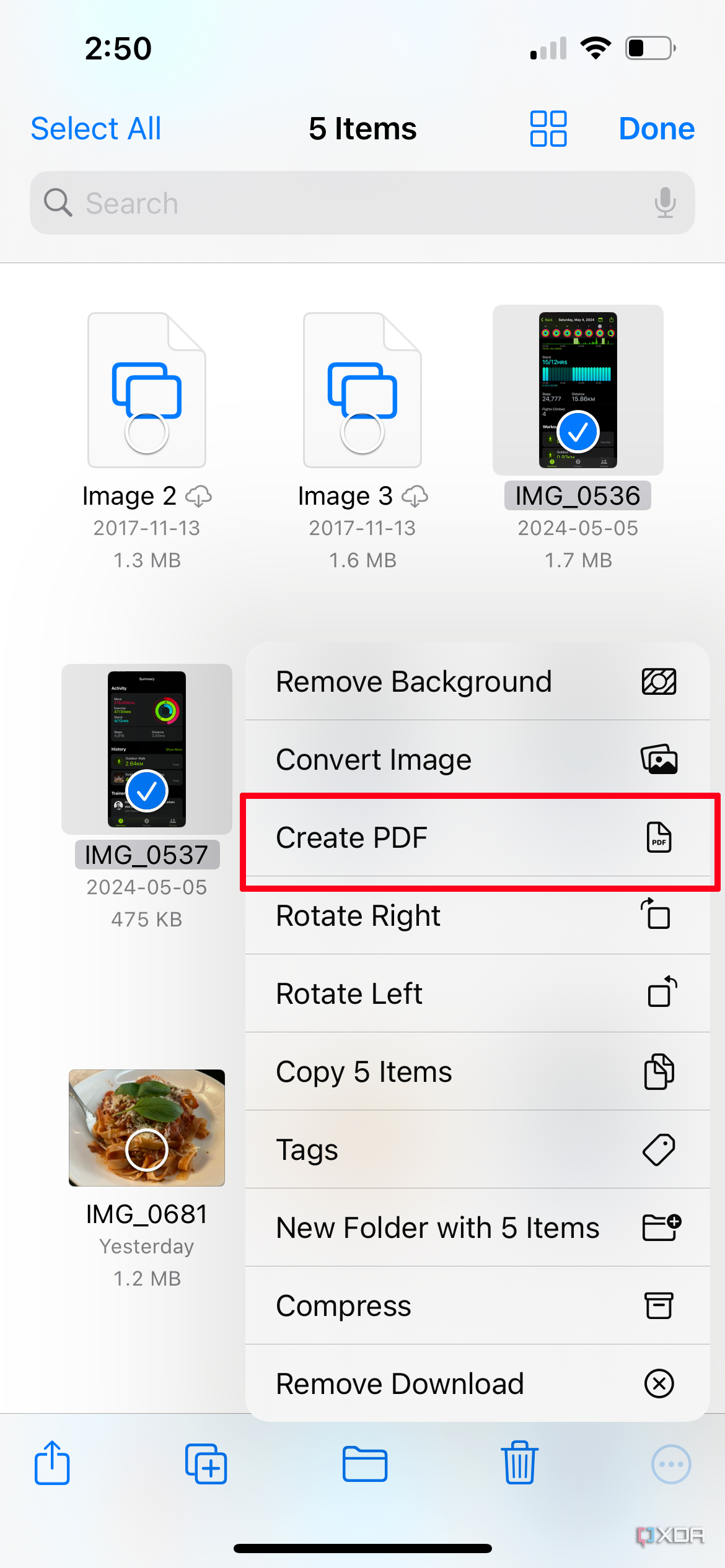
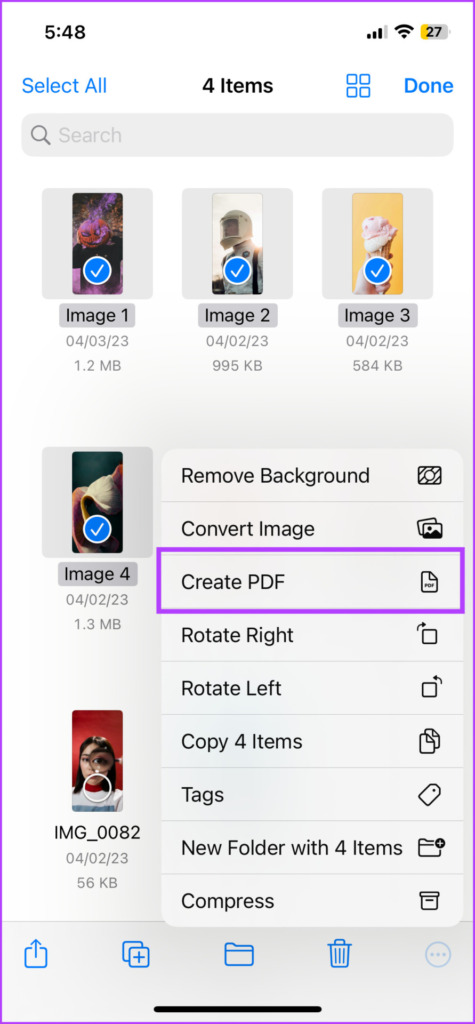
Open the Files app and navigate to the folder where you just saved the images. Tap the More icon (three dots in a circle) at the top right and choose Select. Pick all the photos you want to include in the PDF. Once selected, tap the More icon at the bottom right of the screen. Select Create PDF.
Your iPhone will immediately generate a new PDF file containing all the selected images. You can then long-press the file to rename it or share it via email or messaging apps.
Method 2: Using the "Print" Gesture Shortcut
This is a "hidden" trick that many long-time iPhone users aren't aware of. It uses the Print preview screen to generate a PDF. This method is excellent if you don't want to move your files into the Files app first.
- Open the Photos app.
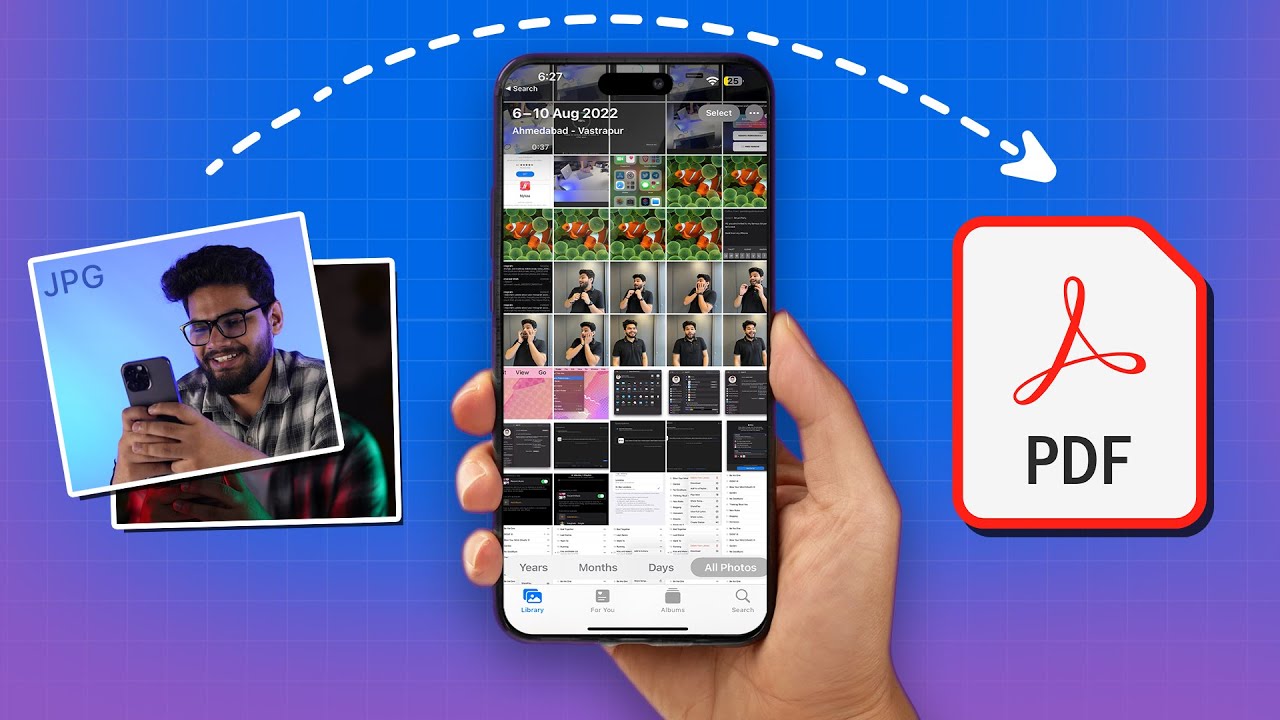
- Tap Select and choose the multiple photos you want to convert.
- Tap the Share icon.
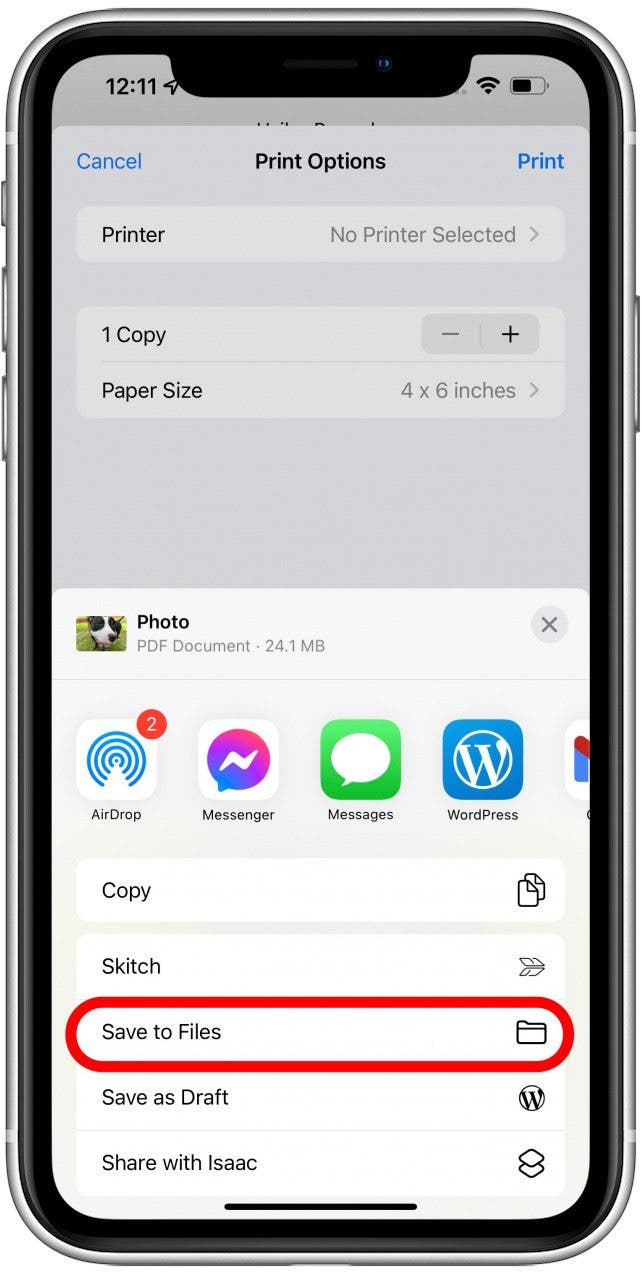
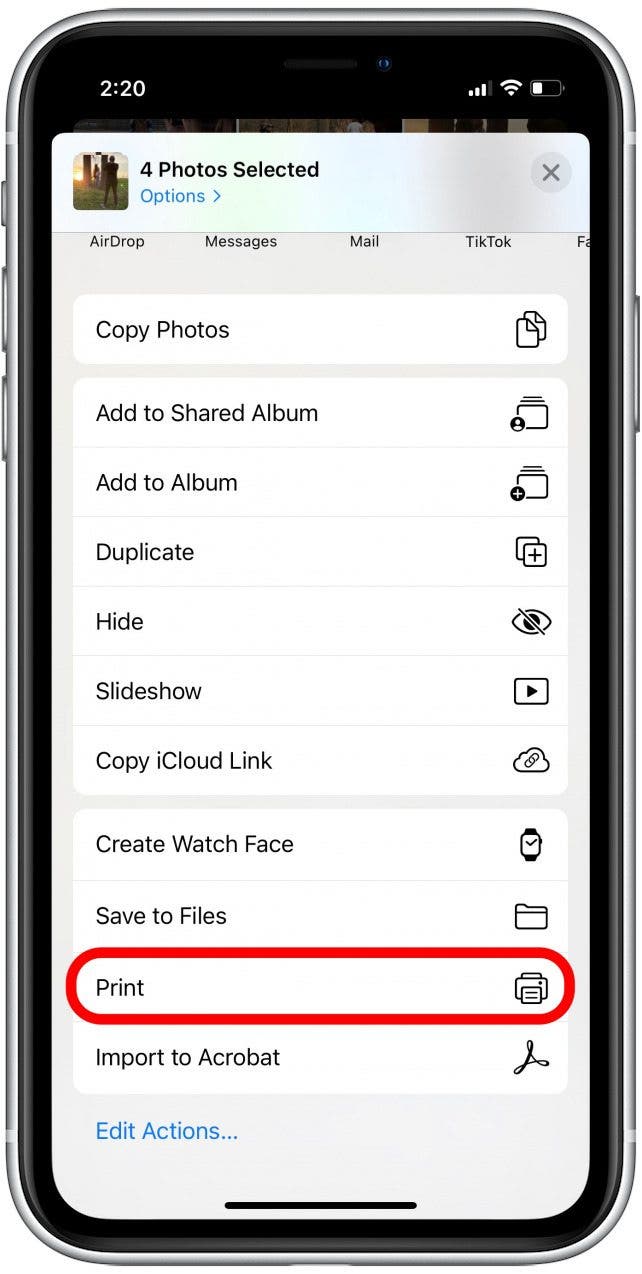
- Scroll down and select Print.
- On the Print Options screen, you will see a preview of your photos. Do not select a printer. Instead, use two fingers to pinch out (zoom in) on the image preview.
- The preview will magically transform into a PDF view. Tap the Share icon again at the top of this new screen.
- Select Save to Files or send it directly to a contact.
| Comparison Aspect | Files App Method | Print Shortcut Method |
|---|---|---|
| Speed | Very Fast | Moderate |
| Ease of Use | High (once files are moved) | High (no moving required) |
| Batch Limit | Virtually Unlimited | Limited by RAM/Processing |
| Image Ordering | Based on file names | Based on selection order |
Method 3: Using the Books App
The Apple Books app (formerly iBooks) is another built-in tool that automatically converts images to PDF. When you share a photo to Books, the app creates a PDF copy to make it readable as an e-book.
To do this, select your photos in the Photos app, tap Share, and find the Books icon in the row of apps. If you don't see it, tap "More" and find it there. Once the photos open in Books, a PDF is automatically created. You can find this PDF in your Library, tap the three dots under the document, and choose Share PDF to send it elsewhere.
Advanced Tip: How to Reorder Photos Before Creating a PDF
One common frustration when learning how to save multiple photos as PDF on iPhone is the order of the images. If you use the Files App method, the images are usually sorted alphabetically or by date. To ensure a specific order:
- Rename the images in the Files app to 1.jpg, 2.jpg, 3.jpg, etc., before selecting "Create PDF."
- If using the Print method, select the images in the exact order you want them to appear. The first photo you tap will be the first page of the PDF.
Managing and Editing Your New PDF
Once you have created your PDF, you might need to make minor adjustments. iOS provides "Markup" tools directly within the Files app. Simply tap on the PDF file, then tap the Pencil icon at the top right. Here you can:
- Add a signature to the document.
- Highlight specific text or parts of an image.
- Add text boxes for annotations.
- Insert shapes to hide sensitive information.
Frequently Asked Questions (FAQ)
1. Does converting photos to PDF reduce their quality?
The conversion process typically maintains high resolution. However, iOS may apply slight compression to keep the file size manageable for sharing. For most documents and portfolios, the quality remains excellent.
2. Can I add more photos to an existing PDF on iPhone?
Yes, but you need to use the "Insert Page" feature. Open the PDF in the Files app, tap the page number at the top left to see the thumbnail view, tap the three dots on a page thumbnail, and select "Insert Blank Page" or "Insert from File."
3. Do I need a third-party app like Adobe Acrobat?
No. While third-party apps offer advanced features like OCR (Optical Character Recognition) or complex editing, the native iOS "Files" and "Print" methods are more than sufficient for simply combining photos into a PDF.
Conclusion
Mastering how to save multiple photos as PDF on iPhone is an essential skill that streamlines your digital workflow. By utilizing the Files app for speed, the Print gesture for convenience, or the Books app for easy viewing, you can transform your gallery of images into a single, professional document in seconds. Best of all, these methods are completely free and built directly into your device. Next time you need to send a collection of images, skip the multiple attachments and send a clean, organized PDF instead.
How To Save Multiple Photos As Pdf On Iphone
How To Save Multiple Photos As Pdf On Iphone Wallpapers
Collection of how to save multiple photos as pdf on iphone wallpapers for your desktop and mobile devices.
Spectacular How To Save Multiple Photos As Pdf On Iphone Artwork Nature
Immerse yourself in the stunning details of this beautiful how to save multiple photos as pdf on iphone wallpaper, designed for a captivating visual experience.
Artistic How To Save Multiple Photos As Pdf On Iphone Scene in 4K
This gorgeous how to save multiple photos as pdf on iphone photo offers a breathtaking view, making it a perfect choice for your next wallpaper.
Captivating How To Save Multiple Photos As Pdf On Iphone Design Collection
Find inspiration with this unique how to save multiple photos as pdf on iphone illustration, crafted to provide a fresh look for your background.

Captivating How To Save Multiple Photos As Pdf On Iphone View Art
Find inspiration with this unique how to save multiple photos as pdf on iphone illustration, crafted to provide a fresh look for your background.
Spectacular How To Save Multiple Photos As Pdf On Iphone Scene Photography
Immerse yourself in the stunning details of this beautiful how to save multiple photos as pdf on iphone wallpaper, designed for a captivating visual experience.
Dynamic How To Save Multiple Photos As Pdf On Iphone Capture Digital Art
This gorgeous how to save multiple photos as pdf on iphone photo offers a breathtaking view, making it a perfect choice for your next wallpaper.

Exquisite How To Save Multiple Photos As Pdf On Iphone Photo Art
This gorgeous how to save multiple photos as pdf on iphone photo offers a breathtaking view, making it a perfect choice for your next wallpaper.
Exquisite How To Save Multiple Photos As Pdf On Iphone Photo Art
This gorgeous how to save multiple photos as pdf on iphone photo offers a breathtaking view, making it a perfect choice for your next wallpaper.
Gorgeous How To Save Multiple Photos As Pdf On Iphone Moment in HD
This gorgeous how to save multiple photos as pdf on iphone photo offers a breathtaking view, making it a perfect choice for your next wallpaper.

High-Quality How To Save Multiple Photos As Pdf On Iphone Background for Desktop
Experience the crisp clarity of this stunning how to save multiple photos as pdf on iphone image, available in high resolution for all your screens.

Dynamic How To Save Multiple Photos As Pdf On Iphone Photo Nature
A captivating how to save multiple photos as pdf on iphone scene that brings tranquility and beauty to any device.
Artistic How To Save Multiple Photos As Pdf On Iphone Photo in HD
A captivating how to save multiple photos as pdf on iphone scene that brings tranquility and beauty to any device.

Captivating How To Save Multiple Photos As Pdf On Iphone Moment Collection
A captivating how to save multiple photos as pdf on iphone scene that brings tranquility and beauty to any device.
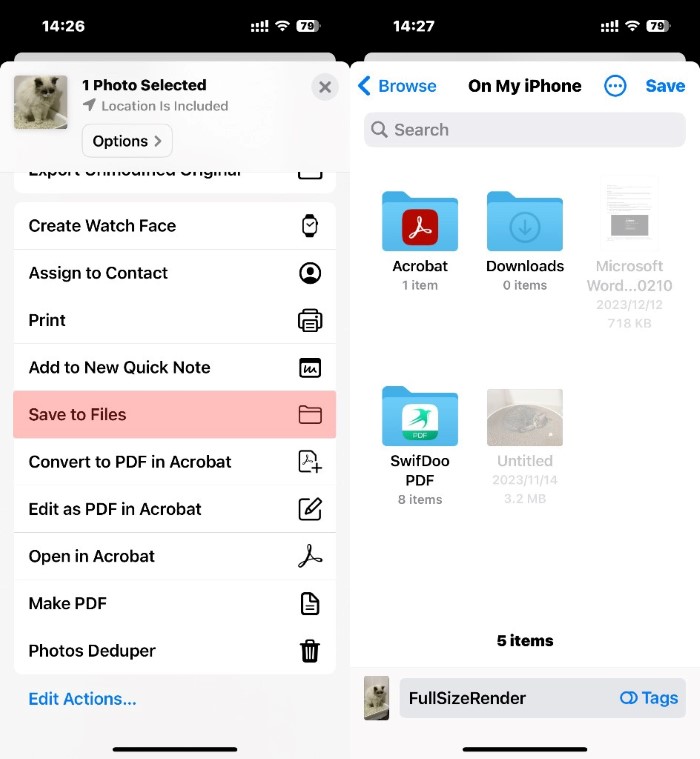
Lush How To Save Multiple Photos As Pdf On Iphone Picture Photography
A captivating how to save multiple photos as pdf on iphone scene that brings tranquility and beauty to any device.

Vibrant How To Save Multiple Photos As Pdf On Iphone Photo Illustration
Discover an amazing how to save multiple photos as pdf on iphone background image, ideal for personalizing your devices with vibrant colors and intricate designs.

Breathtaking How To Save Multiple Photos As Pdf On Iphone Photo for Your Screen
Explore this high-quality how to save multiple photos as pdf on iphone image, perfect for enhancing your desktop or mobile wallpaper.
:max_bytes(150000):strip_icc()/001_save-pdf-to-iphone-or-ipad-4165490-a6d58f2ee9a949a487411d23d3e45c54.jpg "High-Quality How To Save Multiple Photos As Pdf On Iphone Photo for Your Screen")
High-Quality How To Save Multiple Photos As Pdf On Iphone Photo for Your Screen
Discover an amazing how to save multiple photos as pdf on iphone background image, ideal for personalizing your devices with vibrant colors and intricate designs.

Beautiful How To Save Multiple Photos As Pdf On Iphone Artwork Nature
Discover an amazing how to save multiple photos as pdf on iphone background image, ideal for personalizing your devices with vibrant colors and intricate designs.

Lush How To Save Multiple Photos As Pdf On Iphone Picture for Mobile
This gorgeous how to save multiple photos as pdf on iphone photo offers a breathtaking view, making it a perfect choice for your next wallpaper.

Vivid How To Save Multiple Photos As Pdf On Iphone Picture Concept
Experience the crisp clarity of this stunning how to save multiple photos as pdf on iphone image, available in high resolution for all your screens.
Download these how to save multiple photos as pdf on iphone wallpapers for free and use them on your desktop or mobile devices.