Xbox Game Pass Code Not Working
Xbox Game Pass Code Not Working? Here Is How to Fix Redemption Errors Fast
Xbox Game Pass has revolutionized the gaming industry, offering a "Netflix-style" library of hundreds of high-quality titles for a monthly fee. Whether you are looking to dive into the latest Halo installment or explore indie gems, a Game Pass subscription is the key. However, the excitement of getting a new subscription can quickly turn into frustration when you encounter an error message stating your Xbox Game Pass code is not working. This issue is surprisingly common and can be caused by anything from a simple typo to complex regional restrictions.
In this comprehensive guide, we will break down the primary reasons why your Xbox code might be failing and provide step-by-step solutions to get you back into the game as quickly as possible. From checking your account status to understanding specific error codes, we have covered every angle of the Xbox redemption process.
Common Reasons Why Your Xbox Game Pass Code Isn't Working
Before diving into technical fixes, it is essential to understand the "why" behind the failure. Most issues fall into a few predictable categories. Identifying which one applies to you is the first step toward a resolution.
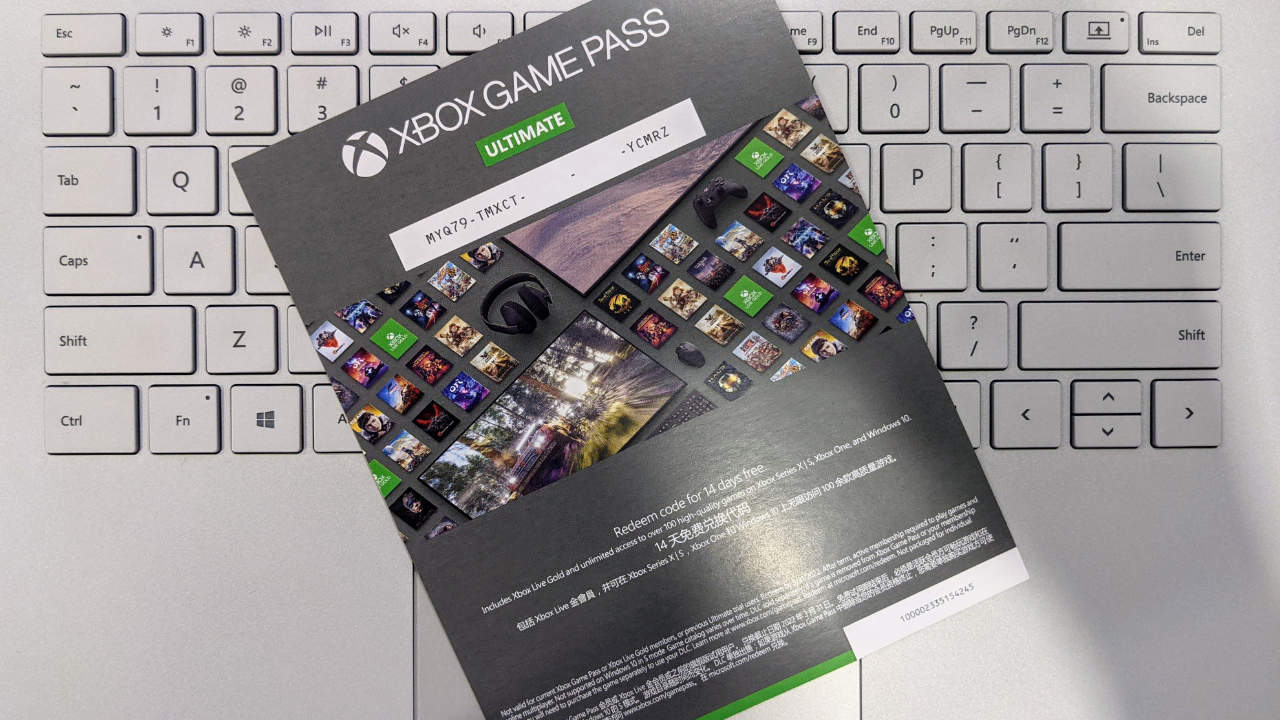
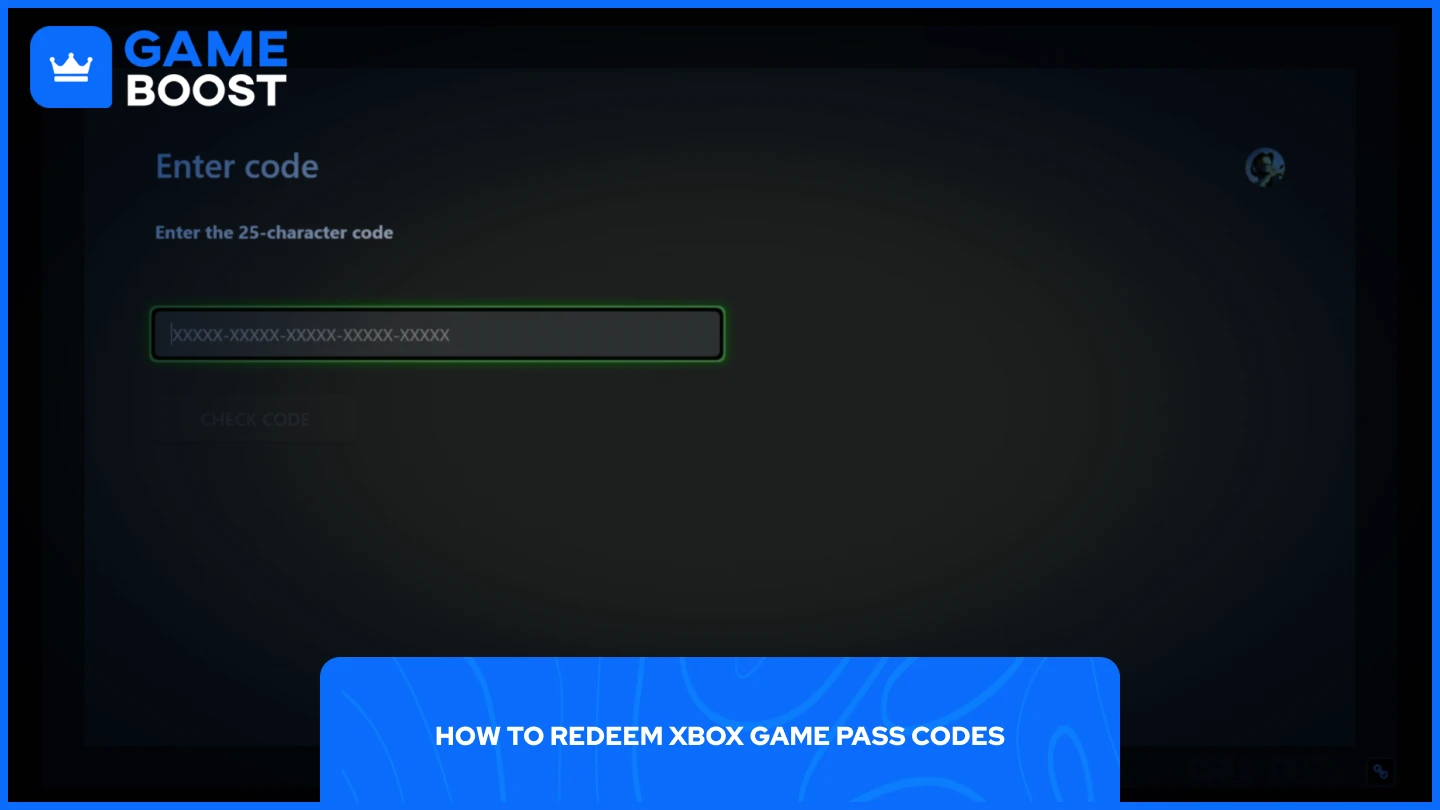
- Typographical Errors: Xbox codes are 25 characters long, consisting of five blocks of five characters. It is incredibly easy to mistake a '0' (zero) for an 'O', or a 'B' for an '8'.
- Regional Mismatches: Xbox codes are often "region-locked." If you purchased a code meant for the United States but your Microsoft account is set to the United Kingdom, the code will not validate.
- Subscription Conflicts: Some codes are meant for "New Customers Only." If you have had Game Pass in the past or currently have an active subscription, the system may reject a trial code.
- Suspended Accounts: If your Microsoft account has an outstanding balance or a temporary suspension due to a terms-of-service violation, you will be unable to redeem new codes.
- Server Outages: Occasionally, the problem isn't on your end at all. Microsoft's servers may be experiencing downtime, preventing the redemption service from communicating with your device.
| Common Error Type | Description and Solution |
|---|---|
| Code Not Found | The 25-digit code was entered incorrectly. Double-check for typos and omitted characters. |
| Region Lock | The code's region does not match your account's region. Use a VPN or change account settings (not recommended). |
| Trial Only Code | This code is only for new subscribers. It won't work on accounts that previously had Game Pass. |
| Code Already Redeemed | The code has already been used. Contact the retailer if you purchased it as new. |
| Service Down | Xbox Live services are currently experiencing issues. Wait and try again later. |
Step-by-Step Troubleshooting for Xbox Code Redemption
If you are staring at an error screen, follow these logical steps to diagnose and fix the issue. Most "Xbox Game Pass code not working" problems can be solved within minutes using these methods.
1. Verify the Code Format and Input
Xbox codes are strictly 25 characters long. When entering the code, do not worry about hyphens; the system usually adds them automatically. Ensure you aren't confusing similar-looking characters. A common tip is to try redeeming the code via the Microsoft website on a desktop browser rather than the console interface, as it is often more stable and easier to type on a physical keyboard.
2. Check the Xbox Live Service Status
Sometimes, the infrastructure that processes payments and subscriptions is down. Visit the official Xbox Status page. Look specifically for "Store & Subscriptions." If there is a yellow or red icon next to it, Microsoft is aware of the issue, and you simply need to wait until their engineers fix it.
3. Confirm Your Subscription Eligibility
Many codes bundled with controllers or hardware are "Trial" codes. These codes strictly require that the account has never used Game Pass before. If you have even used a 1-month trial three years ago, the code will be rejected. In this case, you may want to give the code to a friend or create a new family account to utilize the benefit.
Navigating Regional and Billing Restrictions
One of the most complex reasons for an Xbox Game Pass code not working is the regional restriction. Microsoft enforces strict geofencing for its digital products to comply with local laws and pricing strategies. If you bought a discounted code from a third-party marketplace, there is a high chance it is restricted to a specific continent.
How to Check Your Account Region
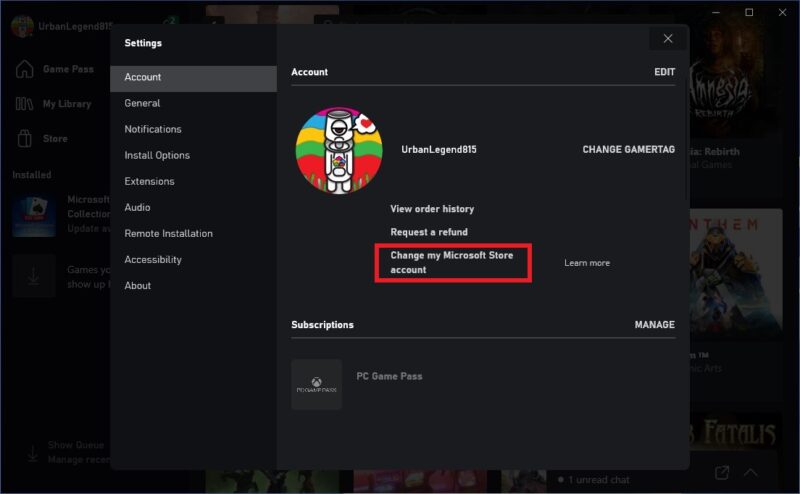
Go to your Microsoft Account settings and check the "Your Info" section. Your "Country or Region" must match the origin of the code. While you can change your region, Microsoft restricts how often you can do this, and it may affect your ability to use other local services. If you are a traveler and bought a code abroad, you might need to wait until you return home or use a secondary account based in that region.
Outstanding Balances and Payment Methods
If you have a "Past Due" balance on a previous subscription, Microsoft will block any further redemptions until that balance is cleared. Log into your account's "Services & Subscriptions" page to ensure all previous bills are paid. Additionally, some Game Pass codes (especially trials) require a valid credit card or PayPal account on file to handle the recurring billing after the trial ends. If you don't have a payment method linked, the code may fail.
What to Do if the Code is Damaged or Unreadable
If you purchased a physical card and accidentally scratched off the characters along with the silver coating, don't panic. You will need to reach out to Xbox Support. To speed up the process, ensure you have the following information ready:
- The serial number of the card (usually found near the barcode).
- A clear photo of the damaged card.
- A digital copy or photo of your purchase receipt.
Xbox Support is generally very helpful in these scenarios and can often provide a digital replacement once proof of purchase is verified.
Frequently Asked Questions (FAQ)
1. Why does it say my code was already redeemed?
This usually happens if you bought the code from an unauthorized third-party reseller. If the code was legitimate and you haven't used it, check your "Order History" in your Microsoft account. It’s possible the redemption actually went through despite an error message appearing at the last second.
2. Can I use a Game Pass Ultimate code if I have Game Pass Core?
Yes, you can. However, Microsoft will "convert" your remaining Core time into Ultimate time based on a specific conversion ratio. If the conversion fails, it might be because you have reached the maximum subscription limit of 36 months.
3. Does my Xbox Game Pass code have an expiration date?
Most retail codes for Game Pass do not expire. However, promotional codes (like those from Discord Nitro, Spotify, or food brand partnerships) almost always have a strict expiration date. Check the fine print on the promotion's terms and conditions.
Conclusion
Dealing with an Xbox Game Pass code not working can be an annoying hurdle when all you want to do is start your next gaming adventure. Most of the time, the solution is as simple as verifying your typing, checking for regional compatibility, or ensuring your account is in good standing. By following the troubleshooting steps outlined above, you should be able to identify the root cause and apply the fix.
If you have tried all these steps and the code still refuses to work, your last resort is to contact Microsoft Support or the retailer where you purchased the code. Remember to keep your receipts and take screenshots of any error codes you receive (such as XBOS- or 0x80...). With a bit of patience, you will have your Game Pass library unlocked and ready to play in no time!
Xbox Game Pass Code Not Working
Xbox Game Pass Code Not Working Wallpapers
Collection of xbox game pass code not working wallpapers for your desktop and mobile devices.

Detailed Xbox Game Pass Code Not Working Picture Art
Explore this high-quality xbox game pass code not working image, perfect for enhancing your desktop or mobile wallpaper.
Breathtaking Xbox Game Pass Code Not Working Picture for Your Screen
Explore this high-quality xbox game pass code not working image, perfect for enhancing your desktop or mobile wallpaper.

Serene Xbox Game Pass Code Not Working View for Mobile
Experience the crisp clarity of this stunning xbox game pass code not working image, available in high resolution for all your screens.

Captivating Xbox Game Pass Code Not Working Artwork Digital Art
Find inspiration with this unique xbox game pass code not working illustration, crafted to provide a fresh look for your background.

Artistic Xbox Game Pass Code Not Working Background for Your Screen
A captivating xbox game pass code not working scene that brings tranquility and beauty to any device.

Amazing Xbox Game Pass Code Not Working Abstract in HD
Discover an amazing xbox game pass code not working background image, ideal for personalizing your devices with vibrant colors and intricate designs.
Exquisite Xbox Game Pass Code Not Working Design Art
A captivating xbox game pass code not working scene that brings tranquility and beauty to any device.
Vibrant Xbox Game Pass Code Not Working Photo Illustration
Discover an amazing xbox game pass code not working background image, ideal for personalizing your devices with vibrant colors and intricate designs.
Artistic Xbox Game Pass Code Not Working Picture Digital Art
This gorgeous xbox game pass code not working photo offers a breathtaking view, making it a perfect choice for your next wallpaper.
Beautiful Xbox Game Pass Code Not Working Landscape Nature
Discover an amazing xbox game pass code not working background image, ideal for personalizing your devices with vibrant colors and intricate designs.

Mesmerizing Xbox Game Pass Code Not Working Picture Collection
Discover an amazing xbox game pass code not working background image, ideal for personalizing your devices with vibrant colors and intricate designs.

Captivating Xbox Game Pass Code Not Working Moment Concept
Immerse yourself in the stunning details of this beautiful xbox game pass code not working wallpaper, designed for a captivating visual experience.

Mesmerizing Xbox Game Pass Code Not Working Moment Collection
Discover an amazing xbox game pass code not working background image, ideal for personalizing your devices with vibrant colors and intricate designs.
Serene Xbox Game Pass Code Not Working View Art
Transform your screen with this vivid xbox game pass code not working artwork, a true masterpiece of digital design.

Stunning Xbox Game Pass Code Not Working Landscape in HD
Find inspiration with this unique xbox game pass code not working illustration, crafted to provide a fresh look for your background.
Artistic Xbox Game Pass Code Not Working Wallpaper Illustration
A captivating xbox game pass code not working scene that brings tranquility and beauty to any device.
Gorgeous Xbox Game Pass Code Not Working Background Nature
A captivating xbox game pass code not working scene that brings tranquility and beauty to any device.
Dynamic Xbox Game Pass Code Not Working Design in 4K
A captivating xbox game pass code not working scene that brings tranquility and beauty to any device.

Serene Xbox Game Pass Code Not Working Design for Desktop
Transform your screen with this vivid xbox game pass code not working artwork, a true masterpiece of digital design.
Breathtaking Xbox Game Pass Code Not Working Image Photography
Explore this high-quality xbox game pass code not working image, perfect for enhancing your desktop or mobile wallpaper.
Download these xbox game pass code not working wallpapers for free and use them on your desktop or mobile devices.