How To Make A Pdf Fillable On Mac Free
How to Make a PDF Fillable on Mac Free: A Complete Step-by-Step Guide
In today’s digital-first world, the ability to create and edit documents efficiently is a necessary skill. Whether you are a business owner needing a client intake form, a teacher creating a digital worksheet, or an individual trying to organize personal records, knowing how to make a PDF fillable on Mac free is incredibly valuable. Many people assume they need expensive software like Adobe Acrobat Pro to create interactive forms, but macOS offers several built-in tools and free third-party alternatives that can get the job done without costing a dime.
This guide will walk you through the most effective methods to transform static PDF documents into interactive, fillable forms. We will explore the built-in capabilities of macOS, powerful open-source software, and reliable online tools to ensure you find the solution that best fits your workflow.
Understanding PDF Form Types: Static vs. Interactive
Before diving into the "how-to," it is important to distinguish between the two types of PDF forms. A static PDF is essentially a digital printout. You can see the lines and boxes, but you cannot click and type directly into them without an annotation tool. An interactive PDF (or AcroForm) contains specific form fields (text boxes, checkboxes, radio buttons) that users can click and fill out easily. While macOS Preview is great for filling out static forms using text overlays, creating true interactive fields often requires a bit more effort using free third-party tools.
Method 1: Using macOS Preview (The Built-In Solution)
Preview is the default image and PDF viewer on macOS. While it doesn't technically create "interactive" form fields that "stick" to the document structure for everyone else in a professional sense, it is the fastest way to add fillable information to a document for free.
Steps to Add Text to a PDF in Preview:
- Right-click your PDF file and select Open With > Preview.
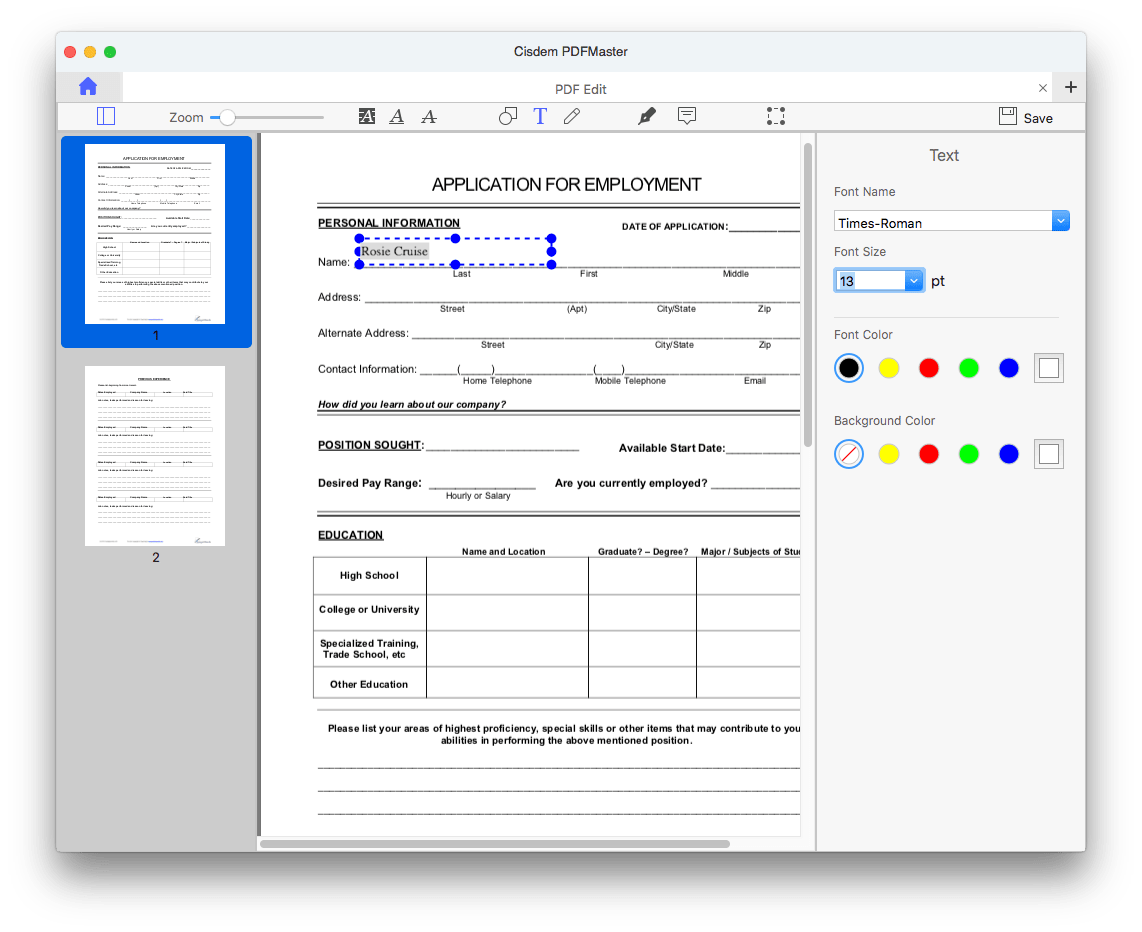
- Click on the Show Markup Toolbar button (the small circle with a pen tip icon) located near the search bar.
- Select the Text Tool (the 'T' inside a box). A text box will appear in the center of your document.
- Drag the text box over the line or area you wish to make "fillable."
- Type your information. You can change the font, color, and size using the A icon in the toolbar.
- To create a signature, use the Sign tool in the same toolbar to draw your signature using the trackpad or camera.
Preview is excellent for personal use, but if you need to send a form to hundreds of people to fill out, you’ll want a more professional, automated approach.
Method 2: Creating Interactive Forms with LibreOffice (The Pro Free Way)
If you want to create a professional PDF with actual clickable boxes and dropdown menus for free, LibreOffice is the gold standard. It is a free, open-source alternative to Microsoft Office that includes a powerful "Form Controls" feature.
How to Create a Fillable PDF in LibreOffice:
- Download and install LibreOffice for Mac.
- Open LibreOffice and choose Writer Document.
- Go to the View menu, select Toolbars, and then check Form Controls. A new floating toolbar will appear.
- Type your document text (e.g., "Name:", "Email:").
- On the Form Controls toolbar, click the Text Box icon and draw a box next to your text labels.
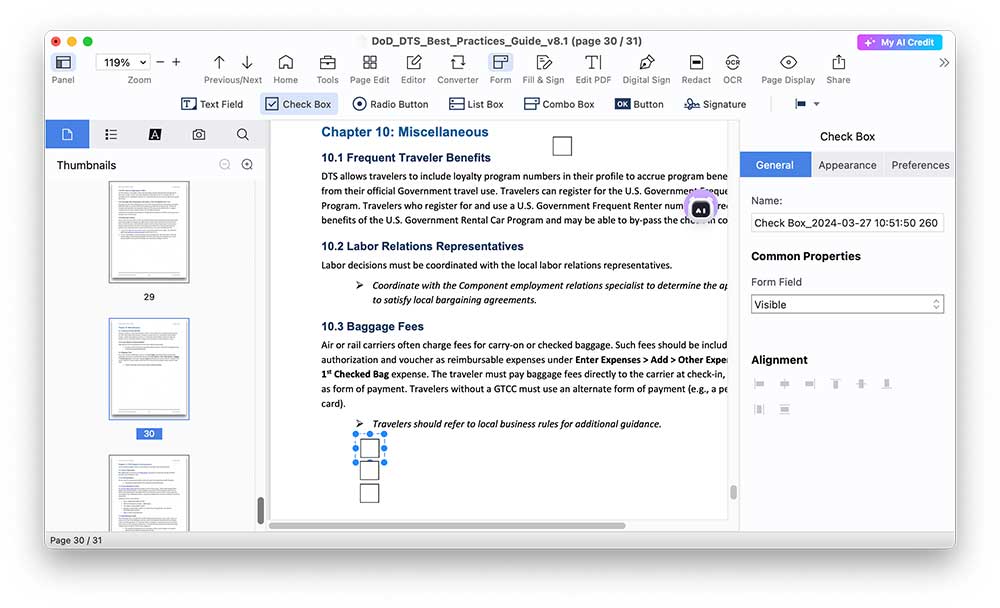
- You can also add Checkboxes, List Boxes, or Option Buttons for more complex forms.
- Once your layout is complete, go to File > Export As > Export as PDF.
- In the PDF Options dialog, ensure that Create PDF form is checked and the Submit format is set to FDF or PDF.
- Click Export and save your file.
The resulting PDF will now have truly interactive fields that anyone can click and type into using any PDF viewer.
Comparison of Free Methods for Mac Users
Choosing the right tool depends on your specific needs. Some methods are better for quick edits, while others are better for formal document creation.
| Feature/Aspect | Description |
|---|---|
| macOS Preview | Best for adding text/signatures to existing PDFs quickly. Not for creating interactive fields. |
| LibreOffice | Best offline tool for creating professional, interactive forms from scratch. High learning curve. |
| Sejda Online | A web-based editor that allows adding form fields easily. Free version has daily limits. |
| Google Docs | Good for layout, but requires an add-on or conversion to make fields truly fillable. |
Method 3: Using Online PDF Editors (Sejda or PDFescape)
If you don't want to install software, online editors are a fantastic alternative. Sejda is particularly popular among Mac users because of its clean interface and robust PDF editing features.
How to Use Sejda to Make a PDF Fillable:
- Navigate to the Sejda "Fillable Forms" website.
- Upload your existing PDF document.
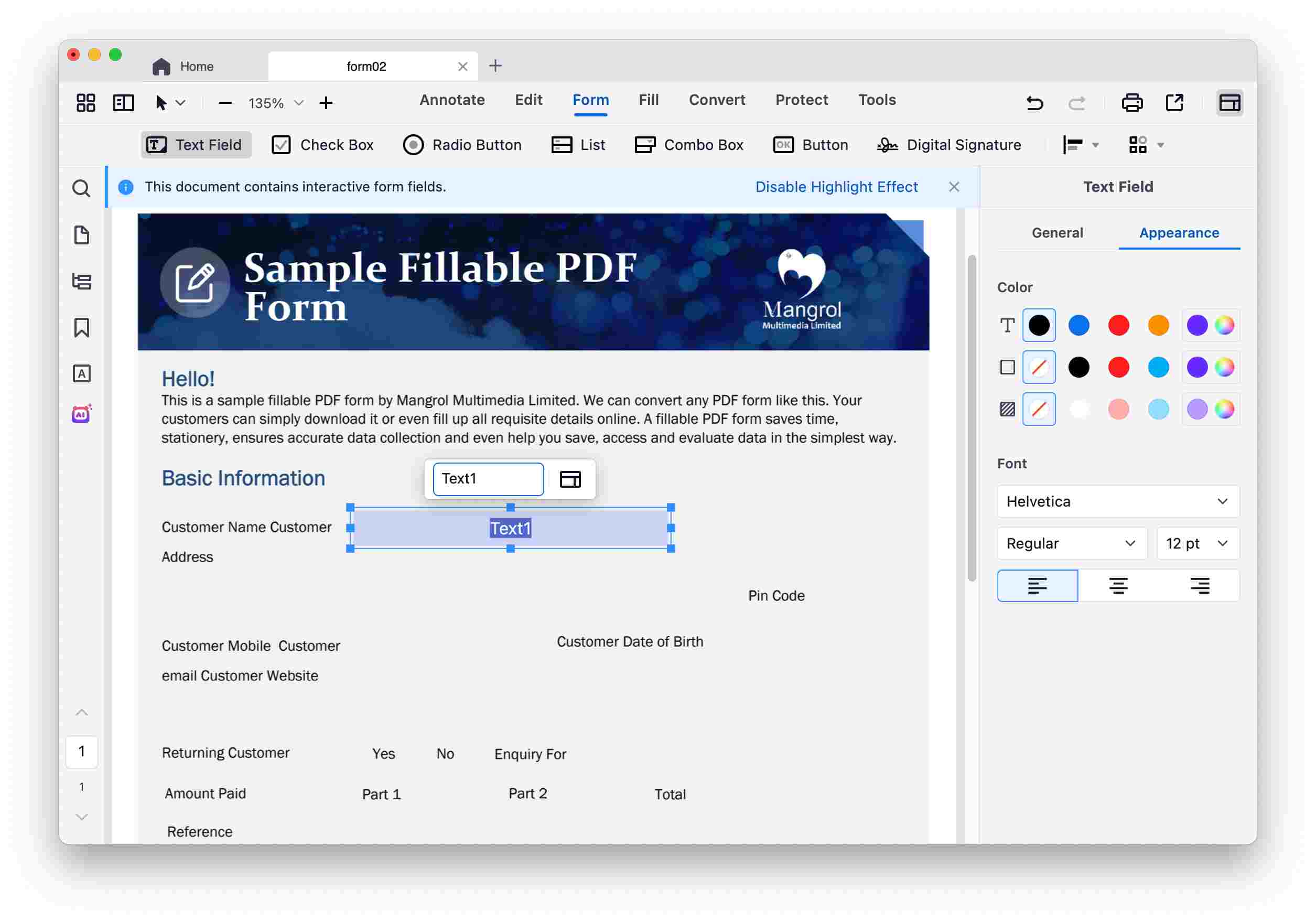
- In the top menu, click on Forms. You will see options for Text Field, TextArea, Checkbox, Radio Button, and Dropdown.
- Click the type of field you want and place it on your document.
- You can customize the field name (useful if you are collecting data) and the border style.
- When finished, click Apply Changes and download your file.
Note: Always be cautious when uploading sensitive or private documents to online third-party servers.
Best Practices for Creating Fillable PDF Forms
To ensure your fillable PDF works perfectly for your recipients, keep these SEO and user-experience tips in mind:
- Clear Labeling: Ensure every text box has a clear label next to it so users know exactly what information is required.
- Font Compatibility: Stick to standard fonts (Arial, Helvetica, Times New Roman) to ensure the PDF renders correctly on all devices.
- Tab Order: If using a tool like LibreOffice, check the "Tab Order." This allows users to move from one field to the next logically using the Tab key.
- Testing: Always open your exported PDF in a different viewer (like a web browser or a mobile device) to verify the fields are clickable and savable.
Frequently Asked Questions (FAQ)
1. Can I use Apple Pages to create fillable PDFs?
While Apple Pages is great for document design, it does not currently support the creation of interactive PDF form fields. You can design the layout in Pages, export it as a PDF, and then use a tool like Sejda or LibreOffice to add the fillable fields.
2. Is it safe to use online PDF editors?
Most reputable editors like Sejda or Smallpdf delete your files from their servers after a few hours. However, for documents containing highly sensitive information (like social security numbers or legal contracts), it is safer to use offline tools like LibreOffice or Preview.
3. Why can't I save the data I typed into a PDF on my Mac?
If you are using an older version of macOS or a basic PDF viewer, it might not support saving form data. Always ensure you are using the latest version of macOS and try "Exporting as PDF" instead of just saving if the data isn't sticking.
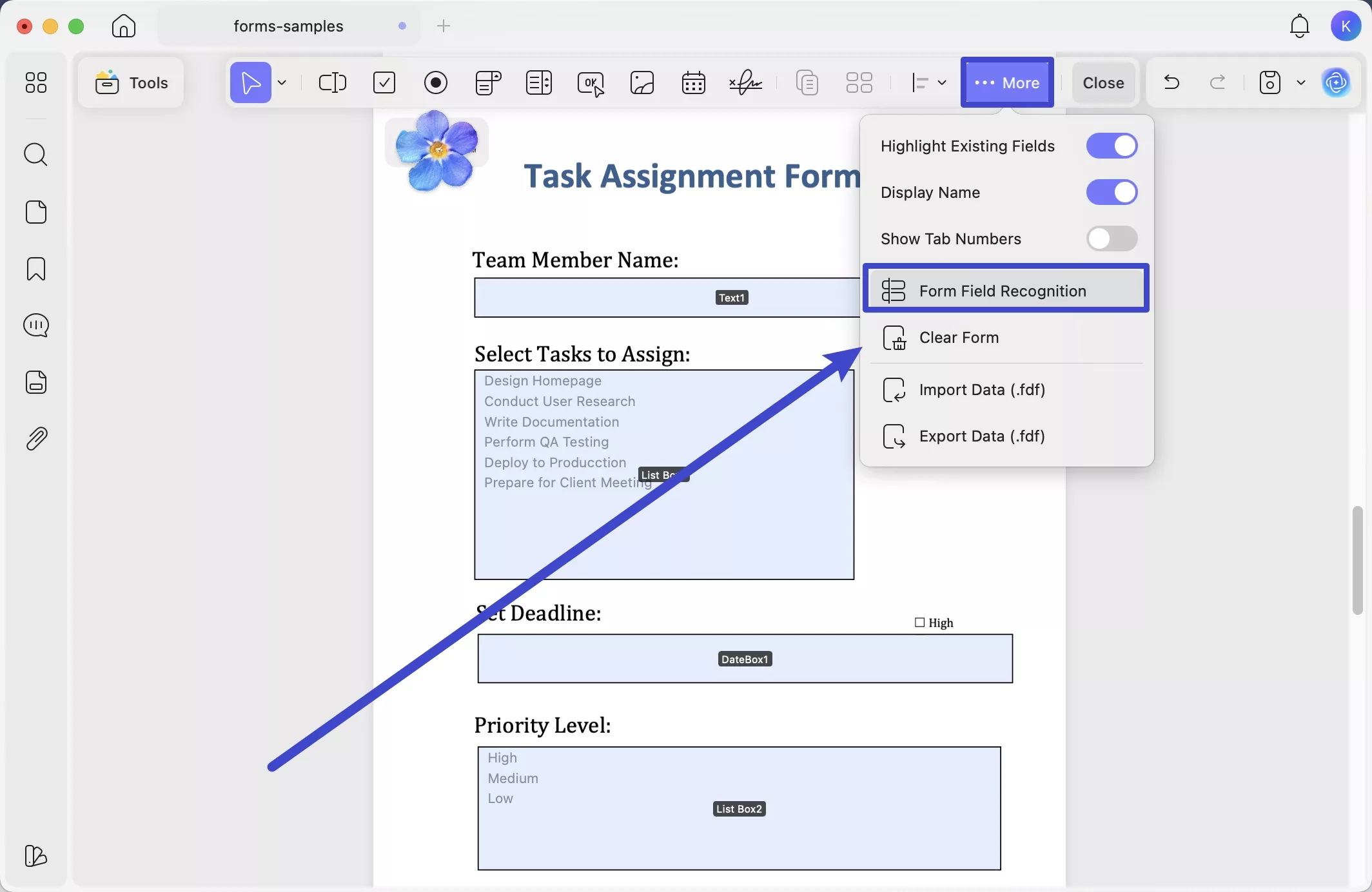
4. Is there a way to auto-detect fields in a static PDF?
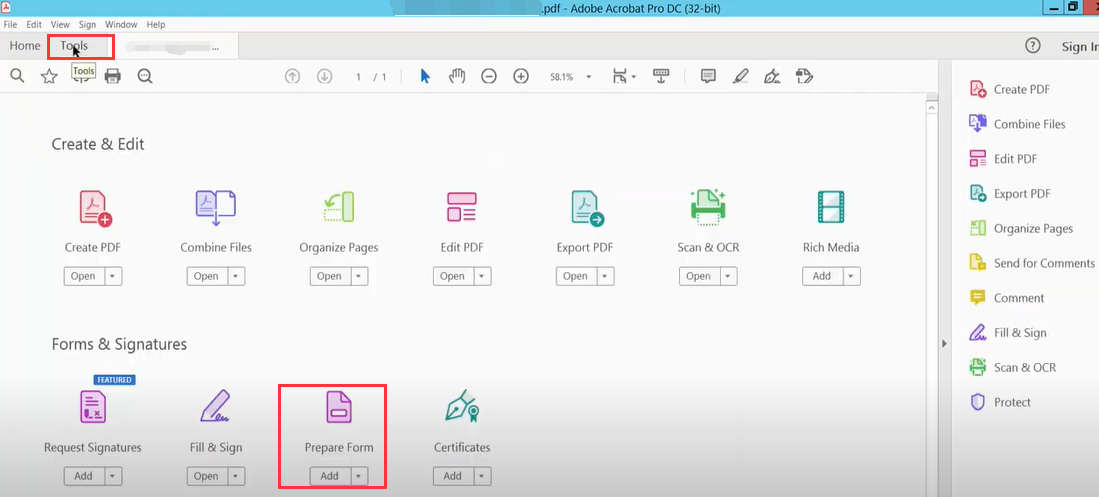
Some paid tools like Adobe Acrobat do this automatically. For free options, you usually have to manually place the fields. However, Sejda has a "Form Field Recognition" beta feature that attempts to find lines and place boxes over them.
Conclusion
Learning how to make a PDF fillable on Mac free doesn't have to be a frustrating experience. For quick personal edits, the built-in Preview app is more than sufficient. For those looking to create professional-grade forms with interactive buttons and menus, LibreOffice provides a powerful, free desktop solution. If convenience is your priority, online editors like Sejda offer a streamlined experience without the need for installation.
By using these tools, you can streamline your paperwork, improve your professional presentation, and save money on expensive software subscriptions. Choose the method that best fits your needs today and start creating efficient, paperless forms on your Mac.
How To Make A Pdf Fillable On Mac Free
How To Make A Pdf Fillable On Mac Free Wallpapers
Collection of how to make a pdf fillable on mac free wallpapers for your desktop and mobile devices.

Gorgeous How To Make A Pdf Fillable On Mac Free Moment for Desktop
Immerse yourself in the stunning details of this beautiful how to make a pdf fillable on mac free wallpaper, designed for a captivating visual experience.
Beautiful How To Make A Pdf Fillable On Mac Free Landscape in 4K
Experience the crisp clarity of this stunning how to make a pdf fillable on mac free image, available in high resolution for all your screens.
Spectacular How To Make A Pdf Fillable On Mac Free Artwork Nature
Immerse yourself in the stunning details of this beautiful how to make a pdf fillable on mac free wallpaper, designed for a captivating visual experience.

Lush How To Make A Pdf Fillable On Mac Free Design for Mobile
A captivating how to make a pdf fillable on mac free scene that brings tranquility and beauty to any device.

High-Quality How To Make A Pdf Fillable On Mac Free Capture in 4K
Experience the crisp clarity of this stunning how to make a pdf fillable on mac free image, available in high resolution for all your screens.
Exquisite How To Make A Pdf Fillable On Mac Free Moment for Desktop
A captivating how to make a pdf fillable on mac free scene that brings tranquility and beauty to any device.
Beautiful How To Make A Pdf Fillable On Mac Free Photo Illustration
Transform your screen with this vivid how to make a pdf fillable on mac free artwork, a true masterpiece of digital design.
Gorgeous How To Make A Pdf Fillable On Mac Free Picture Art
Immerse yourself in the stunning details of this beautiful how to make a pdf fillable on mac free wallpaper, designed for a captivating visual experience.
Crisp How To Make A Pdf Fillable On Mac Free Image for Desktop
A captivating how to make a pdf fillable on mac free scene that brings tranquility and beauty to any device.

Detailed How To Make A Pdf Fillable On Mac Free Photo for Desktop
Transform your screen with this vivid how to make a pdf fillable on mac free artwork, a true masterpiece of digital design.
Mesmerizing How To Make A Pdf Fillable On Mac Free Wallpaper Concept
Discover an amazing how to make a pdf fillable on mac free background image, ideal for personalizing your devices with vibrant colors and intricate designs.

Mesmerizing How To Make A Pdf Fillable On Mac Free Image for Desktop
Discover an amazing how to make a pdf fillable on mac free background image, ideal for personalizing your devices with vibrant colors and intricate designs.
Gorgeous How To Make A Pdf Fillable On Mac Free Abstract for Desktop
Immerse yourself in the stunning details of this beautiful how to make a pdf fillable on mac free wallpaper, designed for a captivating visual experience.
Captivating How To Make A Pdf Fillable On Mac Free Moment Concept
This gorgeous how to make a pdf fillable on mac free photo offers a breathtaking view, making it a perfect choice for your next wallpaper.
Vivid How To Make A Pdf Fillable On Mac Free Abstract Concept
Experience the crisp clarity of this stunning how to make a pdf fillable on mac free image, available in high resolution for all your screens.
Artistic How To Make A Pdf Fillable On Mac Free Background Collection
Immerse yourself in the stunning details of this beautiful how to make a pdf fillable on mac free wallpaper, designed for a captivating visual experience.

Captivating How To Make A Pdf Fillable On Mac Free Picture Nature
A captivating how to make a pdf fillable on mac free scene that brings tranquility and beauty to any device.
Lush How To Make A Pdf Fillable On Mac Free Wallpaper Collection
Immerse yourself in the stunning details of this beautiful how to make a pdf fillable on mac free wallpaper, designed for a captivating visual experience.
Artistic How To Make A Pdf Fillable On Mac Free Landscape Art
A captivating how to make a pdf fillable on mac free scene that brings tranquility and beauty to any device.
Mesmerizing How To Make A Pdf Fillable On Mac Free Landscape Digital Art
Discover an amazing how to make a pdf fillable on mac free background image, ideal for personalizing your devices with vibrant colors and intricate designs.
Download these how to make a pdf fillable on mac free wallpapers for free and use them on your desktop or mobile devices.