Where To Redeem Itunes Gift Cards
Where To Redeem iTunes Gift Cards: The Ultimate Guide for Apple Users
Received an Apple or iTunes gift card and wondering what to do next? Whether it was a birthday present, a holiday gift, or a reward, knowing where to redeem iTunes gift cards is the first step toward accessing millions of songs, apps, movies, and more. In recent years, Apple has simplified its gift card system, merging "iTunes Gift Cards" and "Apple Store Gift Cards" into the unified "Apple Gift Card." However, the process of adding that credit to your account remains a frequent question for many users.
In this comprehensive guide, we will explore every platform where you can redeem your gift card—from your iPhone and Mac to Windows PCs and even Android devices. We will also cover what you can buy with your balance and how to troubleshoot common issues. By the end of this article, you will be an expert on managing your Apple account balance.
Understanding the Evolution of Apple Gift Cards
Before we dive into the "where" and "how," it is important to understand what kind of card you have. Traditionally, there were two types of cards: iTunes Gift Cards (for digital content) and Apple Store Gift Cards (for hardware like iPhones or MacBooks). Today, Apple primarily sells the "Apple Gift Card," which can be used for everything.
If you have an older, blue or silver iTunes Gift Card, don't worry—it is still valid! These cards can be redeemed in the App Store or iTunes Store to add credit to your Apple Account Balance. This balance is linked to your Apple ID and follows you across all your devices.
Where to Redeem iTunes Gift Cards on iPhone, iPad, or iPod Touch
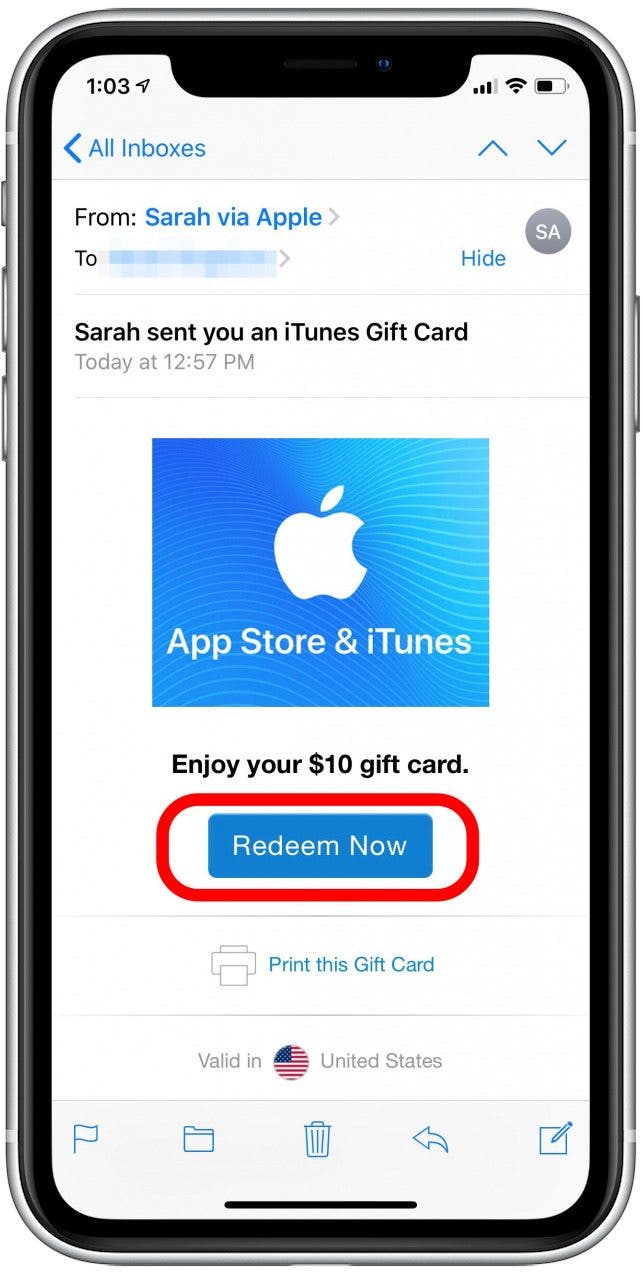
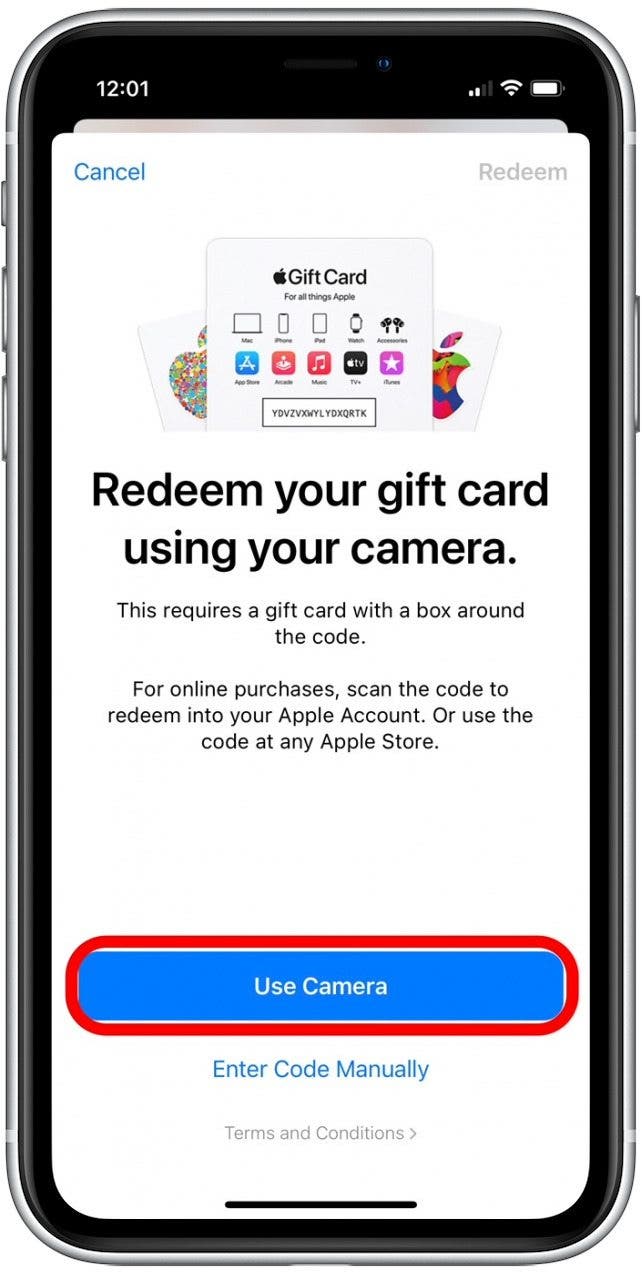
For most users, the mobile device is the most convenient place to redeem a gift card. The process is quick and can even be done using your device's camera. Here is how you do it:
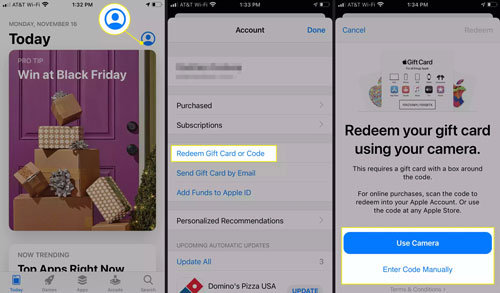
- Open the App Store: Locate the App Store icon on your home screen and tap it.
- Access Your Profile: At the top of the screen, tap your photo or the sign-in button.
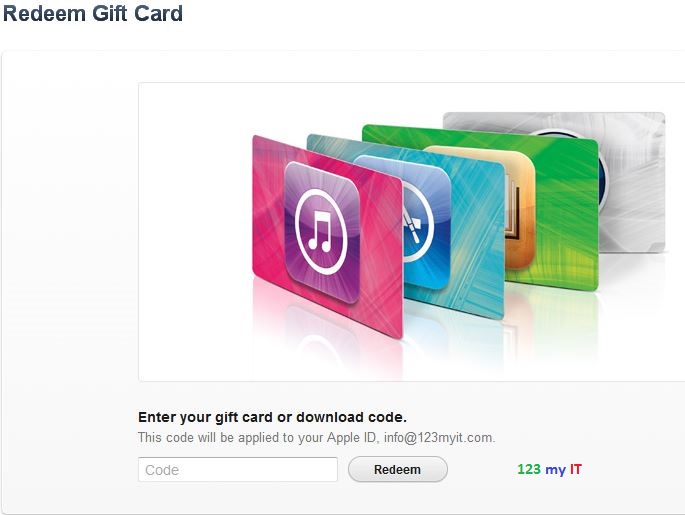
- Select Redeem: Tap the option that says "Redeem Gift Card or Code." If you don't see it, sign in with your Apple ID first.
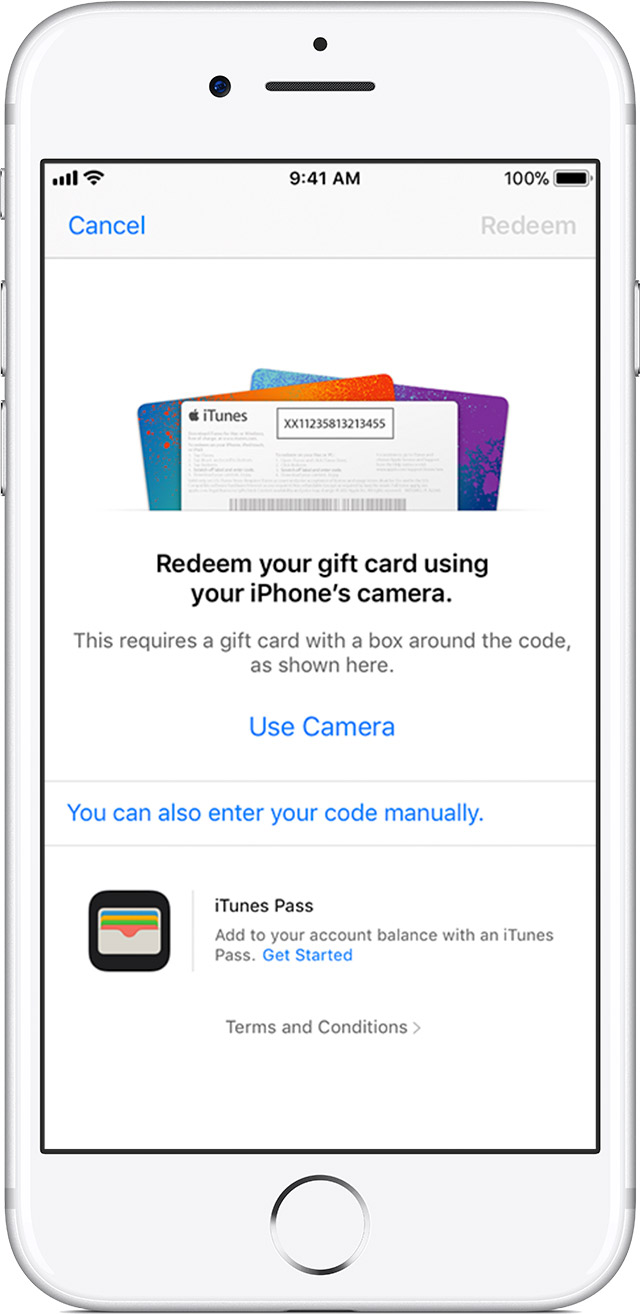
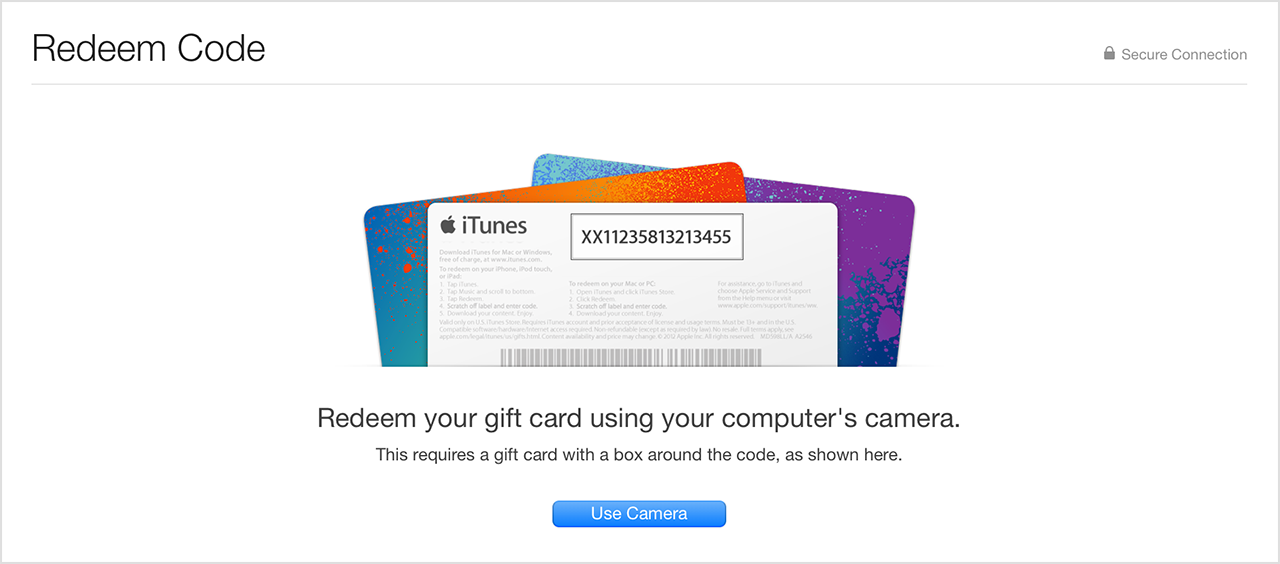
- Use the Camera: You can tap "Use Camera" to scan the 16-digit code on the back of the card. This saves you from typing long strings of characters.
- Manual Entry: If the camera isn't working or the code is scratched, tap "You can also enter your code manually" and type it in.
- Confirm: Tap "Done" or "Redeem" in the top right corner. The credit will be instantly added to your Apple ID balance.
How to Redeem iTunes Gift Cards on a Mac
If you are working on your MacBook or iMac, you don't need to reach for your phone to add credit. You can redeem your card directly through the macOS App Store.
- Open the App Store app from your Dock or Applications folder.
- Look at the bottom of the sidebar on the left and click on your name or the sign-in button.
- In the top right corner of the window, click on Redeem Gift Card.
- You may be prompted to sign in with your Apple ID password.
- Similar to the iPhone, you can use your Mac's webcam to scan the code or type it in manually.
Redeeming iTunes Gift Cards on a Windows PC
Even if you don't own an Apple computer, you can still enjoy Apple services. Many Windows users use iTunes to manage their music library or subscribe to Apple TV+. Here is where to redeem iTunes gift cards on Windows:
First, ensure you have the latest version of iTunes installed on your PC. Open iTunes and click on the "Account" tab in the menu bar at the top of the window. From the dropdown menu, select "Redeem." Sign in with your Apple ID and password, then enter the 16-digit code found on the back of your card. Once confirmed, the balance will appear next to your account name.
| Platform/Device | Redemption Method |
|---|---|
| iPhone / iPad | App Store App > Profile Icon > Redeem Gift Card |
| Mac (macOS) | App Store App > Account Name > Redeem Gift Card |
| Windows PC | iTunes for Windows > Account Menu > Redeem |
| Android | Apple Music App > Settings (Three Dots) > Redeem |
| Apple TV | Settings > Users and Accounts > Select User > Redeem |
Can You Redeem iTunes Gift Cards on Android?
A common misconception is that iTunes gift cards are only for Apple hardware. If you are an Android user who subscribes to Apple Music, you can absolutely use these gift cards. To do this, open the Apple Music app on your Android device. Tap the three-dot menu button in the top right corner, then tap "Account." You will see an option to "Redeem Gift Card or Code." Enter your code, and the credit will be applied to your Apple Music subscription or account balance.
What Can You Buy With Your Redeemed Balance?
Once you have successfully redeemed your card, the possibilities are vast. Your Apple Account Balance acts like a digital wallet. Here are the most popular ways to spend it:
- Apps and Games: Buy premium apps or make in-app purchases in games on the App Store.
- Subscriptions: Pay for monthly services like Apple Music, Apple TV+, Apple Arcade, or Apple Fitness+.
- iCloud Storage: If you are running out of space for photos, use your balance to pay for iCloud+ storage plans.
- Movies and Books: Rent or buy the latest blockbusters on the Apple TV app or purchase eBooks through Apple Books.
- Hardware (Select Regions): In many countries, the unified Apple Gift Card balance can be used at Apple.com or in the Apple Store app to buy physical products like AirPods, iPhones, or accessories.
Troubleshooting: Why is My iTunes Gift Card Not Working?
Sometimes, the redemption process doesn't go smoothly. If you encounter an error, check the following common issues:
1. Code is Invalid or Unreadable
If the camera cannot read the code, try entering it manually. Ensure you aren't confusing certain letters and numbers, such as 'O' and '0' or 'I' and '1'. If the code is physically damaged, you may need to contact Apple Support with a photo of the card and your receipt.
2. Region Mismatch
This is a very frequent issue. iTunes gift cards are region-locked. If you have a gift card purchased in the United States, you cannot redeem it on an Apple ID registered in the United Kingdom or Canada. Your Apple ID region must match the region where the card was purchased.
3. Card Not Activated
When a gift card is purchased at a retail store (like Walmart or Target), the cashier must activate it at the register. If the card wasn't scanned correctly, it will show as inactive. You will need to return to the store with your receipt to have it activated.
FAQ: Frequently Asked Questions
Do iTunes gift cards expire?
No, Apple Gift Cards and iTunes Gift Cards do not have an expiration date. Once the funds are redeemed to your account, they remain there until spent. However, in some regions, if an account is inactive for many years, the funds might be subject to local "unclaimed property" laws.
Can I transfer my balance to another Apple ID?
No. Once a gift card has been redeemed to an Apple ID, the balance is tied to that specific account and cannot be transferred to a different user. Ensure you are signed into the correct account before redeeming.
Can I use an iTunes gift card for Netflix?
You can only use your Apple balance for Netflix if you have an older subscription billed through Apple. Netflix no longer allows new users to sign up using Apple's in-app purchase system. However, you can use it for almost any other Apple-integrated service like Disney+ or Hulu.
Can I see my balance without buying anything?
Yes. On an iPhone, open the App Store and tap your profile icon. Your current balance will be listed directly under your name if you have credit available.
Conclusion
Knowing where to redeem iTunes gift cards opens up a world of digital entertainment and productivity tools. Whether you prefer using your iPhone's camera for a quick scan or manually entering the code on your Windows PC, Apple has made the process remarkably user-friendly. Remember that your balance is a versatile asset—use it for everything from extra iCloud storage to the latest hit movie.
Always keep your physical card or digital receipt until you are certain the balance has been credited to your account. By following the steps outlined in this guide, you can maximize the value of your gift and enjoy the seamless ecosystem that Apple provides. Happy shopping!
Where To Redeem Itunes Gift Cards
Where To Redeem Itunes Gift Cards Wallpapers
Collection of where to redeem itunes gift cards wallpapers for your desktop and mobile devices.
Serene Where To Redeem Itunes Gift Cards Wallpaper Concept
Transform your screen with this vivid where to redeem itunes gift cards artwork, a true masterpiece of digital design.

Crisp Where To Redeem Itunes Gift Cards Photo Collection
This gorgeous where to redeem itunes gift cards photo offers a breathtaking view, making it a perfect choice for your next wallpaper.
Artistic Where To Redeem Itunes Gift Cards Photo Photography
Find inspiration with this unique where to redeem itunes gift cards illustration, crafted to provide a fresh look for your background.

Artistic Where To Redeem Itunes Gift Cards View Photography
Immerse yourself in the stunning details of this beautiful where to redeem itunes gift cards wallpaper, designed for a captivating visual experience.
Vivid Where To Redeem Itunes Gift Cards Capture for Desktop
Discover an amazing where to redeem itunes gift cards background image, ideal for personalizing your devices with vibrant colors and intricate designs.

Mesmerizing Where To Redeem Itunes Gift Cards Picture for Mobile
Explore this high-quality where to redeem itunes gift cards image, perfect for enhancing your desktop or mobile wallpaper.

Lush Where To Redeem Itunes Gift Cards Image Collection
A captivating where to redeem itunes gift cards scene that brings tranquility and beauty to any device.
Gorgeous Where To Redeem Itunes Gift Cards Capture Illustration
This gorgeous where to redeem itunes gift cards photo offers a breathtaking view, making it a perfect choice for your next wallpaper.

Exquisite Where To Redeem Itunes Gift Cards Scene for Desktop
A captivating where to redeem itunes gift cards scene that brings tranquility and beauty to any device.
Artistic Where To Redeem Itunes Gift Cards Abstract in HD
This gorgeous where to redeem itunes gift cards photo offers a breathtaking view, making it a perfect choice for your next wallpaper.

Spectacular Where To Redeem Itunes Gift Cards Photo for Desktop
This gorgeous where to redeem itunes gift cards photo offers a breathtaking view, making it a perfect choice for your next wallpaper.

Detailed Where To Redeem Itunes Gift Cards Artwork Digital Art
Experience the crisp clarity of this stunning where to redeem itunes gift cards image, available in high resolution for all your screens.

Gorgeous Where To Redeem Itunes Gift Cards Design Concept
This gorgeous where to redeem itunes gift cards photo offers a breathtaking view, making it a perfect choice for your next wallpaper.

Serene Where To Redeem Itunes Gift Cards Picture in HD
Transform your screen with this vivid where to redeem itunes gift cards artwork, a true masterpiece of digital design.
Captivating Where To Redeem Itunes Gift Cards Photo in 4K
A captivating where to redeem itunes gift cards scene that brings tranquility and beauty to any device.

Crisp Where To Redeem Itunes Gift Cards Background Nature
A captivating where to redeem itunes gift cards scene that brings tranquility and beauty to any device.

Gorgeous Where To Redeem Itunes Gift Cards Landscape for Mobile
This gorgeous where to redeem itunes gift cards photo offers a breathtaking view, making it a perfect choice for your next wallpaper.

Exquisite Where To Redeem Itunes Gift Cards Design for Your Screen
Immerse yourself in the stunning details of this beautiful where to redeem itunes gift cards wallpaper, designed for a captivating visual experience.
Amazing Where To Redeem Itunes Gift Cards Wallpaper Art
Explore this high-quality where to redeem itunes gift cards image, perfect for enhancing your desktop or mobile wallpaper.

Lush Where To Redeem Itunes Gift Cards Design Collection
Immerse yourself in the stunning details of this beautiful where to redeem itunes gift cards wallpaper, designed for a captivating visual experience.
Download these where to redeem itunes gift cards wallpapers for free and use them on your desktop or mobile devices.