How To Make A Pdf File On Android Phone
How to Make a PDF File on Android Phone: A Complete Step-by-Step Guide
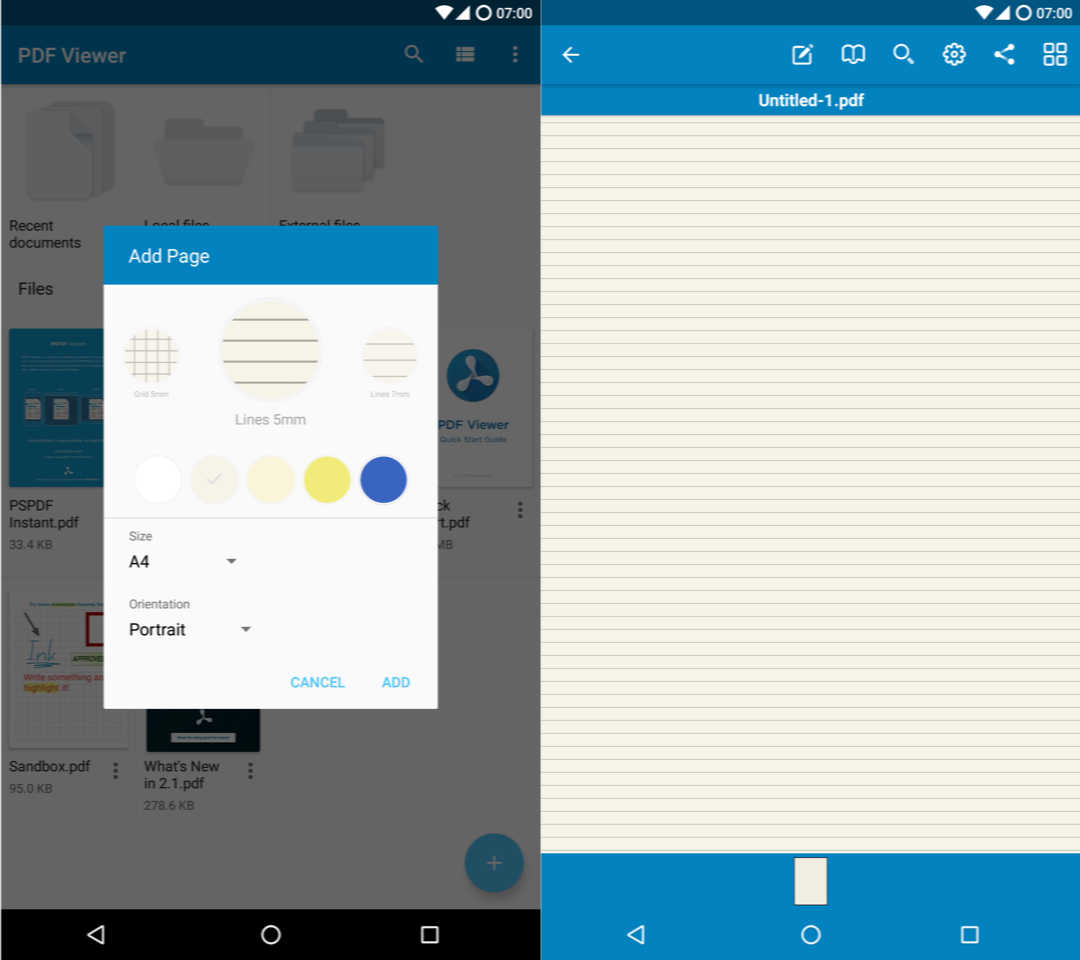
In today’s digital-first world, the ability to create and share documents on the go is no longer just a luxury—it is a necessity. Whether you are a student submitting an assignment, a professional sending an invoice, or someone trying to save a digital receipt, knowing how to make a PDF file on Android phone devices is a crucial skill. The Portable Document Format (PDF) is the industry standard because it preserves formatting across all devices and operating systems.
Fortunately, Android is a highly flexible operating system that offers multiple built-in ways to generate PDF files without needing a desktop computer. From using Google Drive to leveraging the "Print to PDF" feature, this guide will walk you through every method available to transform your documents, images, and webpages into professional PDF files.
1. Using the Built-in "Print to PDF" Feature
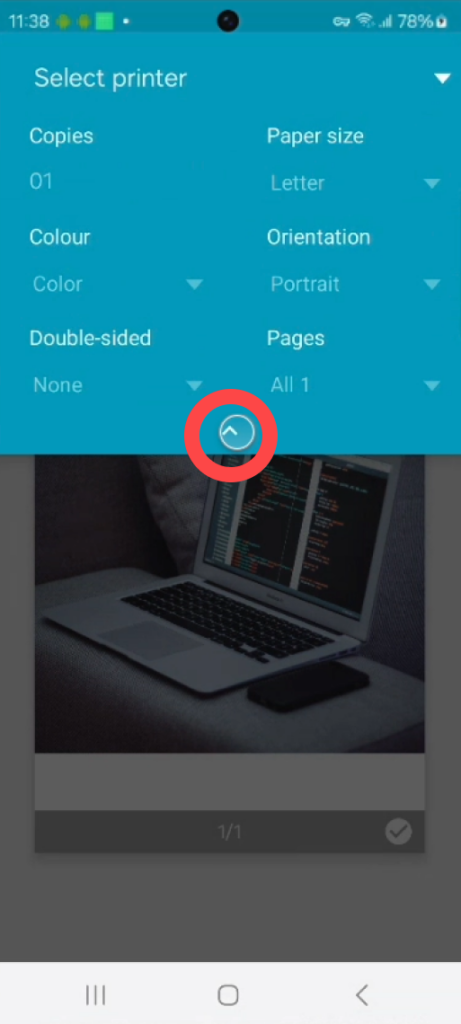
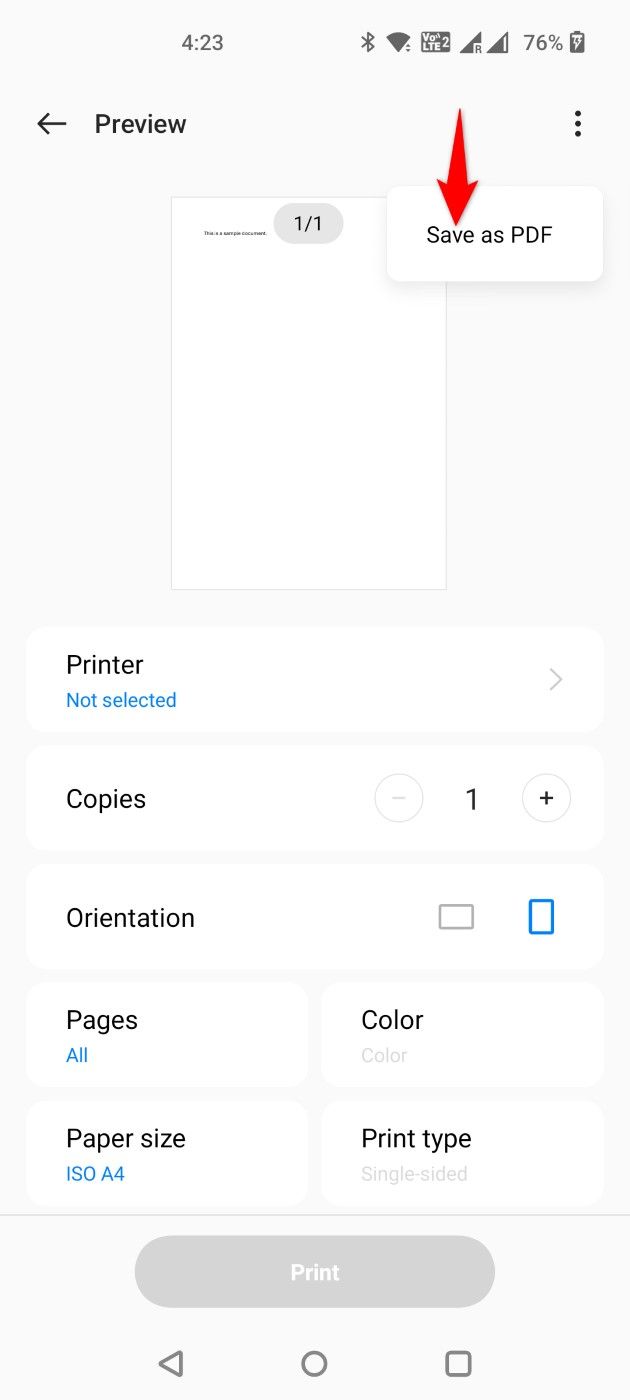
One of the most universal methods to create a PDF on Android is using the system-level "Print" function. This method works for almost anything—emails, web pages, or even notes. Because Android treats "Save as PDF" as a virtual printer, you can convert almost any viewable content into a document.
Steps to Convert via Print:
- Open the file, image, or webpage you wish to convert.
- Look for the Menu icon (usually three dots in the top right corner) or the Share button.
- Select the Print option.
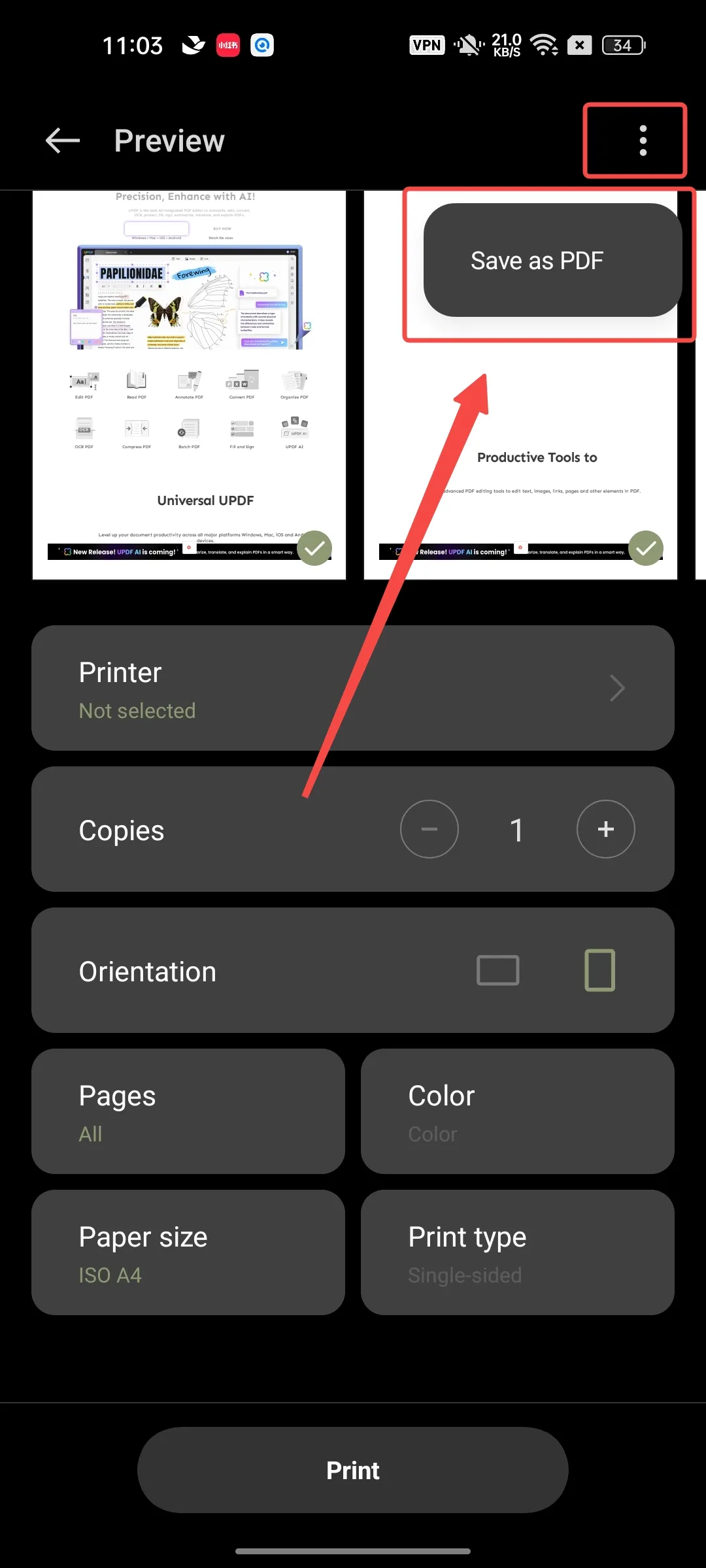
- At the top of the screen, tap the dropdown menu for "Select a printer" and choose Save as PDF.
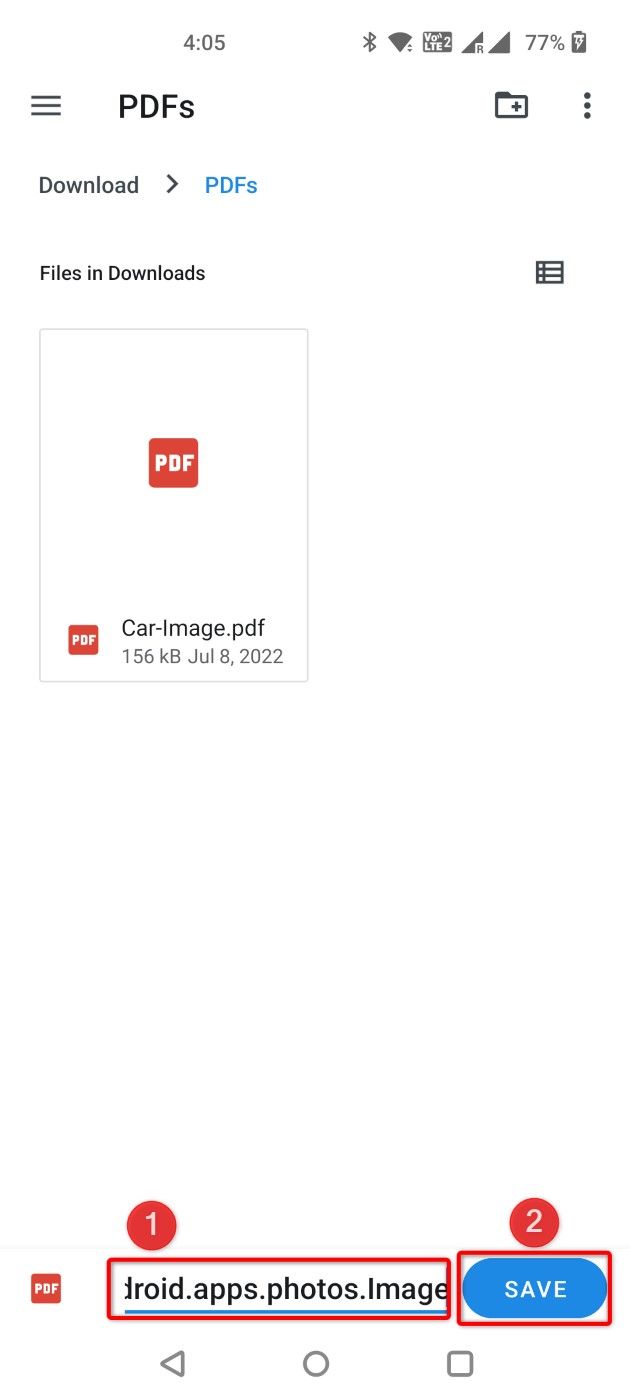
- Tap the PDF icon (usually a circular download button) to choose the storage location on your device.
- Rename the file and hit Save.
2. How to Create a PDF from Photos and Images
Often, users need to convert photos of physical documents or screenshots into a single PDF. You can do this directly from the Google Photos app or your phone's native gallery. This is particularly useful for digitizing receipts or ID cards.
To do this, open the image in your Gallery, tap "More" or the share icon, and follow the "Print" steps mentioned above. If you have multiple images, many gallery apps allow you to select several photos at once and then select "Print" or "Create PDF" to merge them into a single multi-page document.
3. Creating PDFs Using Google Drive and Google Docs
Google Drive is pre-installed on almost every Android device and serves as a powerful PDF engine. It offers two primary ways to create PDFs: by scanning physical documents with your camera or by exporting existing Google Docs.
Method A: The Document Scanner
The Google Drive app has a built-in scanner that uses your camera to capture documents, automatically crops them, and enhances the text for readability.
- Open the Google Drive app.
- Tap the "+" (Plus) icon in the bottom right corner.
- Select Scan.
- Take a photo of the document. You can adjust the crop or color settings.
- Tap Save, enter a file name, and your PDF will be uploaded to your Drive.
Method B: Exporting Google Docs
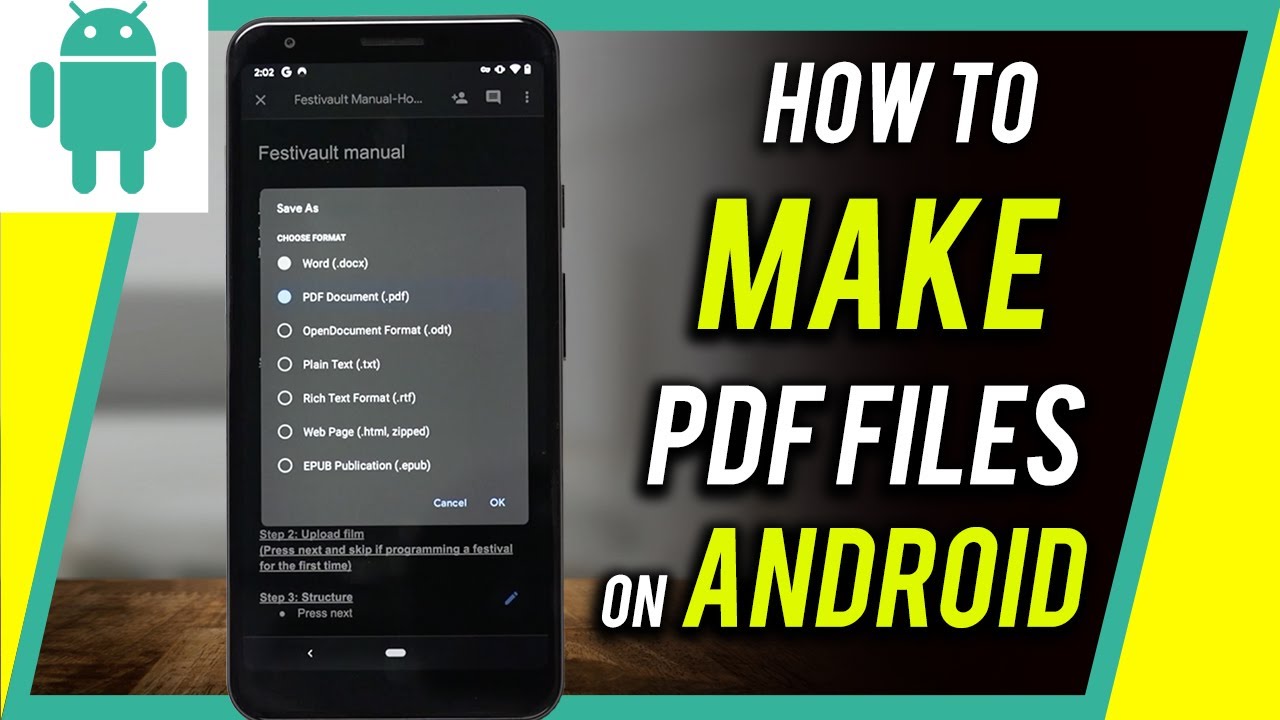
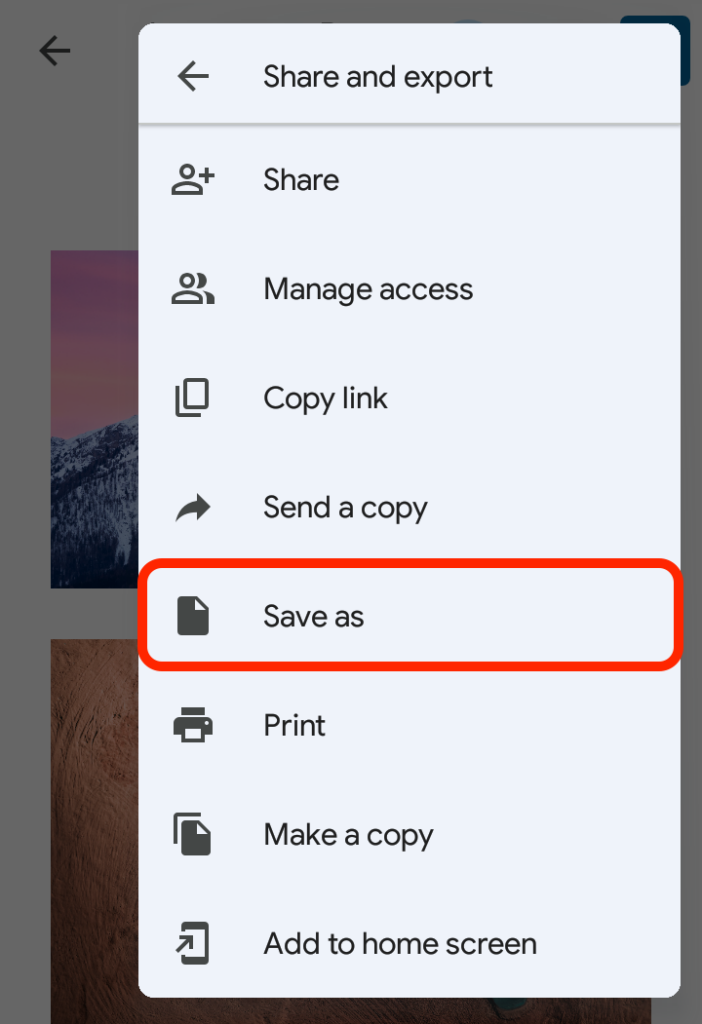
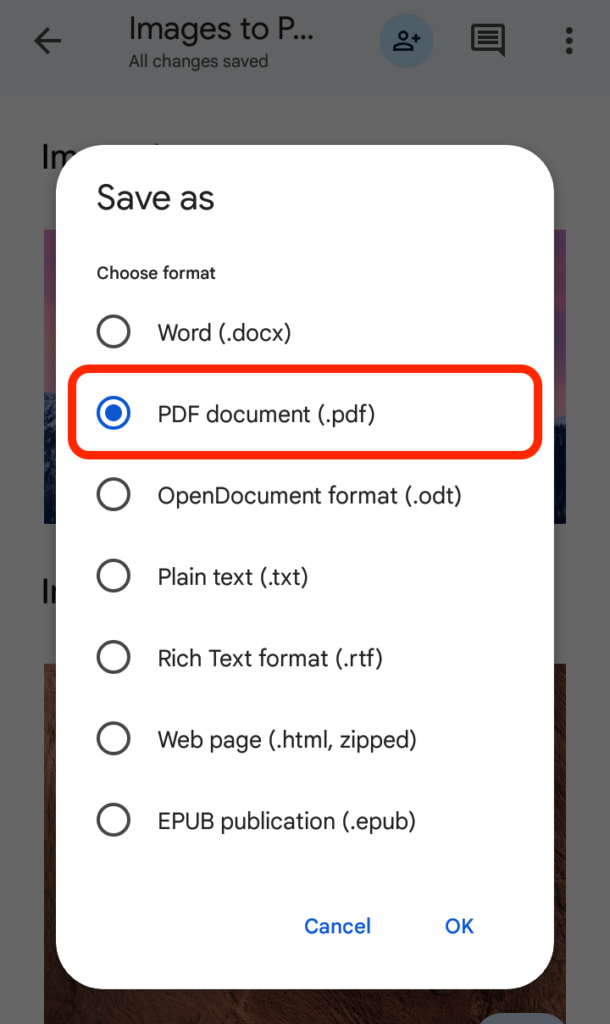
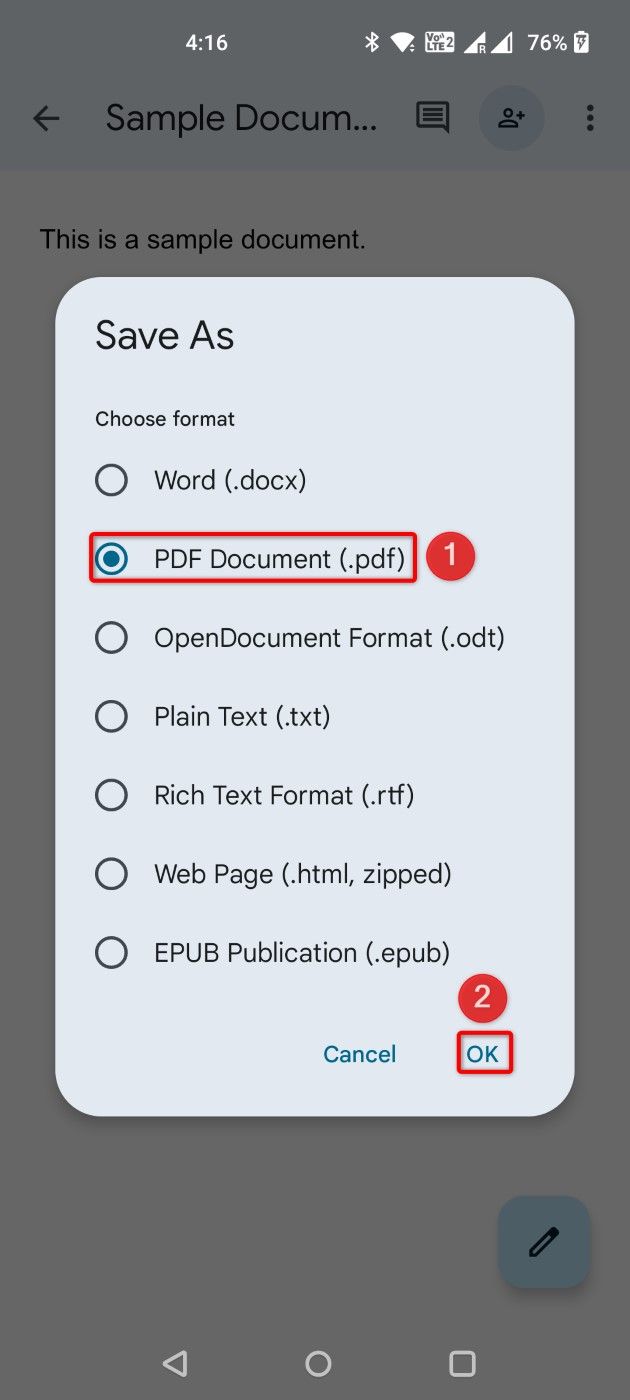
If you are typing a document in Google Docs, converting it is seamless. Simply tap the three dots, select "Share & export," and then "Save as." Choose "PDF Document (.pdf)" from the list of formats.
| Method/Feature | Best Used For |
|---|---|
| Print to PDF | Web pages, Emails, and Notes. |
| Google Drive Scanner | Physical paper documents and receipts. |
| Google Docs Export | Written reports, resumes, and text documents. |
| Third-Party Apps | Advanced editing, merging, and signing. |
| Microsoft Office App | Converting Word, Excel, and PPT files. |
4. Using Third-Party Apps for Advanced PDF Creation
While built-in tools are excellent for basic needs, professional users might require advanced features like electronic signatures, password protection, or document merging. For these tasks, third-party applications are the best choice.
Adobe Scan and Microsoft Lens are two of the most popular choices. Microsoft Lens integrates perfectly with the Office ecosystem, allowing you to scan a document and immediately convert it into a PDF, Word, or PowerPoint file. Adobe Scan offers OCR (Optical Character Recognition), which makes the text inside your PDF searchable and selectable.
Another great option is Smallpdf or iLovePDF. These apps are specifically designed for mobile workflows, allowing you to merge two different PDF files into one or compress a large PDF file so it can be sent via email more easily.
5. Saving Webpages as PDF in Google Chrome
If you find an interesting article or a receipt on a website that you want to save for offline reading, the Chrome browser on Android makes it incredibly simple. Instead of bookmarking the page, which requires an internet connection to view later, you can turn the entire webpage into a PDF file.
Open Chrome, navigate to the page, and tap the three-dot menu. Select Share, then scroll through the options to find Print. Just like the general system print method, choose "Save as PDF" and the file will be stored in your "Downloads" folder.
Frequently Asked Questions (FAQ)
1. Where are my PDF files saved on Android?
By default, most PDF files created via the "Print to PDF" or browser method are saved in the Downloads folder of your internal storage. If you used Google Drive, they will be stored in your cloud storage or the "Files" app under the "Documents" category.
2. Can I make a PDF file on Android without downloading any apps?
Yes! You can use the built-in "Print" feature available in the Share menu of most apps (Chrome, Gallery, Gmail) to save content as a PDF without installing third-party software.
3. How do I combine multiple photos into one PDF?
The easiest way is to go to your Gallery, select multiple photos, tap "Share," and then choose "Print." In the print preview, Android will treat each photo as a separate page in a single PDF document. Alternatively, you can use the Google Drive "Scan" feature and tap the "+" icon after the first scan to add more pages.
4. Is it possible to edit a PDF after creating it on Android?
To edit the text or images within a PDF, you will typically need a dedicated editor like Adobe Acrobat Reader or Nitro PDF. Basic annotation (highlighting or signing) can often be done within the "Files by Google" app or the "Google Drive" previewer.
Conclusion
Mastering how to make a PDF file on Android phone is a game-changer for mobile productivity. Whether you rely on the native "Print to PDF" functionality, the robust scanning features of Google Drive, or professional-grade apps like Microsoft Lens, the process is fast and efficient. By following the steps outlined above, you can transform your smartphone into a portable office, capable of handling any document task with ease. Always remember to check your "Downloads" folder to locate your new files and use descriptive names to keep your digital workspace organized!
how to make a pdf file on android phone
how to make a pdf file on android phone Wallpapers
Collection of how to make a pdf file on android phone wallpapers for your desktop and mobile devices.
Amazing How To Make A Pdf File On Android Phone Picture Art
Discover an amazing how to make a pdf file on android phone background image, ideal for personalizing your devices with vibrant colors and intricate designs.

Crisp How To Make A Pdf File On Android Phone Scene for Mobile
Find inspiration with this unique how to make a pdf file on android phone illustration, crafted to provide a fresh look for your background.
Detailed How To Make A Pdf File On Android Phone Capture in 4K
Transform your screen with this vivid how to make a pdf file on android phone artwork, a true masterpiece of digital design.

Artistic How To Make A Pdf File On Android Phone Scene Concept
This gorgeous how to make a pdf file on android phone photo offers a breathtaking view, making it a perfect choice for your next wallpaper.

Beautiful How To Make A Pdf File On Android Phone Abstract Art
Experience the crisp clarity of this stunning how to make a pdf file on android phone image, available in high resolution for all your screens.
Serene How To Make A Pdf File On Android Phone Photo in HD
Transform your screen with this vivid how to make a pdf file on android phone artwork, a true masterpiece of digital design.
Dynamic How To Make A Pdf File On Android Phone Abstract for Your Screen
Immerse yourself in the stunning details of this beautiful how to make a pdf file on android phone wallpaper, designed for a captivating visual experience.
Gorgeous How To Make A Pdf File On Android Phone Artwork Nature
Immerse yourself in the stunning details of this beautiful how to make a pdf file on android phone wallpaper, designed for a captivating visual experience.
Vivid How To Make A Pdf File On Android Phone Abstract Nature
Transform your screen with this vivid how to make a pdf file on android phone artwork, a true masterpiece of digital design.
Captivating How To Make A Pdf File On Android Phone Moment Nature
Find inspiration with this unique how to make a pdf file on android phone illustration, crafted to provide a fresh look for your background.
Detailed How To Make A Pdf File On Android Phone Image in HD
Transform your screen with this vivid how to make a pdf file on android phone artwork, a true masterpiece of digital design.

Vivid How To Make A Pdf File On Android Phone Moment for Mobile
Transform your screen with this vivid how to make a pdf file on android phone artwork, a true masterpiece of digital design.
Vivid How To Make A Pdf File On Android Phone Design Art
Experience the crisp clarity of this stunning how to make a pdf file on android phone image, available in high resolution for all your screens.
Detailed How To Make A Pdf File On Android Phone Landscape Photography
Experience the crisp clarity of this stunning how to make a pdf file on android phone image, available in high resolution for all your screens.
Artistic How To Make A Pdf File On Android Phone Abstract Illustration
Immerse yourself in the stunning details of this beautiful how to make a pdf file on android phone wallpaper, designed for a captivating visual experience.
Stunning How To Make A Pdf File On Android Phone Abstract in HD
Find inspiration with this unique how to make a pdf file on android phone illustration, crafted to provide a fresh look for your background.

Vivid How To Make A Pdf File On Android Phone Image for Your Screen
Transform your screen with this vivid how to make a pdf file on android phone artwork, a true masterpiece of digital design.
Gorgeous How To Make A Pdf File On Android Phone Background Collection
Find inspiration with this unique how to make a pdf file on android phone illustration, crafted to provide a fresh look for your background.

Breathtaking How To Make A Pdf File On Android Phone Landscape for Mobile
Explore this high-quality how to make a pdf file on android phone image, perfect for enhancing your desktop or mobile wallpaper.
Serene How To Make A Pdf File On Android Phone Picture for Mobile
Discover an amazing how to make a pdf file on android phone background image, ideal for personalizing your devices with vibrant colors and intricate designs.
Download these how to make a pdf file on android phone wallpapers for free and use them on your desktop or mobile devices.