Google Play Keeps Popping Up
Why Google Play Keeps Popping Up: Ultimate Troubleshooting Guide to Stop Interruptions
Few things are as frustrating as using your Android device for an important task, only to have the Google Play Store suddenly launch and interrupt your workflow. Whether you are in the middle of a high-stakes mobile game, typing an urgent email, or navigating with GPS, the "Google Play keeps popping up" issue is a common grievance for many Android users. This behavior is not just a nuisance; it can sometimes indicate underlying software glitches, aggressive advertising, or even the presence of malware on your device.
Understanding why this happens is the first step toward reclaiming control of your smartphone. In this comprehensive guide, we will explore the root causes of these intrusive pop-ups and provide you with actionable, professional solutions to stop them for good. From clearing system caches to identifying malicious third-party applications, we cover everything you need to know to ensure a seamless mobile experience.
Common Reasons Why Google Play Store Opens Automatically
When your phone starts opening the Play Store without your input, it is rarely a random occurrence. Usually, there is a specific trigger hidden within your apps or system settings. Here are the most frequent culprits:
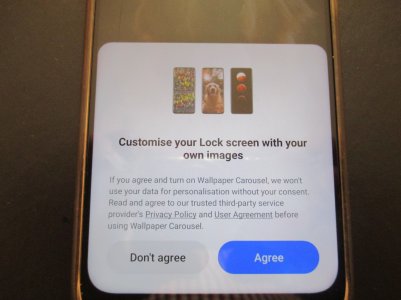
- Adware and Malicious Apps: This is the most common cause. Many "free" apps, particularly those downloaded from third-party sources (APKs), contain scripts that force-open the Play Store to promote specific apps or games to generate revenue for the developer.
- Redirects from Web Browsers: Some websites contain aggressive advertising scripts. When you visit these sites, they can trigger a "redirect" command that tells your Android system to open a specific product page in the Play Store.
- Corrupted App Cache: Sometimes, the Google Play Store's own temporary files (cache) become corrupted, causing the app to behave erratically or launch unexpectedly.
- Display Over Other Apps Permission: Certain apps have the permission to "draw" or display content over other apps. If a malicious or poorly coded app has this permission, it can trigger the Play Store overlay.
Step-by-Step Solutions to Fix Google Play Pop-Ups
To resolve this issue, you should follow a systematic approach. Start with the easiest fixes and move toward more advanced troubleshooting if the problem persists.
1. Clear Google Play Store Cache and Data
Often, the simplest solution is to reset the Play Store's temporary environment. This removes any corrupted files that might be triggering the app to open.
- Open Settings on your Android device.
- Go to Apps or App Management.
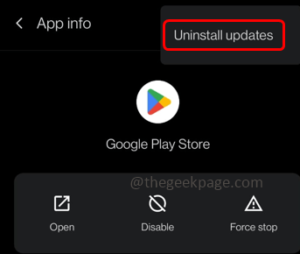
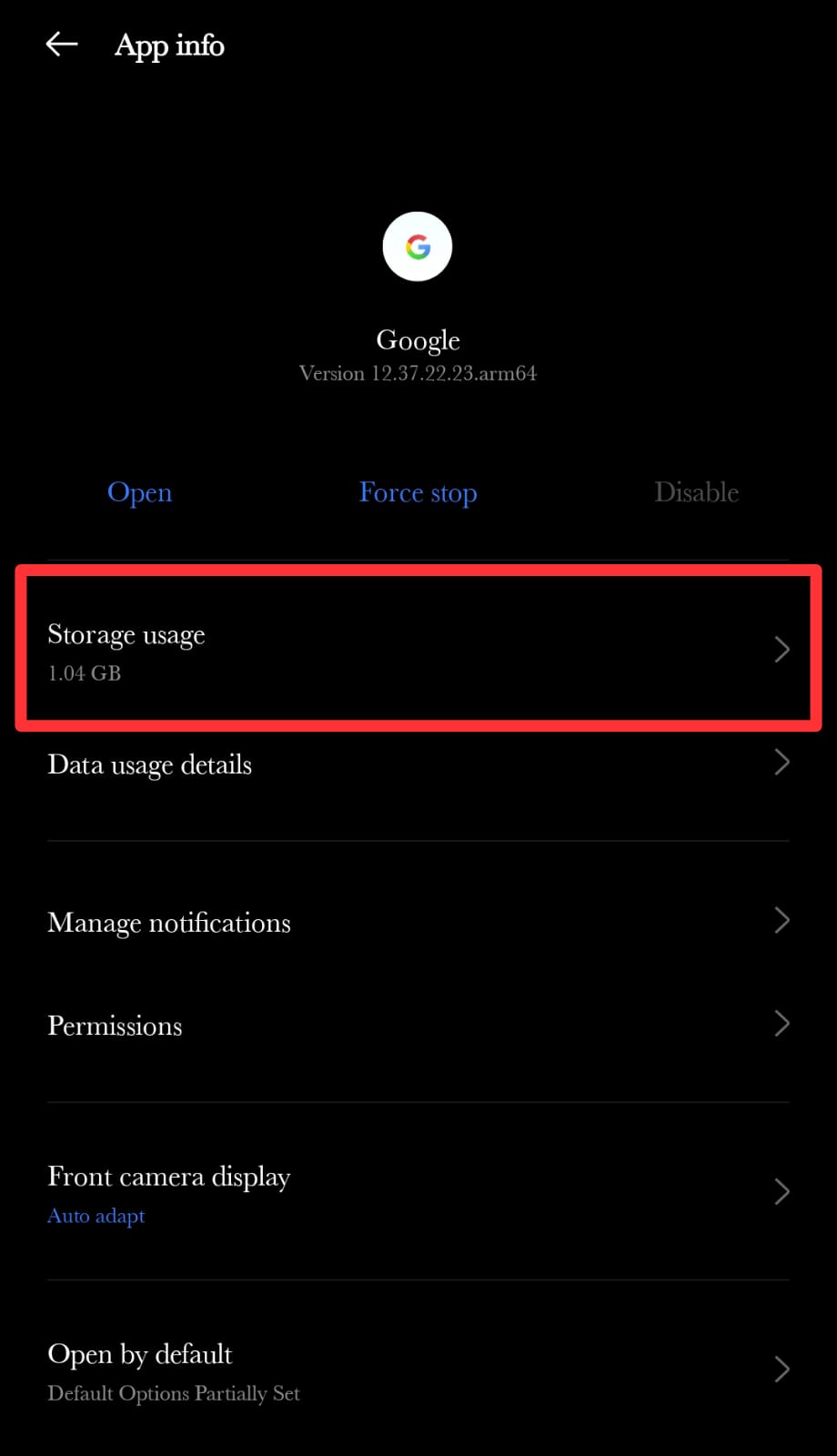
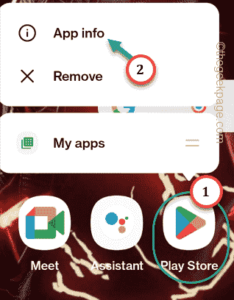
- Find and tap on Google Play Store.
- Select Storage & Cache.
- Tap Clear Cache, then tap Clear Data (or Clear Storage).
- Restart your phone.
2. Identify and Uninstall Suspicious Apps
If the pop-ups started recently, try to remember which apps you installed just before the issue began. Look for utility apps like "Battery Savers," "File Managers," or "QR Code Scanners," as these are frequently bundled with adware.
Check your "Display Over Other Apps" settings to see which apps have this privilege:
- Go to Settings > Apps > Special App Access.
- Tap on Display over other apps.
- Review the list. If you see an app you don't recognize or trust, toggle the permission Off or uninstall the app entirely.
| Fix/Strategy | Description |
|---|---|
| Clear Cache/Data | Resets the Play Store app environment to fix software glitches. |
| Safe Mode Boot | Disables 3rd party apps to determine if an installed app is the cause. |
| Adware Scan | Using Google Play Protect or antivirus to find hidden malicious scripts. |
| Disable Redirects | Adjusting Chrome or browser settings to block automatic redirects. |
| Factory Reset | The final resort to wipe the device and remove deep-seated malware. |
Advanced Troubleshooting: Using Safe Mode
If you cannot figure out which app is causing the Google Play Store to pop up, you can use Safe Mode. Safe Mode runs the Android operating system with only the original factory apps. If the pop-ups stop while in Safe Mode, it is 100% certain that a third-party app you downloaded is the culprit.
To enter Safe Mode on most Android devices:
- Press and hold the Power button until the power off menu appears.
- Long-press the Power Off or Restart icon on the screen.
- A prompt will ask if you want to reboot into Safe Mode. Tap OK.
- Once the phone reboots, monitor it for a few minutes. If the Play Store stays closed, you should proceed to uninstall your most recently downloaded apps one by one until the problem is resolved.
How to Prevent Google Play Store Redirects in Browsers
If the Play Store only pops up while you are browsing the internet, the issue is likely "Adware Redirects." Modern browsers like Google Chrome have built-in features to prevent this.
- Enable Pop-up Blocking: Open Chrome > Settings > Site Settings > Pop-ups and redirects > Toggle to Blocked.
- Check for "Notification" Spam: Sometimes sites ask for permission to send notifications, which then manifest as pop-ups. In Site Settings, check "Notifications" and remove any suspicious websites.
- Update Your Browser: Ensure you are using the latest version of Chrome or your preferred browser, as updates often include security patches for the latest redirect scripts.
The Role of Google Play Protect
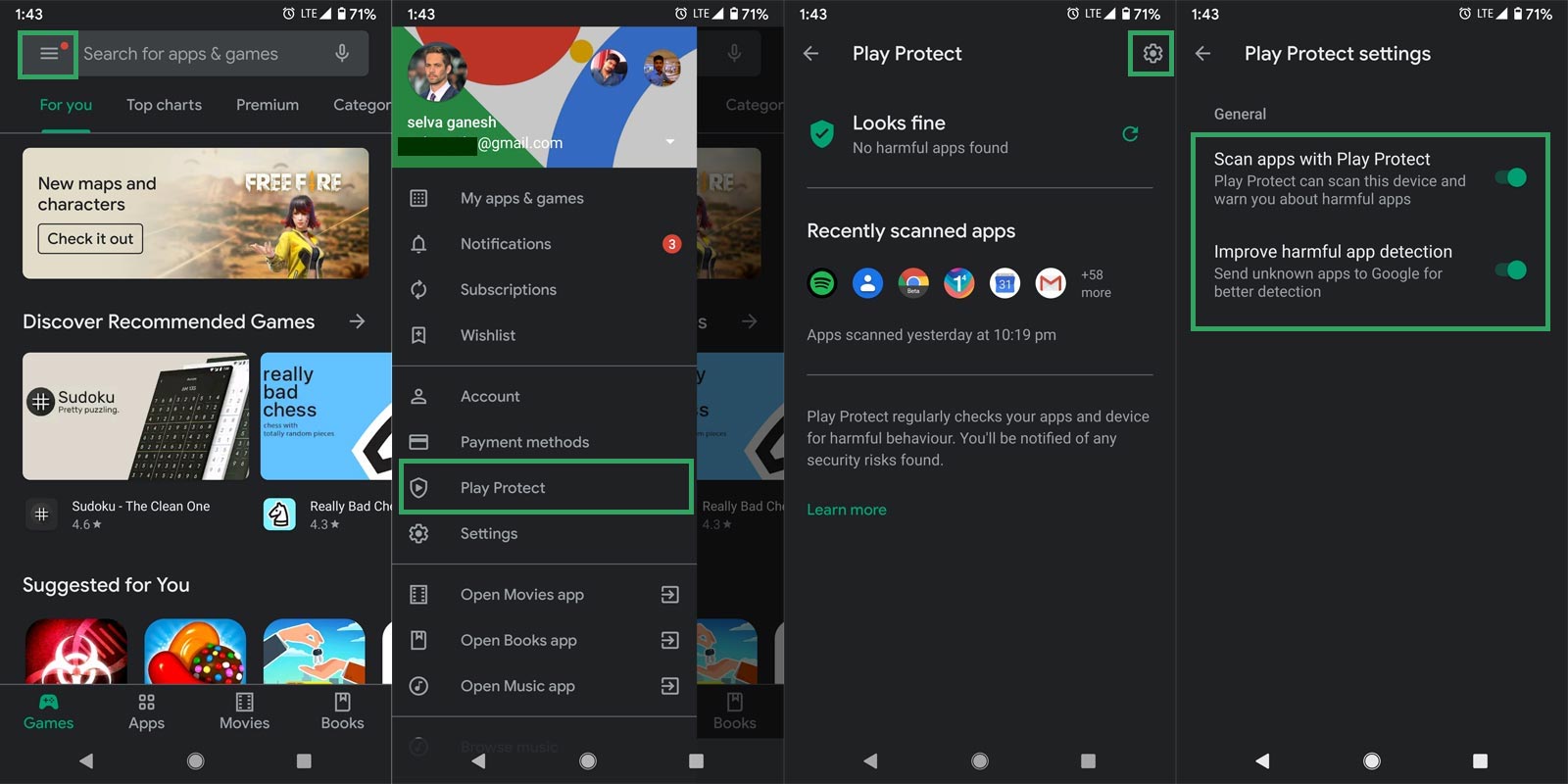
Google Play Protect is a built-in security feature that scans your apps for malware. To ensure it is working correctly:
- Open the Google Play Store.
- Tap your Profile Icon at the top right.
- Tap Play Protect.
- Tap Scan to check your current apps for security threats.
Frequently Asked Questions (FAQ)
Q1: Is my phone hacked if Google Play keeps popping up?
A: Not necessarily "hacked" in the traditional sense, but it likely has "adware." Adware is a type of software that displays unwanted advertisements. It is intrusive but usually focused on making money through clicks rather than stealing personal data.
Q2: Can I disable the Google Play Store to stop this?
A: You can "Disable" it in settings, but this is not recommended. Disabling the Play Store will prevent your other apps from updating and may cause system instability. It is better to find the source of the pop-up rather than disabling the store itself.
Q3: Does clearing the Play Store data delete my downloaded apps?
A: No. Clearing the data for the Google Play Store only resets the app's settings and temporary files. Your installed apps, games, and personal data will remain perfectly safe.
Conclusion: Restoring Peace to Your Android Device
Dealing with a Google Play Store that keeps popping up can be an exhausting experience, but it is a solvable problem. By systematically checking your app permissions, clearing system caches, and utilizing tools like Safe Mode and Play Protect, you can identify the underlying cause and eliminate it. Most often, the culprit is a hidden piece of adware hiding within a recently installed utility or game.
In the digital age, maintaining "app hygiene" is essential. Be cautious about downloading apps from unofficial sources and always pay attention to the permissions an app requests during installation. If you have followed all the steps above and the issue persists, a full factory reset may be the most efficient way to ensure your device's security and performance are fully restored. Stay vigilant, keep your software updated, and enjoy an interruption-free mobile experience.
Google Play Keeps Popping Up
Google Play Keeps Popping Up Wallpapers
Collection of google play keeps popping up wallpapers for your desktop and mobile devices.

Crisp Google Play Keeps Popping Up View Concept
A captivating google play keeps popping up scene that brings tranquility and beauty to any device.

Exquisite Google Play Keeps Popping Up Abstract Collection
Find inspiration with this unique google play keeps popping up illustration, crafted to provide a fresh look for your background.

Artistic Google Play Keeps Popping Up Artwork Illustration
Immerse yourself in the stunning details of this beautiful google play keeps popping up wallpaper, designed for a captivating visual experience.

Artistic Google Play Keeps Popping Up View in 4K
Immerse yourself in the stunning details of this beautiful google play keeps popping up wallpaper, designed for a captivating visual experience.

Serene Google Play Keeps Popping Up Background in 4K
Experience the crisp clarity of this stunning google play keeps popping up image, available in high resolution for all your screens.

Lush Google Play Keeps Popping Up Image Art
Find inspiration with this unique google play keeps popping up illustration, crafted to provide a fresh look for your background.

Gorgeous Google Play Keeps Popping Up Image in HD
This gorgeous google play keeps popping up photo offers a breathtaking view, making it a perfect choice for your next wallpaper.

Beautiful Google Play Keeps Popping Up Capture for Your Screen
Transform your screen with this vivid google play keeps popping up artwork, a true masterpiece of digital design.

Dynamic Google Play Keeps Popping Up Artwork Photography
Find inspiration with this unique google play keeps popping up illustration, crafted to provide a fresh look for your background.

Vibrant Google Play Keeps Popping Up Moment Nature
Experience the crisp clarity of this stunning google play keeps popping up image, available in high resolution for all your screens.

Vivid Google Play Keeps Popping Up Photo Digital Art
Explore this high-quality google play keeps popping up image, perfect for enhancing your desktop or mobile wallpaper.

Serene Google Play Keeps Popping Up Scene Illustration
Experience the crisp clarity of this stunning google play keeps popping up image, available in high resolution for all your screens.
Exquisite Google Play Keeps Popping Up Wallpaper for Mobile
Find inspiration with this unique google play keeps popping up illustration, crafted to provide a fresh look for your background.
High-Quality Google Play Keeps Popping Up View for Your Screen
Explore this high-quality google play keeps popping up image, perfect for enhancing your desktop or mobile wallpaper.

Detailed Google Play Keeps Popping Up View for Desktop
Discover an amazing google play keeps popping up background image, ideal for personalizing your devices with vibrant colors and intricate designs.

Vivid Google Play Keeps Popping Up Moment Illustration
Explore this high-quality google play keeps popping up image, perfect for enhancing your desktop or mobile wallpaper.
Exquisite Google Play Keeps Popping Up Background for Your Screen
Immerse yourself in the stunning details of this beautiful google play keeps popping up wallpaper, designed for a captivating visual experience.
High-Quality Google Play Keeps Popping Up Artwork for Desktop
Explore this high-quality google play keeps popping up image, perfect for enhancing your desktop or mobile wallpaper.

Gorgeous Google Play Keeps Popping Up Photo Concept
This gorgeous google play keeps popping up photo offers a breathtaking view, making it a perfect choice for your next wallpaper.
Artistic Google Play Keeps Popping Up Capture in HD
A captivating google play keeps popping up scene that brings tranquility and beauty to any device.
Download these google play keeps popping up wallpapers for free and use them on your desktop or mobile devices.