Google Play Protect Pop Up
How to Handle the Google Play Protect Pop Up: A Comprehensive Security Guide
If you are an Android user, you have likely encountered the Google Play Protect pop up at some point while installing a new application or during a routine system scan. While it might seem like an annoying interruption, this notification is actually your device's first line of defense against malware, ransomware, and data breaches. Understanding why this pop-up appears and how to manage it is crucial for maintaining both your digital privacy and your device's performance.
In this detailed guide, we will explore the mechanics behind Google Play Protect, why it triggers warnings for certain apps, and how you can troubleshoot common issues related to these security alerts. Whether you are a casual user or a developer trying to get your app recognized, this article covers everything you need to know.
What is the Google Play Protect Pop Up?
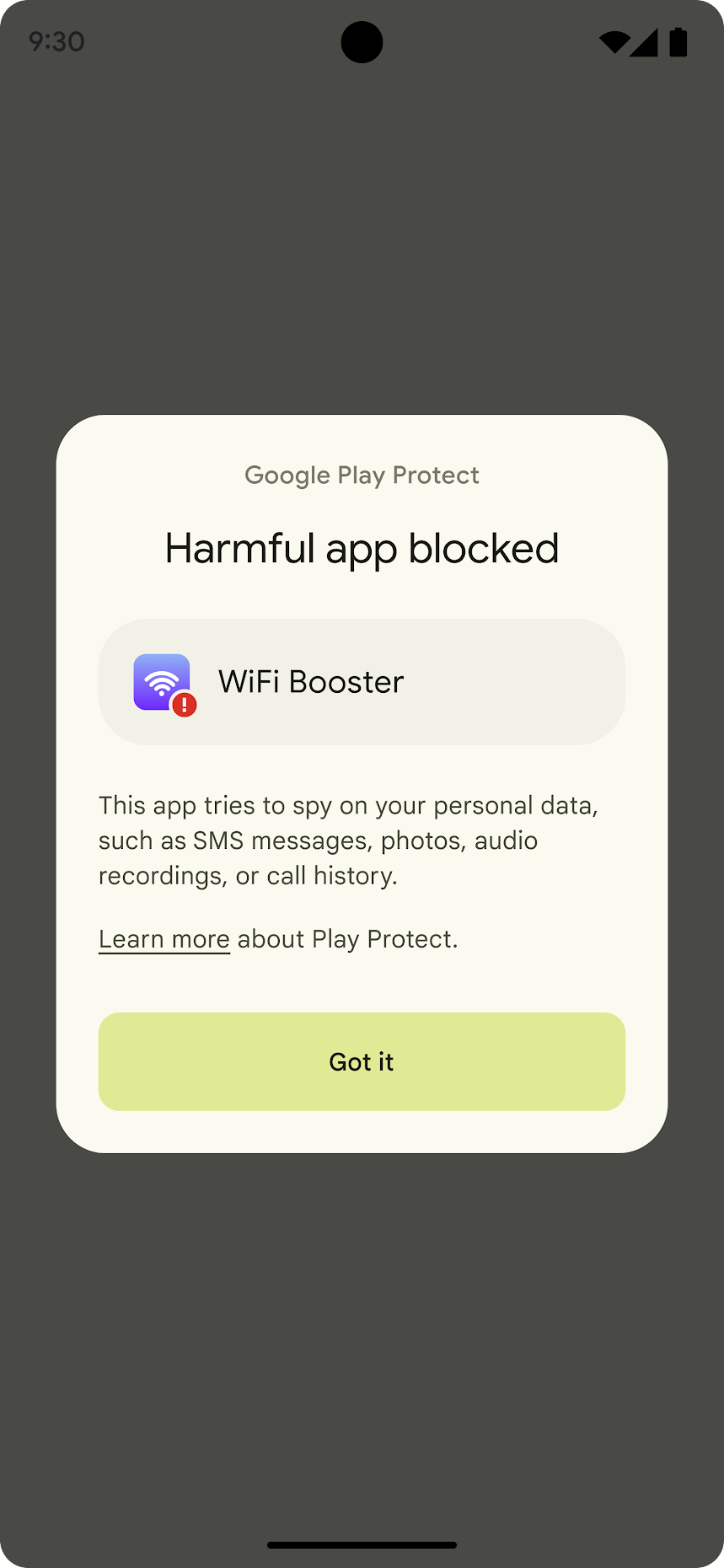
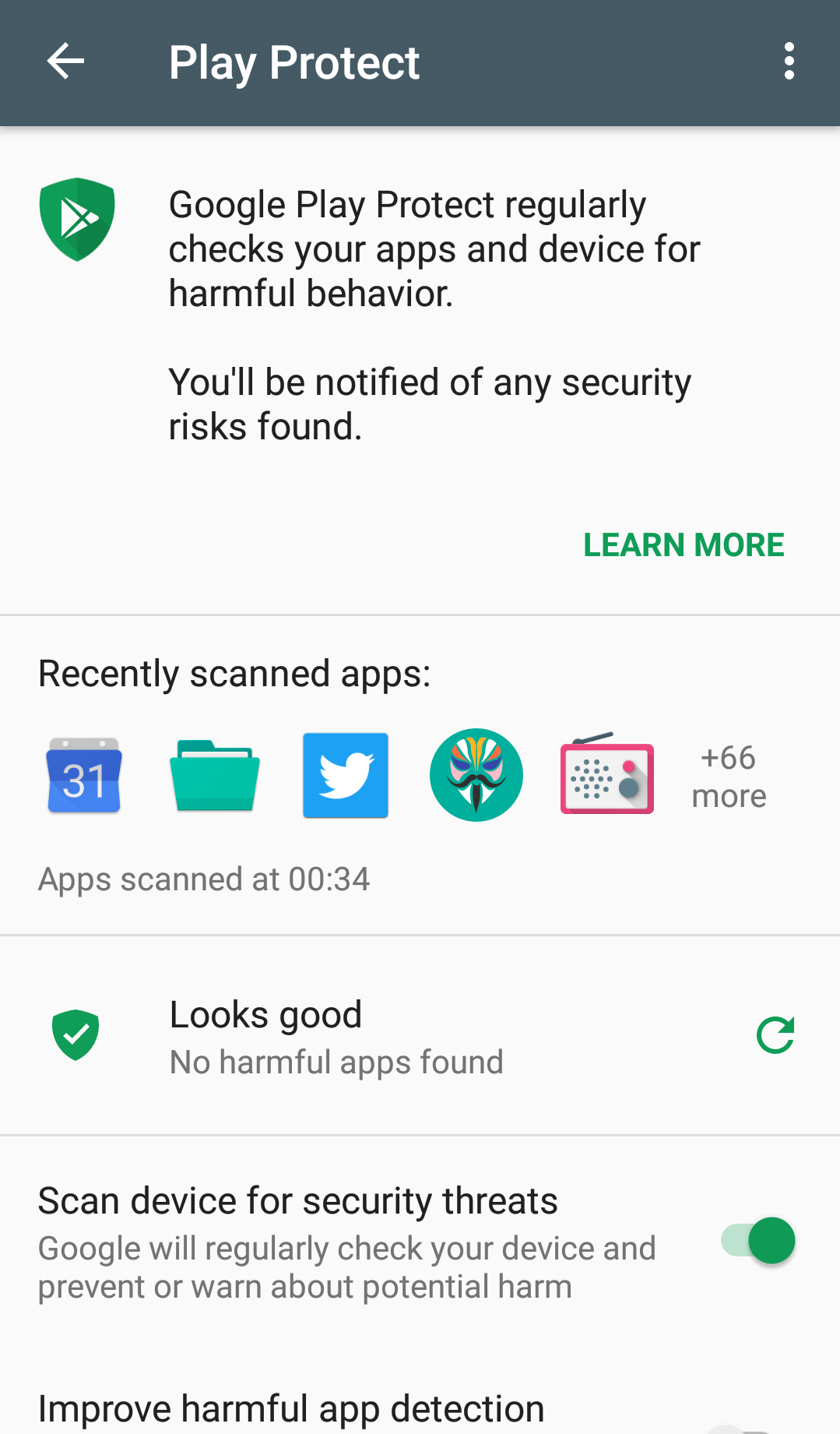
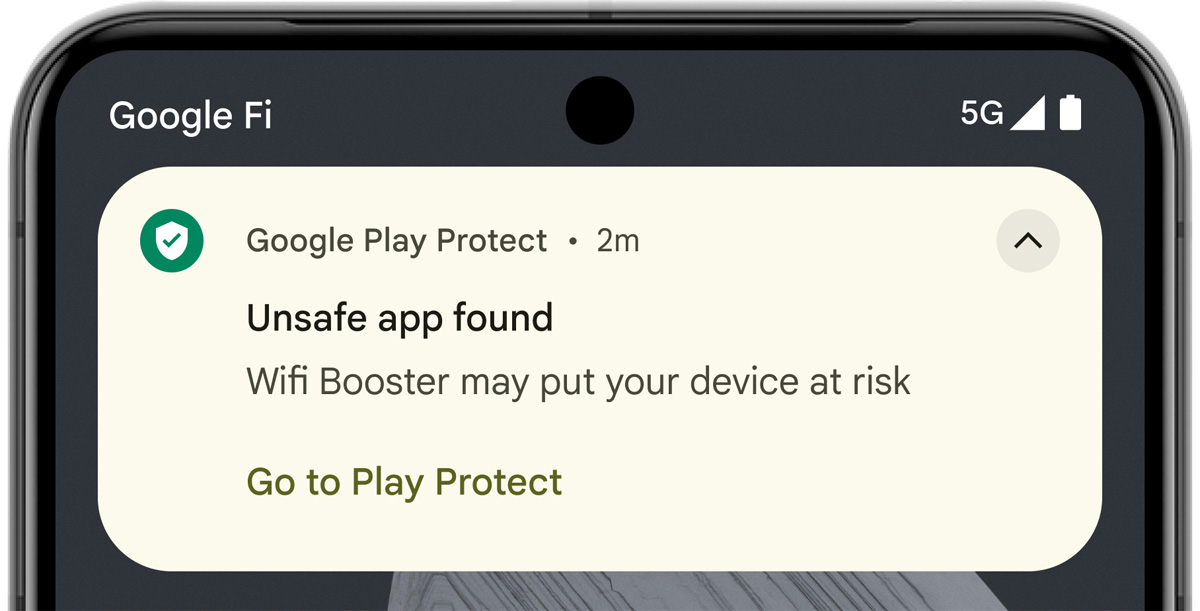
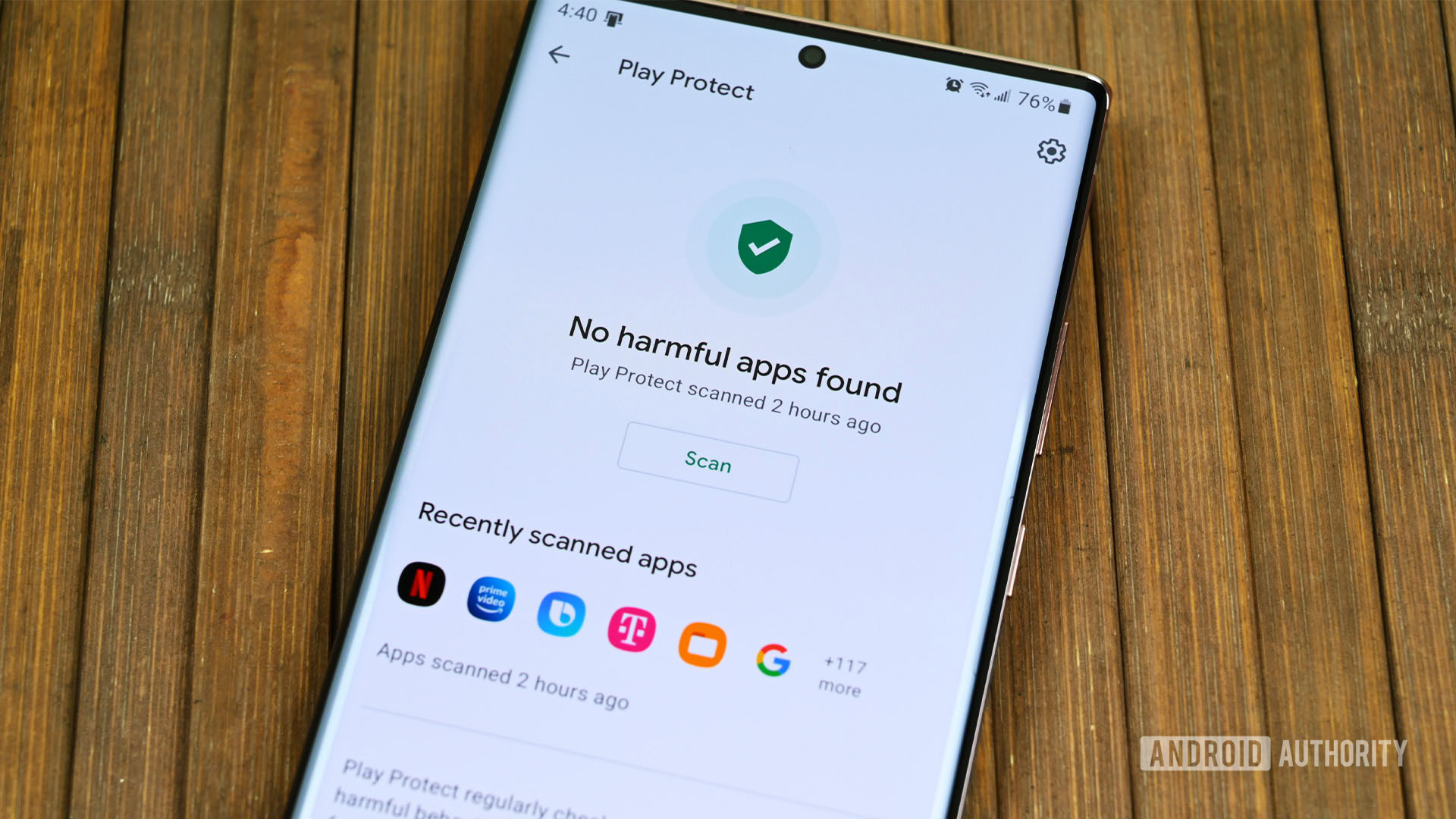
Google Play Protect is a built-in security suite for Android devices that leverages Google's machine learning algorithms to scan billions of apps daily. The Google Play Protect pop up is the visual interface of this system. It appears when the service detects an application that behaves suspiciously or matches a known database of malicious software.
Unlike traditional antivirus software that you might install from a third party, Play Protect is integrated directly into the Google Play Services ecosystem. It doesn't just scan apps from the Play Store; it also monitors apps "sideloaded" from third-party websites or alternative app stores. When a threat is detected, the pop-up offers you a choice: uninstall the harmful app or, in some cases, proceed at your own risk.
Common Reasons for the "Blocked by Play Protect" Alert
There are several scenarios where the Google Play Protect pop up will appear on your screen. Understanding these triggers can help you decide whether to trust the app or remove it immediately.
1. Detection of Malicious Code
The most common reason is that the app contains "Potentially Harmful Applications" (PHAs). This includes spyware that steals your contacts, adware that floods your phone with commercials, or trojans designed to access your banking information.
2. App from an Unknown Source
If you are installing an APK file downloaded from a browser rather than the official Play Store, Google Play Protect will almost always trigger a warning. This is a preventative measure because these files haven't undergone Google's rigorous security screening process.
3. Unrecognized Developer Certificate
Developers must sign their apps with digital certificates. If a certificate is expired, self-signed, or comes from a developer with a poor reputation, the Google Play Protect pop up will intervene to warn the user that the app's integrity cannot be verified.
4. Privacy Violations
Even if an app isn't "malicious" in the traditional sense, it might be flagged if it requests excessive permissions—such as access to your microphone, camera, or SMS messages—without a clear functional reason.
Key Features of Google Play Protect
To better understand why this security feature is so persistent, let's look at the core functions it performs behind the scenes. The following table summarizes the primary aspects of the service.
| Fitur/Aspek | Deskripsi |
|---|---|
| Real-time Scanning | Automatically checks apps during installation and performs periodic background scans. |
| Find My Device Integration | Helps users locate, lock, or wipe their device remotely if it is lost or stolen. |
| Safe Browsing | Integration with Google Chrome to alert users when they visit known phishing or dangerous websites. |
| Machine Learning | Uses AI to identify new patterns of malware that haven't been cataloged yet. |
| App Sandboxing Verification | Ensures that apps are running in isolated environments and not interfering with the OS. |
How to Manage or Disable the Google Play Protect Pop Up
While it is highly recommended to keep Google Play Protect enabled, there are specific situations—such as app development or using specialized enterprise software—where you might need to bypass or disable the warnings. Here is how you can manage these settings:
Adjusting Settings via the Play Store
- Open the Google Play Store app on your Android device.
- Tap on your Profile Icon at the top right corner.
- Select Play Protect from the menu.
- Tap on the Settings (gear icon) at the top right.
- Toggle "Scan apps with Play Protect" on or off.
"Install Anyway" Option
When the pop-up appears during an installation, there is often a small dropdown menu labeled "More details." Clicking this usually reveals an "Install anyway (unsafe)" link. Use this only if you are 100% certain of the file's origin, such as a tool you compiled yourself.
The Risks of Bypassing the Warning
Bypassing the Google Play Protect pop up should never be done lightly. Once you ignore a warning, you are giving the application permission to bypass your system's security layers. This could lead to:
- Data Theft: Your passwords, photos, and messages could be uploaded to a remote server.
- System Instability: Poorly coded or malicious apps can cause your phone to overheat, lag, or crash.
- Financial Loss: Some malware can sign you up for premium SMS services without your knowledge.
Frequently Asked Questions (FAQ)
1. Why does Google Play Protect block apps that I know are safe?
This often happens with niche apps, "modded" versions of popular games, or apps that require deep system access (like rooting tools). Because these apps use non-standard code or permissions, the system flags them as a precaution. If you are a developer, you may need to submit your app to Google for a manual review.
2. Does Play Protect drain my battery?
Play Protect is designed to be extremely lightweight. It mostly runs during app installations or when the phone is charging and connected to Wi-Fi. It should not have a noticeable impact on your daily battery life.
3. Can Play Protect remove apps without my permission?
Yes. If Google identifies an app as "extremely harmful" (meaning it is actively stealing data or damaging the system), Play Protect has the authority to automatically disable or remove the app and notify you afterwards to ensure your safety.
Conclusion: Stay Safe with Google Play Protect
In the evolving landscape of mobile security, the Google Play Protect pop up serves as a vital guardian for your personal data. While it might occasionally flag a false positive, its role in preventing widespread malware outbreaks on Android cannot be overstated. By keeping the service active and paying close attention to its warnings, you ensure that your smartphone remains a secure tool for communication, work, and entertainment.
Always remember: if a pop-up warns you about an app you didn't expect to be dangerous, take a moment to research the app online before proceeding. Your digital safety is worth those few extra seconds of caution.
Google Play Protect Pop Up
Google Play Protect Pop Up Wallpapers
Collection of google play protect pop up wallpapers for your desktop and mobile devices.

Mesmerizing Google Play Protect Pop Up Picture in HD
Discover an amazing google play protect pop up background image, ideal for personalizing your devices with vibrant colors and intricate designs.
Dynamic Google Play Protect Pop Up Image Nature
This gorgeous google play protect pop up photo offers a breathtaking view, making it a perfect choice for your next wallpaper.

Detailed Google Play Protect Pop Up Background Collection
Explore this high-quality google play protect pop up image, perfect for enhancing your desktop or mobile wallpaper.
Amazing Google Play Protect Pop Up Capture Nature
Transform your screen with this vivid google play protect pop up artwork, a true masterpiece of digital design.

Beautiful Google Play Protect Pop Up Scene Digital Art
Discover an amazing google play protect pop up background image, ideal for personalizing your devices with vibrant colors and intricate designs.
Exquisite Google Play Protect Pop Up Scene Illustration
Find inspiration with this unique google play protect pop up illustration, crafted to provide a fresh look for your background.

Vibrant Google Play Protect Pop Up Artwork Illustration
Explore this high-quality google play protect pop up image, perfect for enhancing your desktop or mobile wallpaper.

Beautiful Google Play Protect Pop Up Scene Illustration
Explore this high-quality google play protect pop up image, perfect for enhancing your desktop or mobile wallpaper.

Vibrant Google Play Protect Pop Up Artwork in 4K
Discover an amazing google play protect pop up background image, ideal for personalizing your devices with vibrant colors and intricate designs.
Vivid Google Play Protect Pop Up View for Mobile
Transform your screen with this vivid google play protect pop up artwork, a true masterpiece of digital design.

Gorgeous Google Play Protect Pop Up Design in 4K
A captivating google play protect pop up scene that brings tranquility and beauty to any device.
Breathtaking Google Play Protect Pop Up Image Digital Art
Discover an amazing google play protect pop up background image, ideal for personalizing your devices with vibrant colors and intricate designs.

Crisp Google Play Protect Pop Up Landscape for Desktop
Immerse yourself in the stunning details of this beautiful google play protect pop up wallpaper, designed for a captivating visual experience.
Mesmerizing Google Play Protect Pop Up Moment for Desktop
Discover an amazing google play protect pop up background image, ideal for personalizing your devices with vibrant colors and intricate designs.

Dynamic Google Play Protect Pop Up View Nature
A captivating google play protect pop up scene that brings tranquility and beauty to any device.

Crisp Google Play Protect Pop Up Image for Desktop
Immerse yourself in the stunning details of this beautiful google play protect pop up wallpaper, designed for a captivating visual experience.
Amazing Google Play Protect Pop Up Picture Art
Transform your screen with this vivid google play protect pop up artwork, a true masterpiece of digital design.

Vivid Google Play Protect Pop Up Wallpaper Collection
Explore this high-quality google play protect pop up image, perfect for enhancing your desktop or mobile wallpaper.
Beautiful Google Play Protect Pop Up View Nature
Experience the crisp clarity of this stunning google play protect pop up image, available in high resolution for all your screens.

High-Quality Google Play Protect Pop Up Photo for Mobile
Transform your screen with this vivid google play protect pop up artwork, a true masterpiece of digital design.
Download these google play protect pop up wallpapers for free and use them on your desktop or mobile devices.