How To Create A Pdf Folder On Android
Master Your Digital Library: How to Create a PDF Folder on Android Easily
In today's fast-paced digital world, our smartphones have become portable offices and libraries. Whether you are a student managing textbooks, a professional handling contracts, or a casual reader with a growing collection of e-books, the number of PDF files on your device can quickly become overwhelming. Learning how to create a PDF folder on Android is not just a matter of tidiness; it is a vital skill for enhancing productivity and ensuring you never lose an important document again.
Android devices offer a flexible file system that allows users to manage documents much like they would on a desktop computer. However, because different manufacturers (like Samsung, Google, or Xiaomi) use different interfaces, the process can sometimes feel confusing. This comprehensive guide will walk you through various methods to organize your PDFs, from using built-in file managers to leveraging cloud storage solutions.
Why You Need a Dedicated PDF Folder on Your Android Device
Before we dive into the "how," let's look at the "why." By default, Android often dumps all downloaded files into a single "Downloads" folder. Over time, this folder becomes a cluttered mess of images, installation files (APKs), and documents. Creating a specific PDF folder allows for:
- Faster Access: Stop scrolling through hundreds of files to find one document.
- Better Backup Management: You can easily select a specific folder to sync with the cloud.
- Improved Security: You can move sensitive PDFs into a "Secure Folder" if your device supports it.
- Reduced Stress: A clean digital environment leads to a more focused mind.
Method 1: Creating a Folder Using the Default File Manager
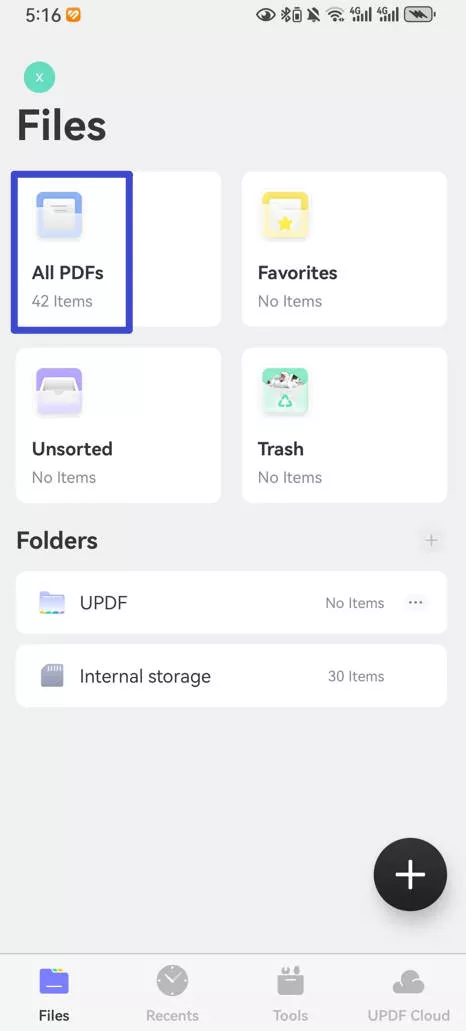
Most modern Android devices come with a built-in file management app. On Google Pixel or Motorola devices, it is called "Files by Google." On Samsung devices, it is "My Files." Regardless of the name, the logic remains the same.
Step-by-Step for "Files by Google"
- Open the Files by Google app.
- Tap on the "Browse" tab at the bottom.
- Scroll down to "Internal Storage" and tap it.
- Navigate to the location where you want the new folder (usually the root directory or within "Documents").
- Tap the three dots (menu) in the top-right corner.
- Select "Add new folder."
- Type a name like "Work PDFs" or "Personal Documents" and tap "Create folder."
Moving Your PDFs to the New Folder
Once the folder is created, you need to move your existing files into it. Go back to your "Downloads" folder, long-press on a PDF file (you can select multiple files), tap the three dots, select "Move to," and then choose your newly created folder in Internal Storage.
Method 2: Organizing PDFs in Cloud Storage (Google Drive)
If you prefer to keep your PDFs accessible across multiple devices, creating a folder in Google Drive is the way to go. Since Android is deeply integrated with Google services, this is often the most efficient method for many users.
How to Create a Folder in Google Drive
- Open the Google Drive app on your Android phone.
- Tap the "+" (Plus) icon in the bottom right corner.
- Select "Folder."
- Name it "My PDF Library" and tap "Create."
To add PDFs to this folder, you can "Upload" them from your device storage or move files already present in your Drive. The benefit of this method is that your PDF folder is now searchable and accessible from your laptop, tablet, or any web browser.
| Method | Best For... |
|---|---|
| Internal Storage Folder | Quick, offline access and managing local device space. |
| Google Drive Folder | Syncing across devices and saving phone storage. |
| Third-Party Apps | Power users who need advanced file sorting and batch renaming. |
| Secure Folder (Samsung) | Confidential documents requiring an extra layer of password protection. |
Method 3: Using Third-Party File Managers for Advanced Organization
While built-in apps are great, some users require more power. Apps like Solid Explorer or CX File Explorer provide a dual-pane view, making it incredibly easy to drag and drop PDFs from one folder to another.
Why Use a Third-Party App?
- Batch Renaming: If you have 20 PDFs named "Scan_001," "Scan_002," these apps can rename them all at once.
- Archive Support: You can create ZIP folders of your PDFs to save space or share them via email more easily.
- Network Access: Connect to your home PC via FTP to move PDFs directly into a folder on your phone.
How to Create a Home Screen Shortcut for Your PDF Folder
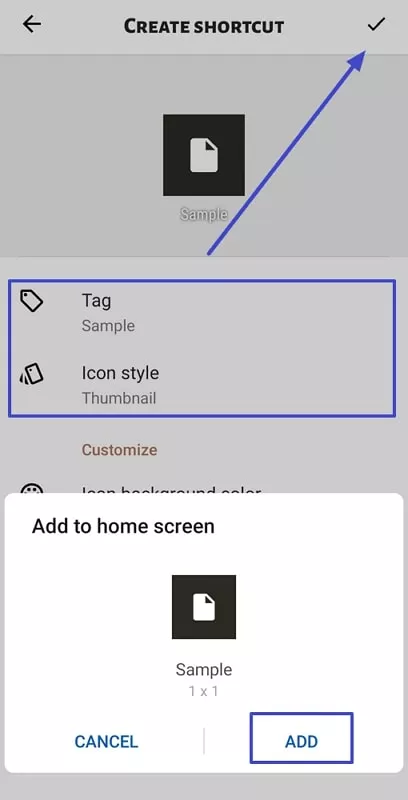
Once you have mastered how to create a PDF folder on Android, you might find it tedious to open a file manager every time you need to read a document. You can actually place a shortcut to that specific folder directly on your home screen.
- Open your file manager (e.g., Files by Google).
- Locate the PDF folder you created.
- Long-press the folder.
- Tap the three dots (Menu) and look for an option that says "Add to Home screen" or "Create Shortcut." (Note: If your default app doesn't support this, third-party apps like Shortcut Maker can do it).
Pro Tips for Managing Android PDF Folders
To keep your digital life running smoothly, consider these professional tips:
- Use Descriptive Names: Instead of "Folder 1," use "Tax Records 2023."
- Sub-folders are Your Friend: Inside your main "PDFs" folder, create sub-folders like "Invoices," "Manuals," and "E-books."
- Clean Regularly: Once a month, go through your PDF folder and delete files you no longer need to free up storage.
Frequently Asked Questions (FAQ)
1. Can I create a PDF folder without downloading any extra apps?
Yes. Every Android phone comes with a native file manager (like "Files," "My Files," or "File Manager") that allows you to create folders and organize your PDFs natively.
2. How do I move multiple PDFs into a new folder at once?
Open your file manager, go to the folder where your PDFs are currently located, and long-press on one file to enter "Selection Mode." Tap all the other PDFs you want to move, then select "Move" or "Cut," navigate to your new folder, and tap "Paste" or "Move here."
3. Why can't I see my PDF folder in my PDF reader app?
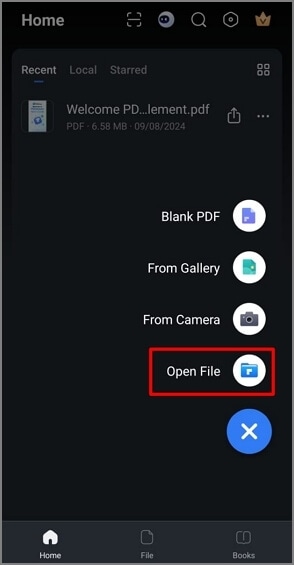
Most PDF reader apps (like Adobe Acrobat or Foxit) automatically scan your device for PDF files. However, if it doesn't show up, you may need to manually browse to the folder within the app's settings or "Open File" menu to grant the app permission to access that specific directory.
Conclusion
Understanding how to create a PDF folder on Android is a fundamental step toward better mobile document management. Whether you choose to use the built-in storage tools, cloud-based solutions like Google Drive, or advanced third-party explorers, the key is consistency. By organizing your files into logical, well-named folders, you transform your smartphone from a cluttered storage bin into a powerful, streamlined productivity tool. Start organizing today, and experience the ease of finding any document in just a few taps!
how to create a pdf folder on android
how to create a pdf folder on android Wallpapers
Collection of how to create a pdf folder on android wallpapers for your desktop and mobile devices.

Mesmerizing How To Create A Pdf Folder On Android Background Nature
Transform your screen with this vivid how to create a pdf folder on android artwork, a true masterpiece of digital design.
Serene How To Create A Pdf Folder On Android Moment Concept
Explore this high-quality how to create a pdf folder on android image, perfect for enhancing your desktop or mobile wallpaper.
Dynamic How To Create A Pdf Folder On Android Abstract for Your Screen
Immerse yourself in the stunning details of this beautiful how to create a pdf folder on android wallpaper, designed for a captivating visual experience.

Breathtaking How To Create A Pdf Folder On Android Photo Nature
Explore this high-quality how to create a pdf folder on android image, perfect for enhancing your desktop or mobile wallpaper.
Amazing How To Create A Pdf Folder On Android Picture Art
Discover an amazing how to create a pdf folder on android background image, ideal for personalizing your devices with vibrant colors and intricate designs.
Detailed How To Create A Pdf Folder On Android Image in HD
Transform your screen with this vivid how to create a pdf folder on android artwork, a true masterpiece of digital design.

Mesmerizing How To Create A Pdf Folder On Android Design for Mobile
Transform your screen with this vivid how to create a pdf folder on android artwork, a true masterpiece of digital design.
Amazing How To Create A Pdf Folder On Android View for Your Screen
Discover an amazing how to create a pdf folder on android background image, ideal for personalizing your devices with vibrant colors and intricate designs.
Vivid How To Create A Pdf Folder On Android Abstract Nature
Transform your screen with this vivid how to create a pdf folder on android artwork, a true masterpiece of digital design.
Lush How To Create A Pdf Folder On Android Design for Desktop
Immerse yourself in the stunning details of this beautiful how to create a pdf folder on android wallpaper, designed for a captivating visual experience.

Gorgeous How To Create A Pdf Folder On Android Artwork Photography
This gorgeous how to create a pdf folder on android photo offers a breathtaking view, making it a perfect choice for your next wallpaper.

Stunning How To Create A Pdf Folder On Android Background Photography
This gorgeous how to create a pdf folder on android photo offers a breathtaking view, making it a perfect choice for your next wallpaper.
Lush How To Create A Pdf Folder On Android Design Collection
Find inspiration with this unique how to create a pdf folder on android illustration, crafted to provide a fresh look for your background.

Dynamic How To Create A Pdf Folder On Android Picture Illustration
This gorgeous how to create a pdf folder on android photo offers a breathtaking view, making it a perfect choice for your next wallpaper.

Dynamic How To Create A Pdf Folder On Android Capture for Mobile
This gorgeous how to create a pdf folder on android photo offers a breathtaking view, making it a perfect choice for your next wallpaper.
Serene How To Create A Pdf Folder On Android Picture for Mobile
Discover an amazing how to create a pdf folder on android background image, ideal for personalizing your devices with vibrant colors and intricate designs.
Detailed How To Create A Pdf Folder On Android Landscape Photography
Experience the crisp clarity of this stunning how to create a pdf folder on android image, available in high resolution for all your screens.

Beautiful How To Create A Pdf Folder On Android Moment Digital Art
Experience the crisp clarity of this stunning how to create a pdf folder on android image, available in high resolution for all your screens.
Lush How To Create A Pdf Folder On Android Abstract for Desktop
Find inspiration with this unique how to create a pdf folder on android illustration, crafted to provide a fresh look for your background.

Beautiful How To Create A Pdf Folder On Android Abstract Art
Experience the crisp clarity of this stunning how to create a pdf folder on android image, available in high resolution for all your screens.
Download these how to create a pdf folder on android wallpapers for free and use them on your desktop or mobile devices.