How To Make Pdf Of Notes In Android Phone
How to Make PDF of Notes in Android Phone: A Comprehensive Step-by-Step Guide
In today's digital-first world, the ability to convert physical handwritten notes into digital formats is more than just a convenience—it is a necessity. Whether you are a student trying to organize your lecture materials or a professional looking to archive meeting minutes, knowing how to make a PDF of notes in an Android phone can significantly boost your productivity. Android devices offer a plethora of built-in tools and third-party applications that make this process seamless and efficient.
Converting your notes to PDF ensures that your documents remain formatted correctly across all devices, are easily searchable, and can be securely backed up to the cloud. In this guide, we will explore the most effective methods to transform your paper notes into high-quality PDF documents using only your Android smartphone.
The Benefits of Digitizing Your Notes
Before diving into the technical steps, it is important to understand why the PDF format is the gold standard for digital notes. Unlike image files (JPEG or PNG), PDFs can contain multiple pages in a single file, support Optical Character Recognition (OCR), and allow for password protection. By learning how to make a PDF of notes in an Android phone, you gain the ability to carry an entire library of information in your pocket without the bulk of physical notebooks.
Method 1: Using Google Drive (The Built-in Method)
Most Android users have Google Drive pre-installed. What many don't realize is that Google Drive includes a powerful scanning feature that automatically converts photos into PDFs. This is perhaps the quickest way to handle the task without downloading additional software.
Step-by-Step Guide for Google Drive:
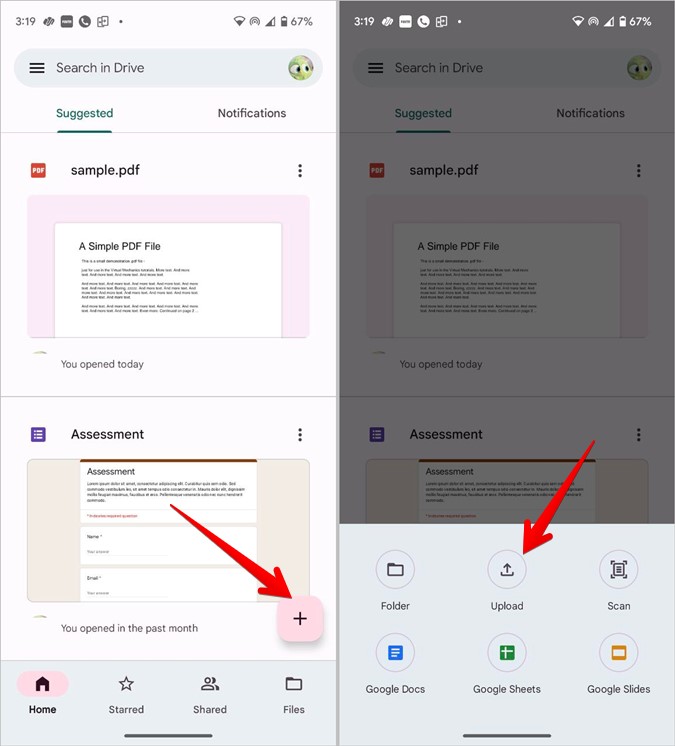
- Open the Google Drive app on your Android phone.
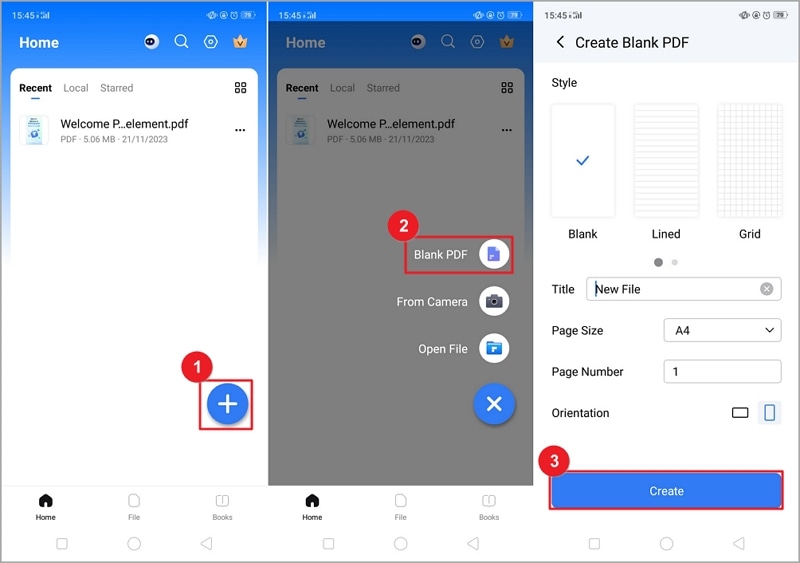
- Tap the "+" (Plus) icon located at the bottom right corner.
- Select the "Scan" (camera icon) option.
- Position your camera over the note you wish to digitize. Ensure there is plenty of light.
- Tap the shutter button to take a photo.
- If the scan looks good, tap the checkmark. You can use the crop tool to adjust the edges or the color tool to enhance readability (e.g., Black & White mode for text).
- To add more pages to the same PDF, tap the "+" icon again.
- Once finished, tap "Save", name your file, and choose the folder in Drive where you want it stored.
Method 2: Using Microsoft Lens for Professional Quality
If you require high-fidelity scans with advanced edge detection, Microsoft Lens (formerly Office Lens) is a top-tier choice. It is particularly adept at removing glare and shadows from paper, making it ideal for students scanning complex diagrams or messy handwriting.
Why Choose Microsoft Lens?
Microsoft Lens specializes in "cleaning up" documents. It automatically detects the borders of your paper and straightens the image so it looks like it was scanned with a flatbed scanner. Furthermore, it integrates perfectly with OneNote and OneDrive, which is excellent for those already within the Microsoft ecosystem.
| Fitur/Aspek | Deskripsi |
|---|---|
| Auto-Cropping | Automatically detects the edges of the paper for a perfect fit. |
| OCR Support | Converts handwritten or printed text into searchable digital text. |
| Multi-Page Export | Allows merging several photos into a single PDF document. |
| Cloud Sync | Directly uploads to Google Drive, OneDrive, or local storage. |
Method 3: Converting Digital Notes to PDF
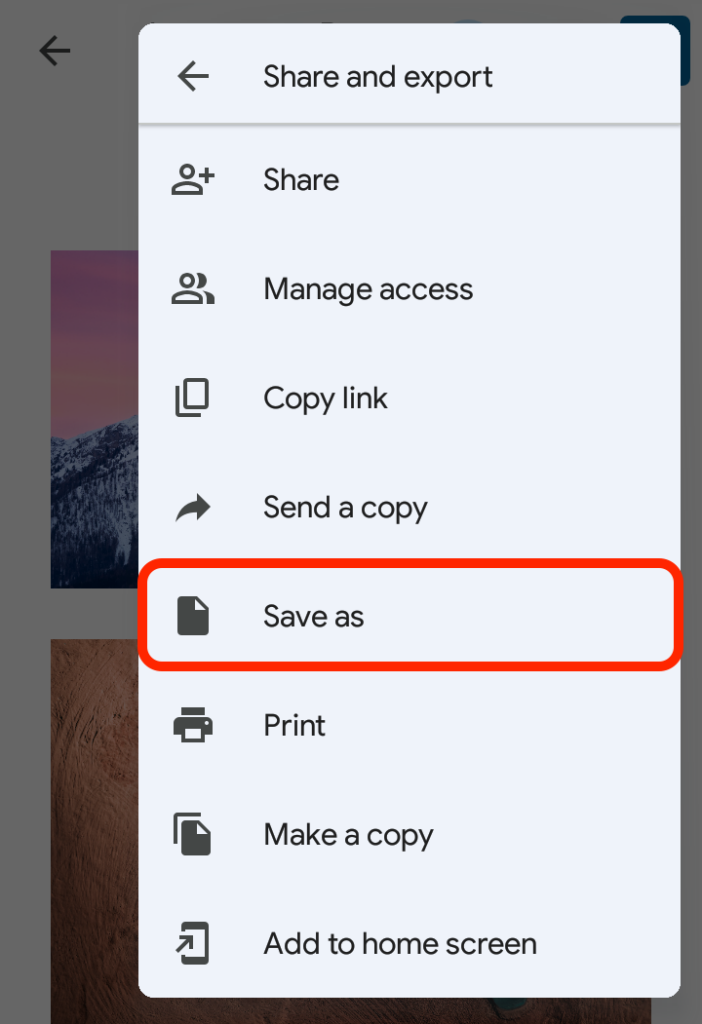
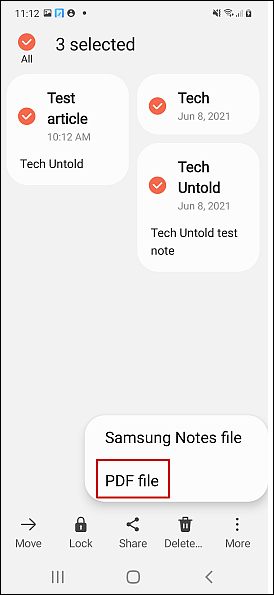
Sometimes, your notes are already digital—perhaps you typed them into Google Keep, Samsung Notes, or Evernote. You don't need a camera to turn these into a PDF. You can use the "Print" function integrated into the Android system.
How to Convert Typed Notes:
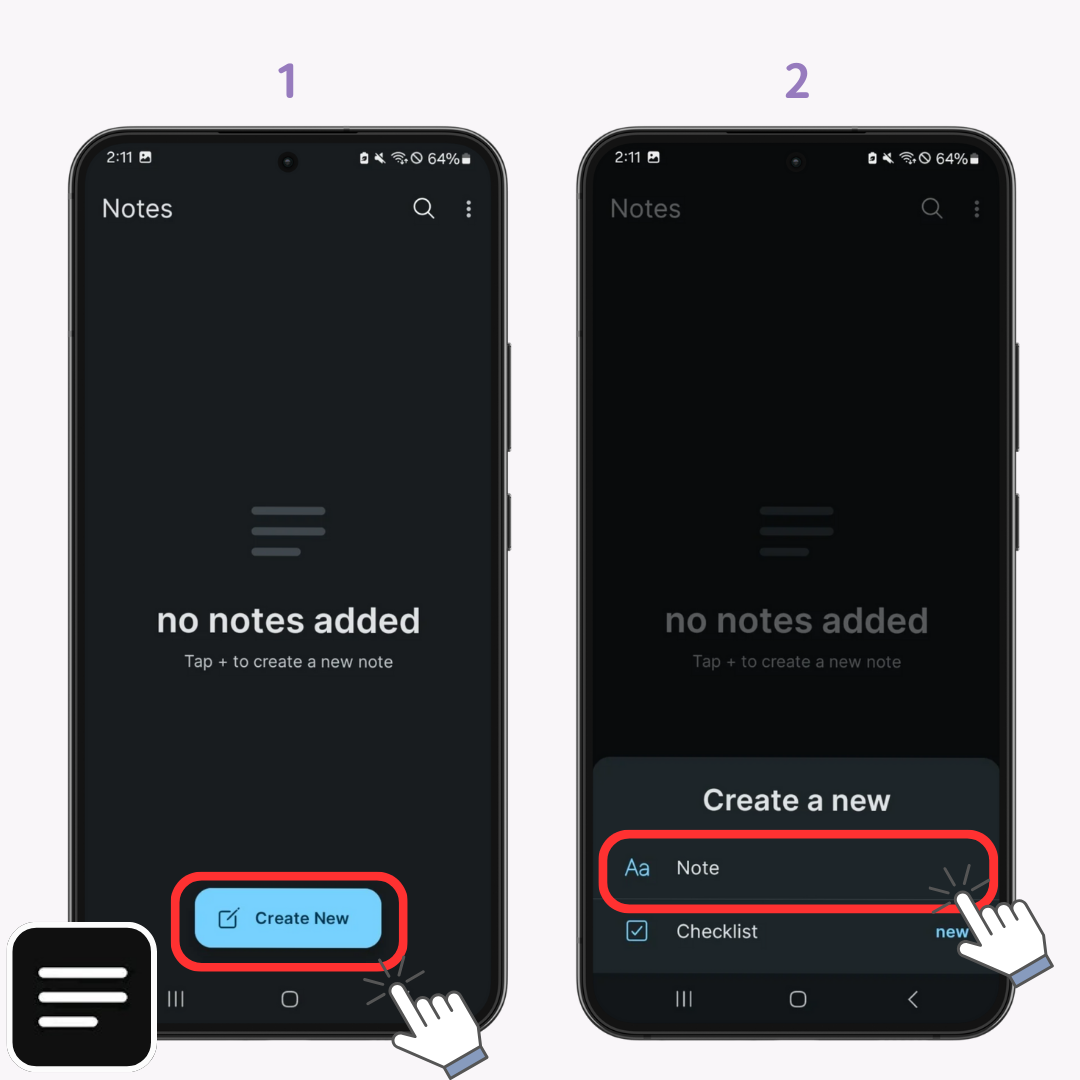
- Open the note-taking app of your choice.
- Open the specific note you want to convert.
- Look for the three-dot menu (options) and select "Share" or "Print".
- If you select Share, look for an option that says "Print" or "Export as PDF".
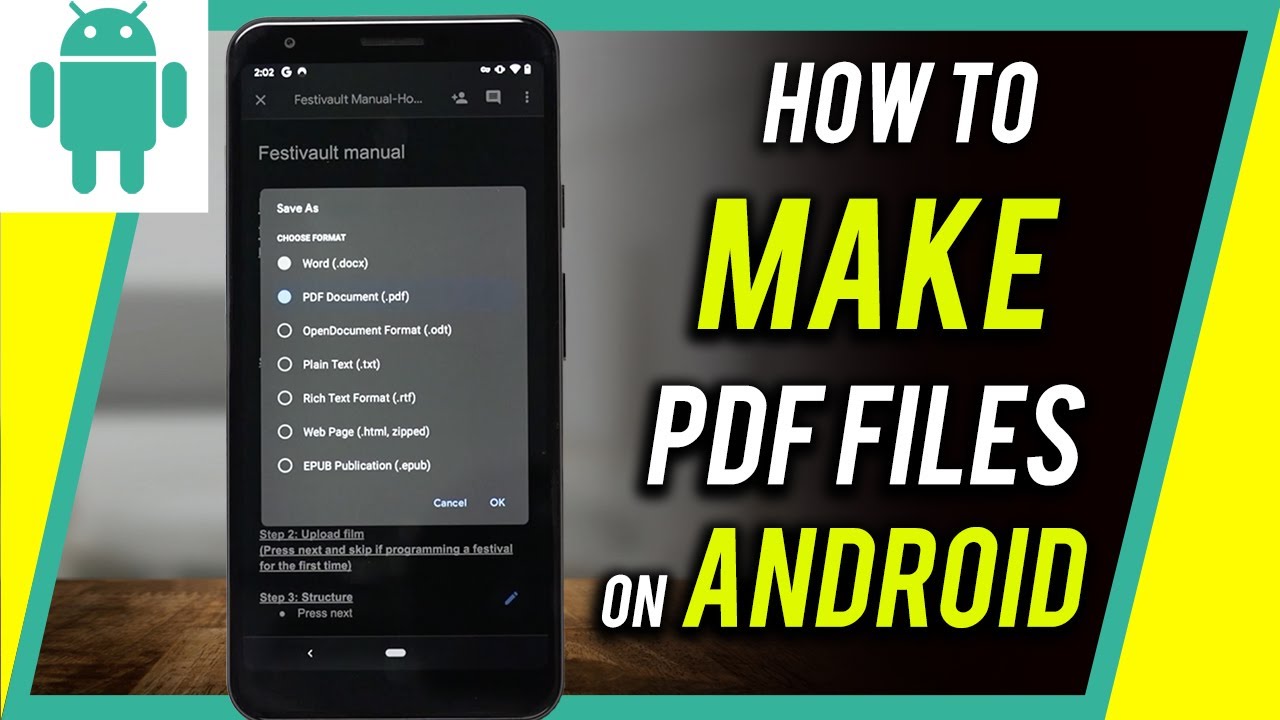
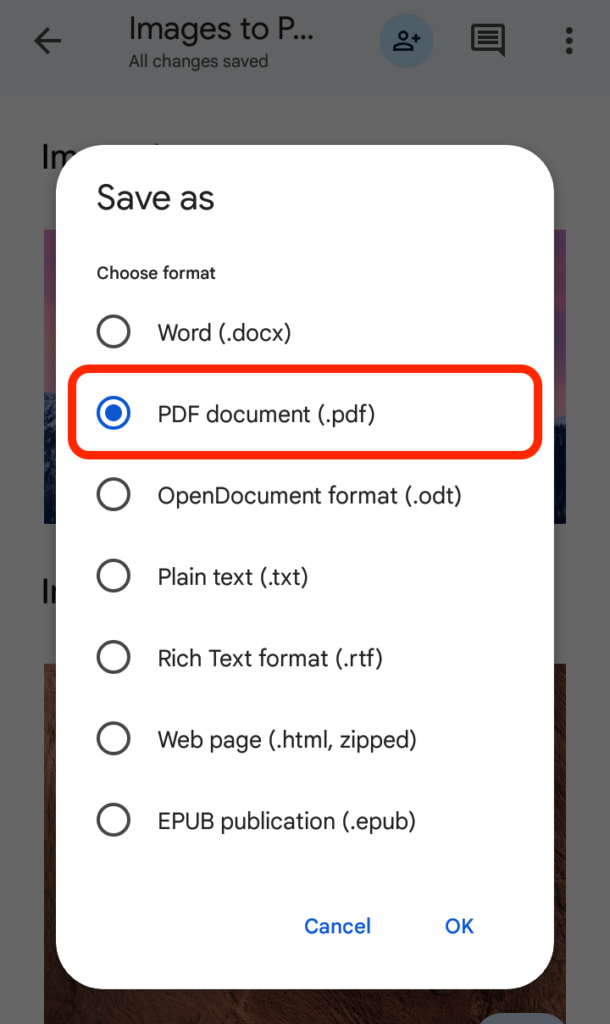
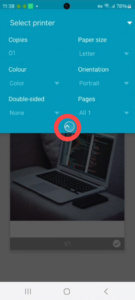
- In the print preview screen, tap the dropdown menu at the top and select "Save as PDF".
- Tap the PDF download icon to save the file to your internal storage.
Top Third-Party Apps for Scanning
While Google Drive and Microsoft Lens are excellent, some users prefer specialized apps with more features. Here are the most reliable alternatives available on the Google Play Store:
1. Adobe Scan
Adobe Scan is widely considered the industry leader. It uses AI (Adobe Sensei) to sharpen text and remove unwanted elements like fingers or shadows. It also provides one of the best OCR engines, allowing you to copy and paste text from your scanned PDF notes easily.
2. CamScanner
CamScanner is one of the oldest and most feature-rich scanning apps. It offers unique features like "ID Card Mode" and the ability to add electronic signatures to your PDFs. Note that the free version often includes a small watermark at the bottom of the document.
Tips for Getting the Best PDF Scan
To ensure your notes are legible and professional-looking, follow these best practices when using your Android phone as a scanner:
- Lighting is Key: Always scan in a well-lit area. Natural daylight is best. Avoid using your phone's flash if the paper is glossy, as it creates hot spots.
- Contrast: Place your notes on a dark, flat surface. This helps the app's auto-cropping feature distinguish the white paper from the background.
- Steady Hands: Keep your phone parallel to the paper. Avoid tilting the phone, which can cause perspective distortion.
- Clean Your Lens: It sounds simple, but a smudge on your camera lens can result in blurry text that the OCR software cannot read.
Managing and Organizing Your PDF Notes
Once you have mastered how to make a PDF of notes in an Android phone, the next step is organization. Use a consistent naming convention (e.g., YYYY-MM-DD_Subject_Topic.pdf). Use folders within your file manager or cloud storage to categorize your notes by year, semester, or project. Tools like Files by Google can help you locate these PDFs quickly using search keywords.
Frequently Asked Questions (FAQ)
1. Can I convert handwritten notes to editable text in a PDF?
Yes, by using apps with OCR (Optical Character Recognition) features like Adobe Scan, Microsoft Lens, or Google Keep, you can convert handwriting into digital text. However, the accuracy depends on how neat the handwriting is.
2. Is there a limit to how many pages I can add to one PDF?
Most apps like Google Drive and Adobe Scan allow you to add dozens of pages to a single PDF. The only real limit is your phone's memory and the resulting file size, which might become difficult to email if it exceeds 25MB.
3. Are these PDF scanning apps free to use?
Google Drive and Microsoft Lens are completely free. Apps like Adobe Scan and CamScanner offer free versions with basic features, but require a subscription for advanced tools like cloud storage or removing watermarks.
Conclusion
Mastering how to make a PDF of notes in an Android phone is a transformative skill for the modern era. Whether you utilize the convenience of Google Drive, the precision of Microsoft Lens, or the advanced features of Adobe Scan, the process is designed to be user-friendly and accessible. By digitizing your notes, you protect your valuable information from physical damage, make it easier to share with colleagues or classmates, and contribute to a more sustainable, paperless environment.
Start digitizing your notebooks today and experience the peace of mind that comes with having all your important information organized, searchable, and safe in the palm of your hand.
how to make pdf of notes in android phone
how to make pdf of notes in android phone Wallpapers
Collection of how to make pdf of notes in android phone wallpapers for your desktop and mobile devices.

Crisp How To Make Pdf Of Notes In Android Phone Scene for Mobile
Find inspiration with this unique how to make pdf of notes in android phone illustration, crafted to provide a fresh look for your background.
Serene How To Make Pdf Of Notes In Android Phone Photo in HD
Transform your screen with this vivid how to make pdf of notes in android phone artwork, a true masterpiece of digital design.

Artistic How To Make Pdf Of Notes In Android Phone Scene Concept
This gorgeous how to make pdf of notes in android phone photo offers a breathtaking view, making it a perfect choice for your next wallpaper.
Lush How To Make Pdf Of Notes In Android Phone Abstract for Desktop
Find inspiration with this unique how to make pdf of notes in android phone illustration, crafted to provide a fresh look for your background.
Gorgeous How To Make Pdf Of Notes In Android Phone Abstract Digital Art
A captivating how to make pdf of notes in android phone scene that brings tranquility and beauty to any device.
Artistic How To Make Pdf Of Notes In Android Phone Photo in 4K
This gorgeous how to make pdf of notes in android phone photo offers a breathtaking view, making it a perfect choice for your next wallpaper.

Serene How To Make Pdf Of Notes In Android Phone Artwork Art
Explore this high-quality how to make pdf of notes in android phone image, perfect for enhancing your desktop or mobile wallpaper.
Amazing How To Make Pdf Of Notes In Android Phone Picture Art
Discover an amazing how to make pdf of notes in android phone background image, ideal for personalizing your devices with vibrant colors and intricate designs.
Artistic How To Make Pdf Of Notes In Android Phone Abstract Illustration
Immerse yourself in the stunning details of this beautiful how to make pdf of notes in android phone wallpaper, designed for a captivating visual experience.
Detailed How To Make Pdf Of Notes In Android Phone Wallpaper in HD
Explore this high-quality how to make pdf of notes in android phone image, perfect for enhancing your desktop or mobile wallpaper.

Spectacular How To Make Pdf Of Notes In Android Phone Artwork for Desktop
This gorgeous how to make pdf of notes in android phone photo offers a breathtaking view, making it a perfect choice for your next wallpaper.
Breathtaking How To Make Pdf Of Notes In Android Phone Artwork Nature
Explore this high-quality how to make pdf of notes in android phone image, perfect for enhancing your desktop or mobile wallpaper.
Lush How To Make Pdf Of Notes In Android Phone Design Collection
Find inspiration with this unique how to make pdf of notes in android phone illustration, crafted to provide a fresh look for your background.

Breathtaking How To Make Pdf Of Notes In Android Phone Wallpaper Concept
Discover an amazing how to make pdf of notes in android phone background image, ideal for personalizing your devices with vibrant colors and intricate designs.

Detailed How To Make Pdf Of Notes In Android Phone Design Concept
Transform your screen with this vivid how to make pdf of notes in android phone artwork, a true masterpiece of digital design.

Beautiful How To Make Pdf Of Notes In Android Phone View in HD
Transform your screen with this vivid how to make pdf of notes in android phone artwork, a true masterpiece of digital design.

Vivid How To Make Pdf Of Notes In Android Phone Image for Your Screen
Transform your screen with this vivid how to make pdf of notes in android phone artwork, a true masterpiece of digital design.
Vibrant How To Make Pdf Of Notes In Android Phone Design Art
Experience the crisp clarity of this stunning how to make pdf of notes in android phone image, available in high resolution for all your screens.
Crisp How To Make Pdf Of Notes In Android Phone Background Concept
A captivating how to make pdf of notes in android phone scene that brings tranquility and beauty to any device.
Serene How To Make Pdf Of Notes In Android Phone Picture in HD
Discover an amazing how to make pdf of notes in android phone background image, ideal for personalizing your devices with vibrant colors and intricate designs.
Download these how to make pdf of notes in android phone wallpapers for free and use them on your desktop or mobile devices.