How To Make A Photo A Pdf On Iphone 13
Master the Art: How to Make a Photo a PDF on iPhone 13
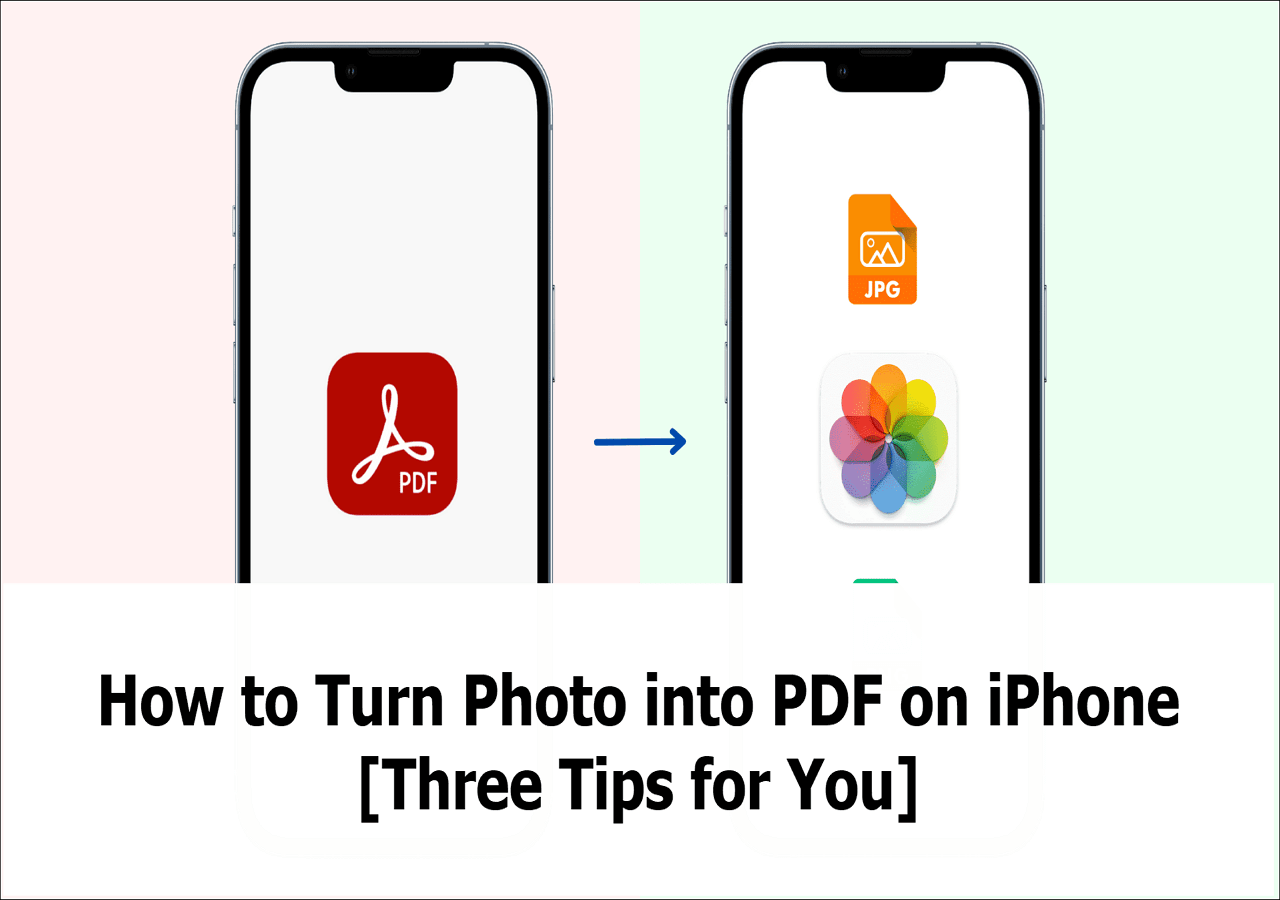
The iPhone 13 remains one of the most powerful smartphones on the market, boasting a camera system that rivals professional gear. However, capturing a great image is often only the first step. Whether you are a student submitting an assignment, a professional sending an invoice, or someone trying to organize digital receipts, knowing how to make a photo a PDF on iPhone 13 is a critical skill. Converting an image to a PDF ensures that your document remains formatted correctly across all devices and platforms, providing a level of professionalism and security that standard JPEG or HEIC files cannot offer.
Why You Should Convert Photos to PDF on Your iPhone
Before we dive into the "how-to," it is important to understand the "why." Photos taken on an iPhone 13 are typically saved in High Efficiency (HEIC) or JPEG formats. While these are excellent for visual quality, they aren't always ideal for documentation. PDFs (Portable Document Format) are universally accepted. They lock the layout of your content, meaning the recipient will see exactly what you see, regardless of whether they are on an Android, Windows, or Mac device. Furthermore, PDFs allow for easier merging of multiple images into a single, cohesive file, making them the gold standard for digital paperwork.
Method 1: Using the "Print" Trick in the Photos App
One of the most seamless ways to convert a photo to a PDF on your iPhone 13 is a hidden gem within the "Print" menu. This method does not require any third-party applications and works directly within the native iOS environment.
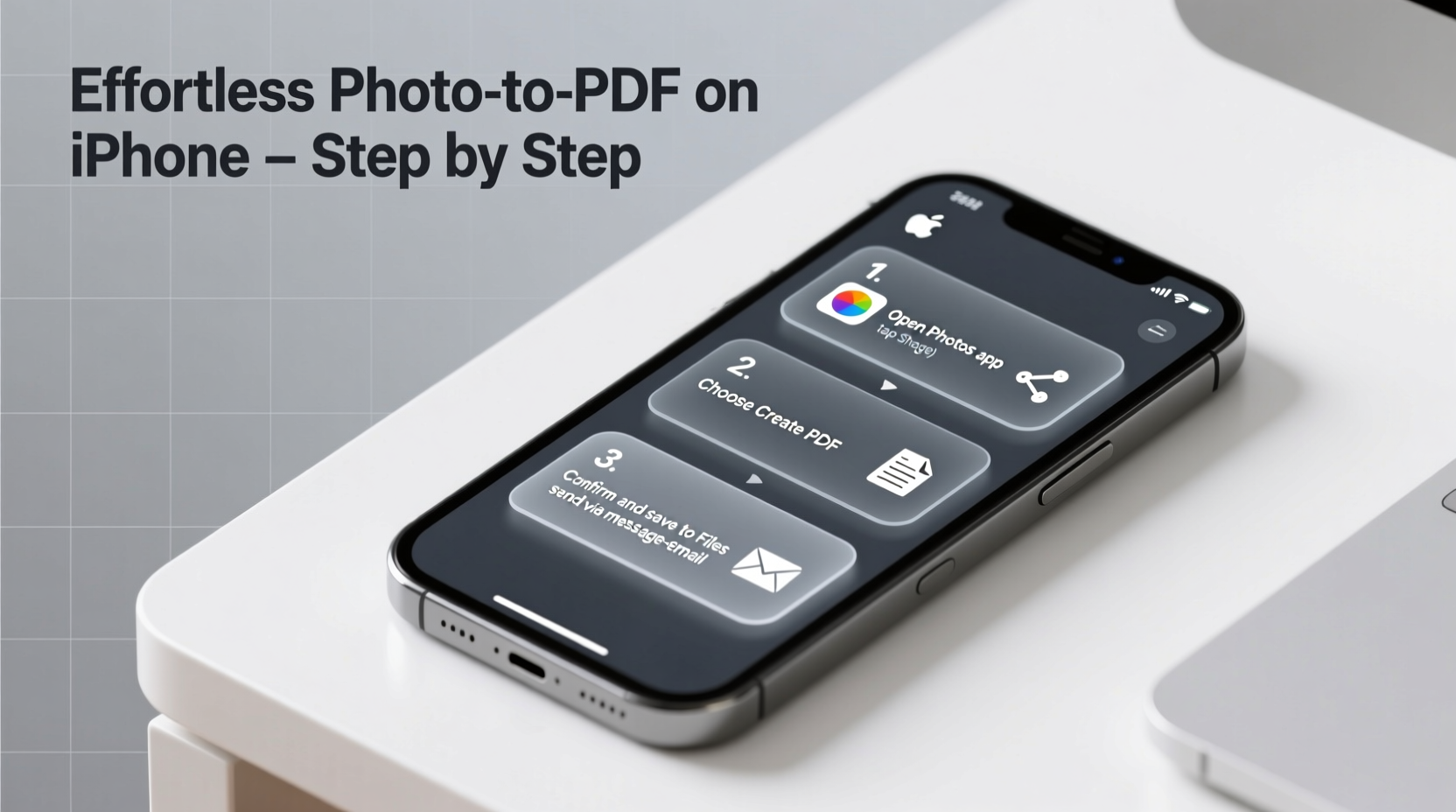
- Open the Photos App: Locate the image you wish to convert.
- Tap the Share Button: This is the square icon with an upward-pointing arrow located at the bottom-left corner of the screen.
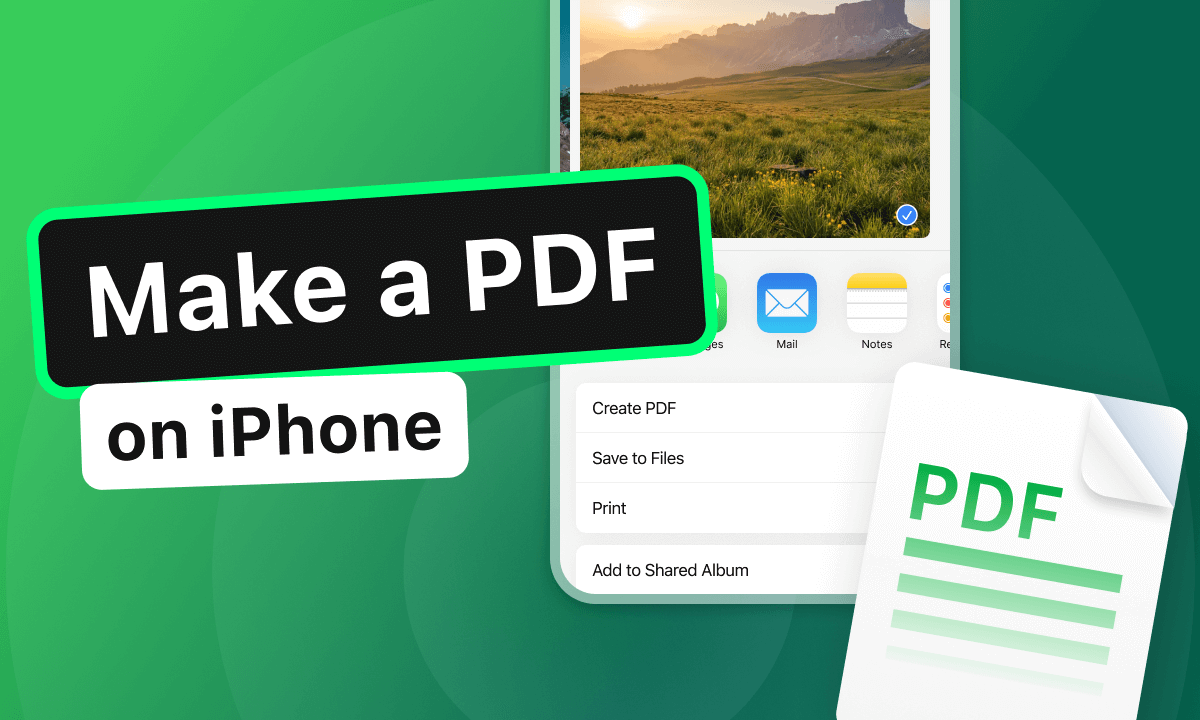
- Select "Print": Scroll down through the sharing options and tap on "Print." Do not worry; we aren't actually going to use a printer.
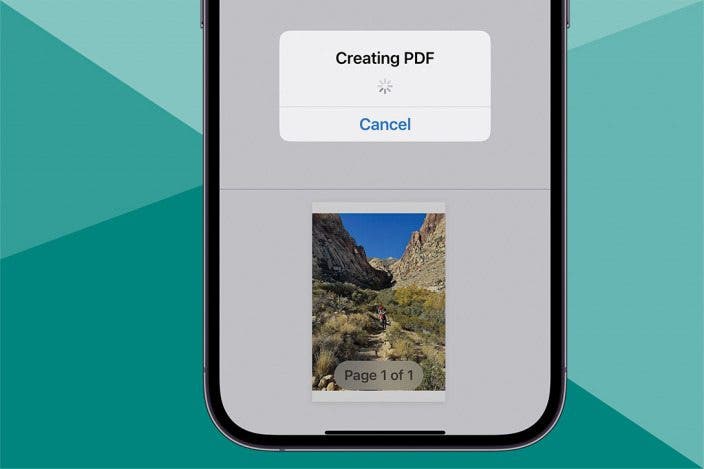
- Pinch Out on the Preview: On the Print Options screen, you will see a preview of your photo. Place two fingers on the preview and pinch outward (zoom in). This action instantly converts the image into a PDF view.
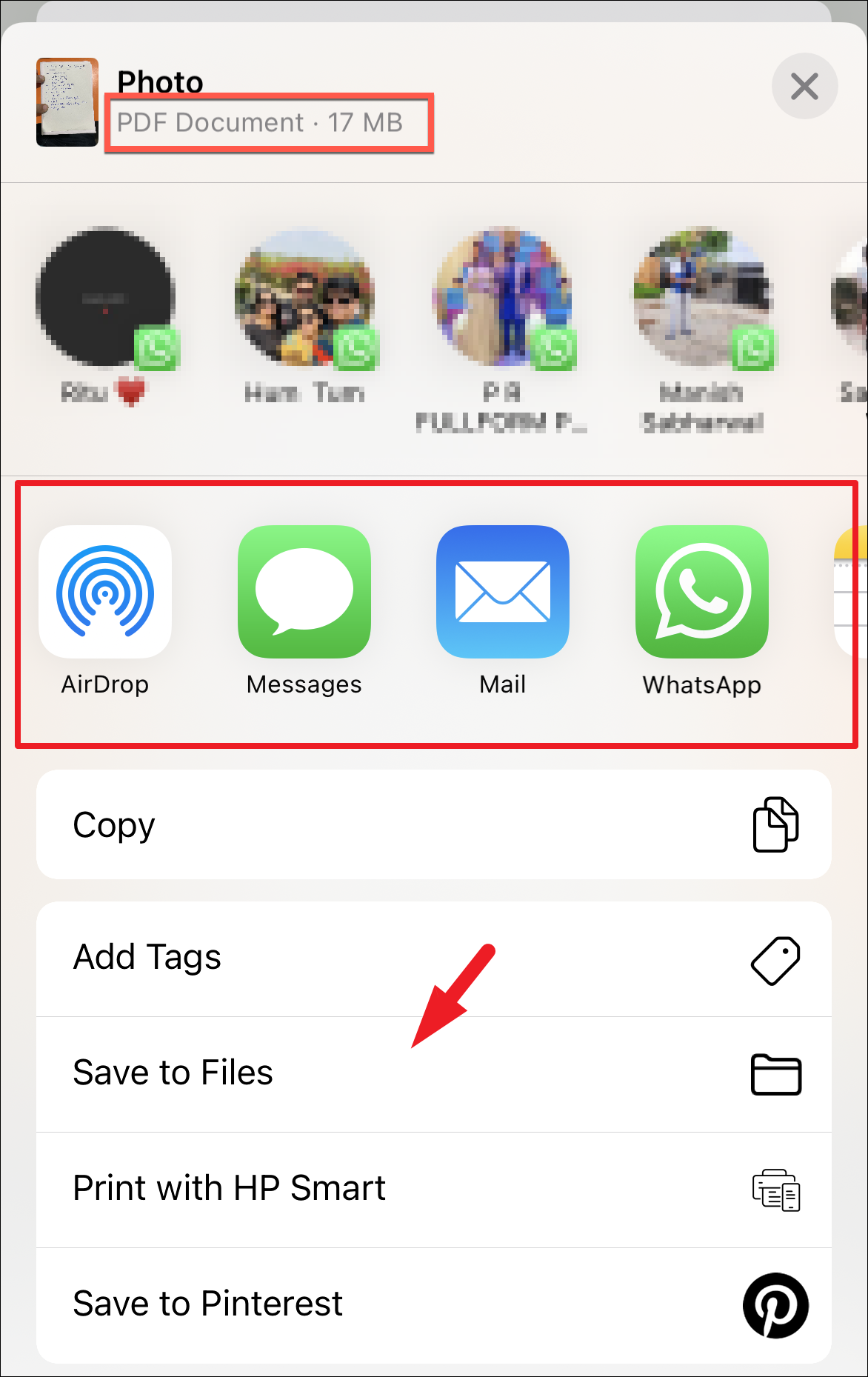
- Share the PDF: Now that the image is a PDF, tap the Share icon again at the top right. You can now save it to your "Files" app, send it via email, or message it to a contact.
Method 2: Leveraging the Files App for Quick Conversion
If you have already saved your photos into the Files app, or if you prefer a more "file-manager" style approach, the iPhone 13 offers a built-in "Create PDF" shortcut that is incredibly fast.
- Locate the Photo in Files: If your photo is in the Photos app, first tap Share and select "Save to Files."
- Open the Files App: Navigate to the folder where your image is stored.
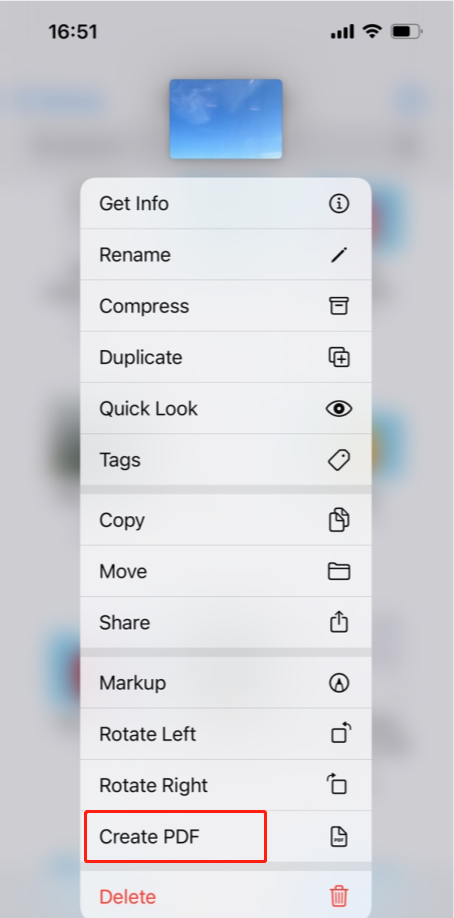
- Long-Press the Image: Press and hold your finger on the image thumbnail until a context menu appears.
- Select "Quick Actions": At the bottom of the menu, you will see an option for "Quick Actions."
- Tap "Create PDF": iOS will instantly generate a PDF version of that image in the same folder. The original image remains untouched, providing you with both formats.
How to Combine Multiple Photos into One PDF
Often, you don't just need one photo; you need a collection of images—like a multi-page contract—to be in a single PDF file. The iPhone 13 makes this incredibly easy via the Files app.
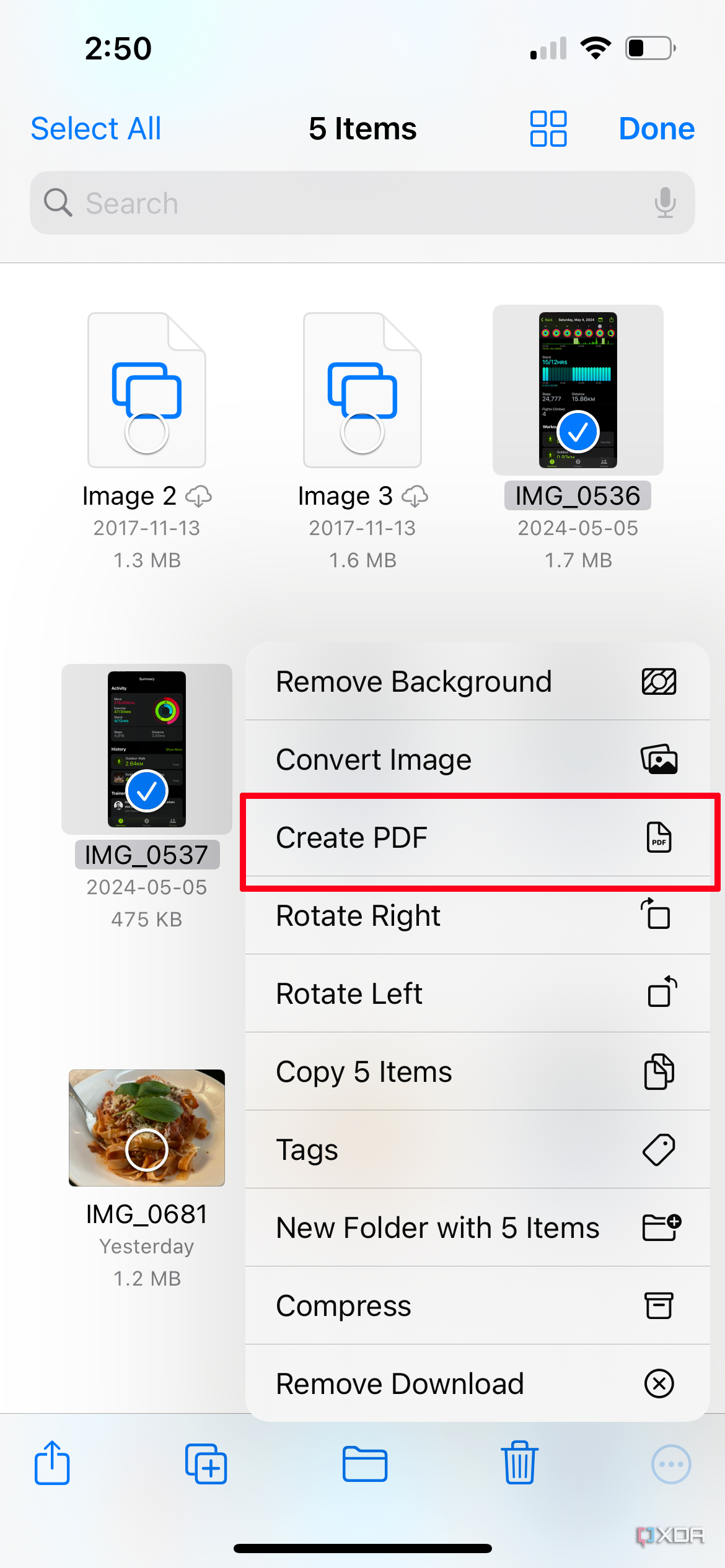
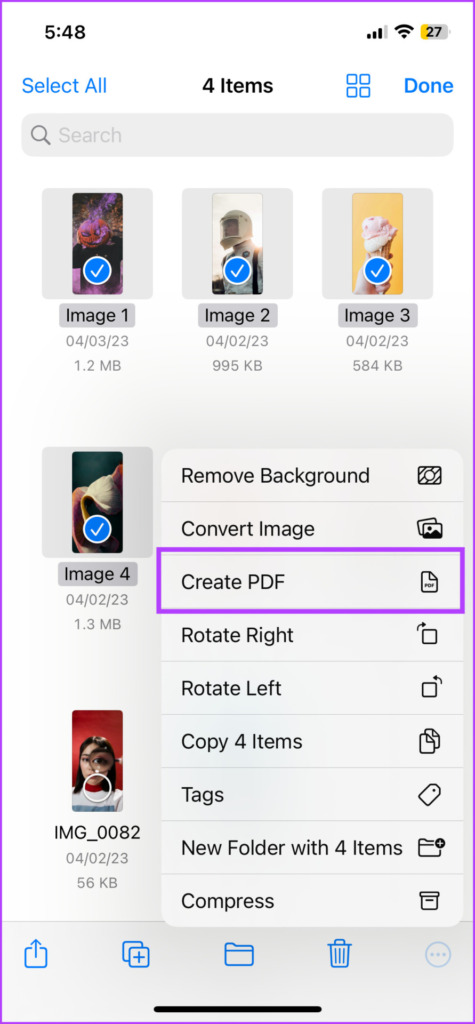
- Select Your Photos: In the Files app, tap the three dots (ellipsis) in the top-right corner and choose "Select." Tap all the photos you want to include in your PDF.
- Access Quick Actions: Once selected, tap the three dots icon in the bottom-right corner of the screen.
- Create PDF: Tap "Create PDF." iOS will automatically merge all selected images into a single, multi-page PDF document. You can then tap on the new file to rename it for better organization.
| Method | Best For |
|---|---|
| Photos App (Print Trick) | Single photos and quick sharing without saving to folders first. |
| Files App (Quick Actions) | Fast conversion of images already organized in folders. |
| Multi-Select in Files | Creating a single, multi-page PDF document from several images. |
| Books App Method | Saving PDFs directly to your digital library for reading later. |
Advanced Tips: Enhancing Your PDF on iPhone 13
Converting the photo is just the beginning. The iPhone 13 allows you to interact with your new PDF in several professional ways. By using the Markup tool, you can sign documents, highlight text, or add annotations directly onto the PDF you just created. To do this, simply open the PDF in the Files app and tap the small pencil icon in the top right corner. This is perfect for remote work or handling digital paperwork on the go.
Additionally, if the file size is too large for an email attachment, you can use "Compress" under the Quick Actions menu in the Files app to reduce the PDF's footprint without significantly sacrificing quality. This ensures your documents are "inbox-friendly."
Is there a Third-Party App Recommendation?
While the native iOS features are robust, some users might require OCR (Optical Character Recognition) to make the text within their photo-PDFs searchable. In such cases, apps like Adobe Scan or Microsoft Lens are excellent companions for your iPhone 13. However, for 90% of users, the built-in "Print" and "Files" methods are more than sufficient, faster, and more secure since your data doesn't leave the Apple ecosystem.
Frequently Asked Questions (FAQ)
1. Will converting a photo to PDF reduce its quality?
Generally, no. The conversion process on iPhone 13 maintains the visual integrity of the original image. However, the "Print" method might apply standard document margins. If you need 1:1 pixel accuracy, the "Files App" method is usually the most precise.
2. Can I convert a PDF back into a photo?
Yes, though it requires a different process. You can take a screenshot of the PDF page, or use a third-party shortcut/app to export PDF pages as JPEG/PNG files.
3. Does this work on all iPhone 13 models?
Absolutely. Whether you have the iPhone 13 Mini, the standard iPhone 13, the Pro, or the Pro Max, these software features are part of iOS and work identically across the entire lineup.
4. How do I rename the PDF after I create it?
In the Files app, long-press the newly created PDF and select "Rename" from the menu. This allows you to give the document a professional title before sending it.
Conclusion
Learning how to make a photo a PDF on iPhone 13 is a simple yet transformative skill that enhances your productivity. By utilizing the built-in "Print" trick or the powerful "Quick Actions" in the Files app, you eliminate the need for expensive third-party software and streamline your workflow. The iPhone 13 is more than just a phone; it is a pocket-sized office capable of handling complex document tasks with ease. Next time you need to send a digital document, remember that a professional-grade PDF is only a few taps away. Start organizing your digital life today by mastering these native iOS tools!
How To Make A Photo A Pdf On Iphone 13
How To Make A Photo A Pdf On Iphone 13 Wallpapers
Collection of how to make a photo a pdf on iphone 13 wallpapers for your desktop and mobile devices.

Crisp How To Make A Photo A Pdf On Iphone 13 Photo Digital Art
A captivating how to make a photo a pdf on iphone 13 scene that brings tranquility and beauty to any device.
Captivating How To Make A Photo A Pdf On Iphone 13 Design Collection
Find inspiration with this unique how to make a photo a pdf on iphone 13 illustration, crafted to provide a fresh look for your background.
Dynamic How To Make A Photo A Pdf On Iphone 13 Capture Digital Art
This gorgeous how to make a photo a pdf on iphone 13 photo offers a breathtaking view, making it a perfect choice for your next wallpaper.
Beautiful How To Make A Photo A Pdf On Iphone 13 Abstract for Your Screen
Discover an amazing how to make a photo a pdf on iphone 13 background image, ideal for personalizing your devices with vibrant colors and intricate designs.
Spectacular How To Make A Photo A Pdf On Iphone 13 Scene Photography
Immerse yourself in the stunning details of this beautiful how to make a photo a pdf on iphone 13 wallpaper, designed for a captivating visual experience.

Mesmerizing How To Make A Photo A Pdf On Iphone 13 Design Collection
Transform your screen with this vivid how to make a photo a pdf on iphone 13 artwork, a true masterpiece of digital design.
Vivid How To Make A Photo A Pdf On Iphone 13 Artwork Illustration
Experience the crisp clarity of this stunning how to make a photo a pdf on iphone 13 image, available in high resolution for all your screens.

Captivating How To Make A Photo A Pdf On Iphone 13 Scene Nature
A captivating how to make a photo a pdf on iphone 13 scene that brings tranquility and beauty to any device.

Artistic How To Make A Photo A Pdf On Iphone 13 View Collection
Find inspiration with this unique how to make a photo a pdf on iphone 13 illustration, crafted to provide a fresh look for your background.
Breathtaking How To Make A Photo A Pdf On Iphone 13 Picture Photography
Transform your screen with this vivid how to make a photo a pdf on iphone 13 artwork, a true masterpiece of digital design.

Crisp How To Make A Photo A Pdf On Iphone 13 Design Concept
Immerse yourself in the stunning details of this beautiful how to make a photo a pdf on iphone 13 wallpaper, designed for a captivating visual experience.
Lush How To Make A Photo A Pdf On Iphone 13 Artwork Nature
A captivating how to make a photo a pdf on iphone 13 scene that brings tranquility and beauty to any device.
Beautiful How To Make A Photo A Pdf On Iphone 13 Scene Art
Explore this high-quality how to make a photo a pdf on iphone 13 image, perfect for enhancing your desktop or mobile wallpaper.

Lush How To Make A Photo A Pdf On Iphone 13 Abstract in HD
Find inspiration with this unique how to make a photo a pdf on iphone 13 illustration, crafted to provide a fresh look for your background.

Detailed How To Make A Photo A Pdf On Iphone 13 Design Concept
Transform your screen with this vivid how to make a photo a pdf on iphone 13 artwork, a true masterpiece of digital design.
Captivating How To Make A Photo A Pdf On Iphone 13 Moment in HD
Find inspiration with this unique how to make a photo a pdf on iphone 13 illustration, crafted to provide a fresh look for your background.
Amazing How To Make A Photo A Pdf On Iphone 13 Landscape Digital Art
Experience the crisp clarity of this stunning how to make a photo a pdf on iphone 13 image, available in high resolution for all your screens.
Stunning How To Make A Photo A Pdf On Iphone 13 Picture for Your Screen
Find inspiration with this unique how to make a photo a pdf on iphone 13 illustration, crafted to provide a fresh look for your background.
Artistic How To Make A Photo A Pdf On Iphone 13 Design for Mobile
Find inspiration with this unique how to make a photo a pdf on iphone 13 illustration, crafted to provide a fresh look for your background.
Spectacular How To Make A Photo A Pdf On Iphone 13 Moment Photography
Find inspiration with this unique how to make a photo a pdf on iphone 13 illustration, crafted to provide a fresh look for your background.
Download these how to make a photo a pdf on iphone 13 wallpapers for free and use them on your desktop or mobile devices.