How To Make A Pdf Fillable On Bluebeam
Mastering Digital Workflows: How to Make a PDF Fillable on Bluebeam Revu
In the fast-paced world of architecture, engineering, and construction (AEC), digital documentation is the backbone of project management. While many professionals use Bluebeam Revu for markups and measurements, its powerful form-creation capabilities often go underutilized. Learning how to make a PDF fillable on Bluebeam can transform your static documents into interactive tools, streamlining data collection, RFI processes, and site inspections. This guide provides a comprehensive, professional walkthrough on creating, automating, and optimizing fillable PDF forms using Bluebeam Revu.
Why Create Fillable PDFs in Bluebeam Revu?
Static PDF documents are often cumbersome. They require users to print, manually sign, or use clunky text boxes to input data. By converting these into fillable forms, you ensure data consistency and professional presentation. Bluebeam Revu (specifically the eXtreme or Complete editions) offers sophisticated tools that allow for automatic field recognition, logic-based calculations, and digital signature integration. Whether you are creating a daily progress report or a complex safety checklist, mastering these tools saves hours of administrative work.
Method 1: Using the Auto-Create Feature (The Fastest Way)
The most efficient way to make a PDF fillable on Bluebeam is by using the Auto-Create function. This tool uses OCR (Optical Character Recognition) and layout analysis to detect where lines and boxes exist, automatically placing form fields over them.
Step-by-Step Auto-Creation:
- Open your Document: Launch Bluebeam Revu and open the PDF file you wish to convert.
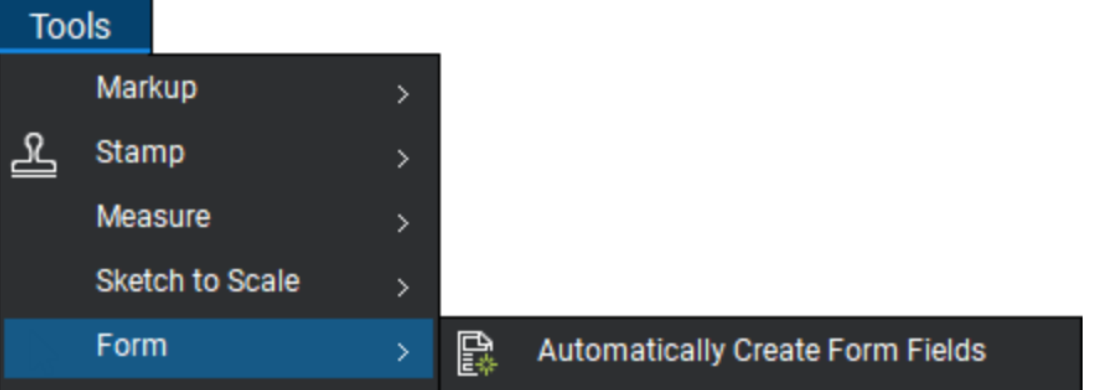
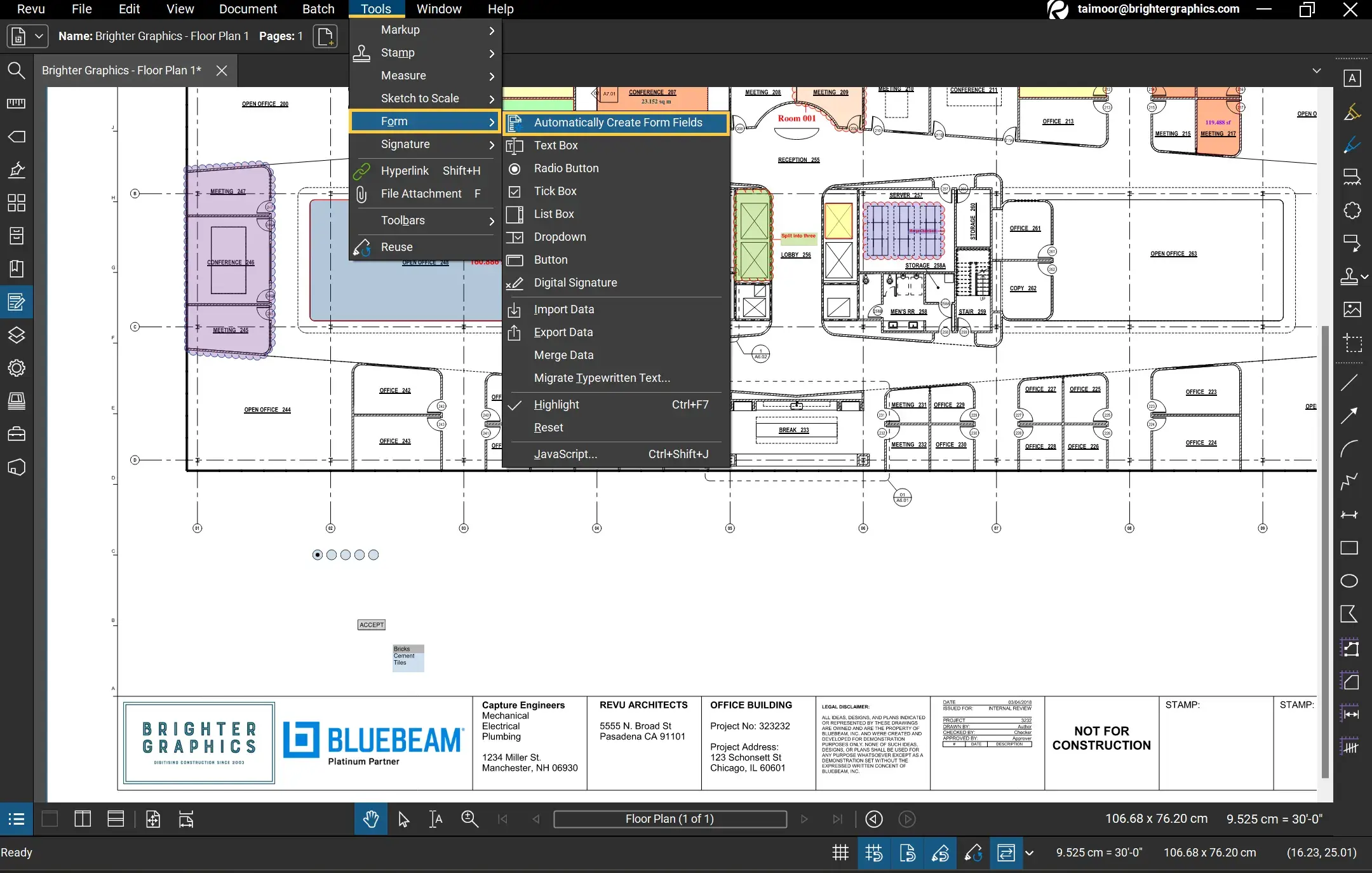
- Access the Form Menu: Navigate to the "Forms" tab on the top menu bar.
- Run Auto-Create: Select Auto-Create. Bluebeam will analyze the document for lines, underscores, and boxes that look like data entry points.
- Review the Results: Once the process finishes, Bluebeam will have highlighted the detected areas in blue. It is crucial to review these, as the software may occasionally miss a field or misidentify a label.
Method 2: Manually Adding Form Fields for Customization
Sometimes, the Auto-Create tool might not capture complex layouts, or you might need specific types of inputs like dropdown menus or radio buttons. In these cases, manual placement is the best approach for precision.
1. Entering the Form Editor
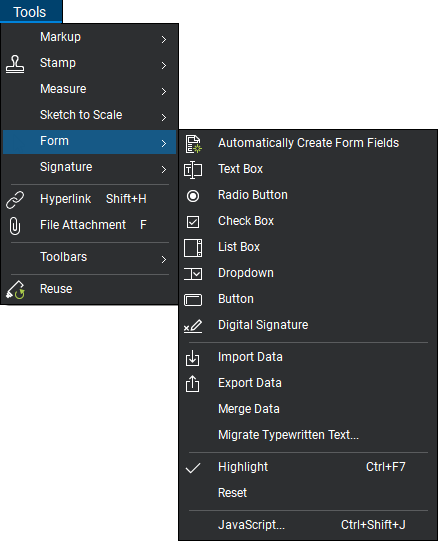
To start adding fields manually, go to Forms > Editor. This toggles the Form panel, usually appearing on the right side of your interface. This panel allows you to manage all existing fields and create new ones.
2. Choosing the Right Field Type
Bluebeam offers several field types to suit different data needs:
- Text Box: Ideal for names, dates, or general comments.
- Check Box: Best for "Yes/No" or "Complete/Incomplete" scenarios.
- Radio Buttons: Used when a user must choose only one option from a group.
- Dropdown: Provides a list of pre-defined choices to ensure standardized data entry.
- Digital Signature: Creates a secure area for legally binding electronic signatures.
3. Placing and Sizing Fields
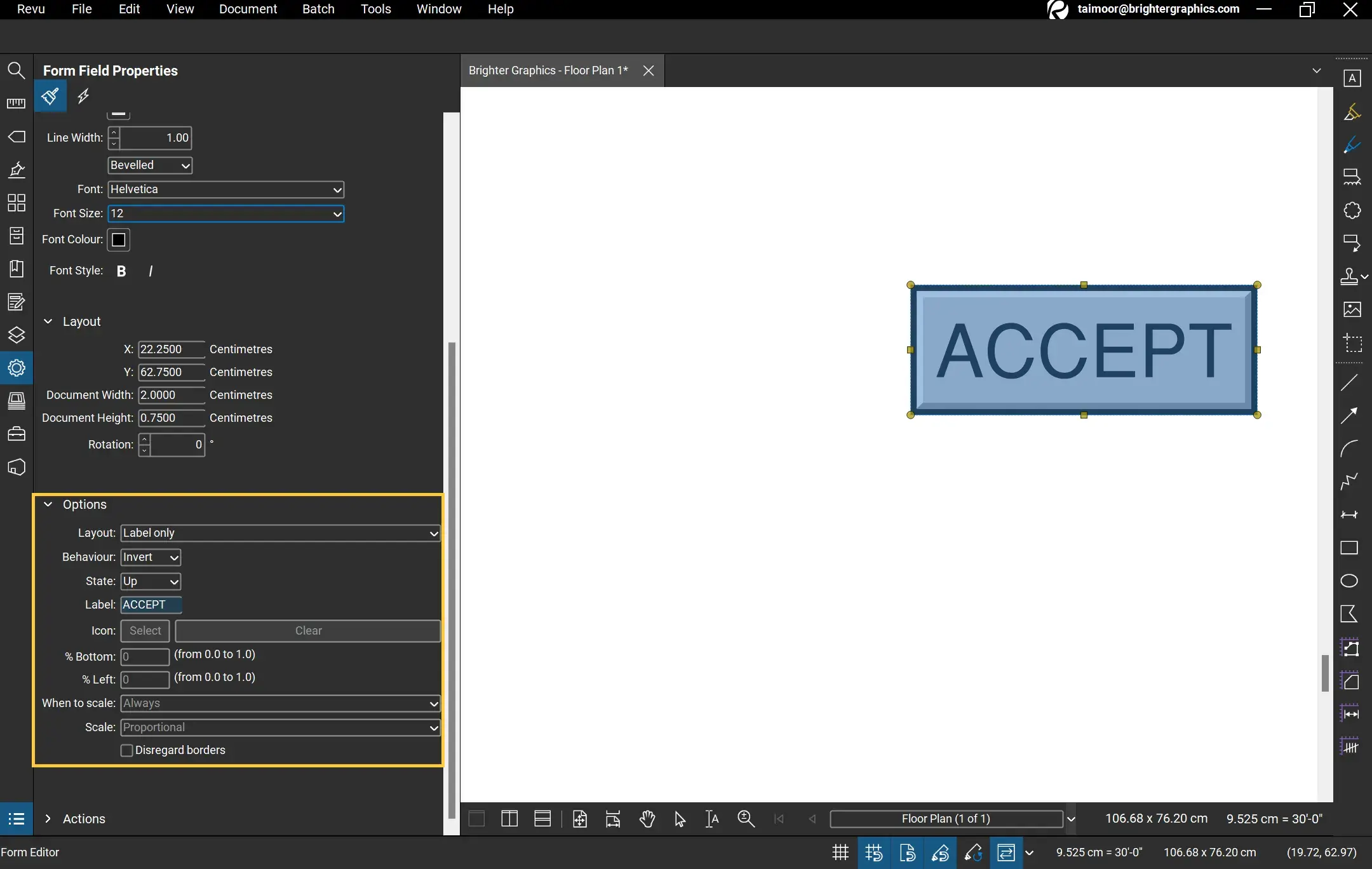
Once you select a tool (e.g., Text Box), click and drag on the document to create the field. You can use the "Alignment" tools in the Properties panel to ensure all your boxes are perfectly lined up, which is essential for a professional look.
Optimizing Form Properties and Logic
To truly master how to make a PDF fillable on Bluebeam, you must understand the Properties panel. When a form field is selected, you can customize how it behaves.
| Fitur/Aspek | Deskripsi |
|---|---|
| Field Naming | Assigning unique names to fields is critical for data export and calculation logic. |
| Tooltip | Text that appears when a user hovers over a field, providing instructions. |
| Required Field | A setting that prevents the document from being submitted or finished if the field is empty. |
| Format Tab | Allows you to restrict input to numbers, dates, or specific currency formats. |
| Calculations | Enables fields to automatically sum, average, or multiply values from other fields. |
Advanced Techniques: Calculations and Validations
One of the standout features of Bluebeam Revu is the ability to perform mathematical calculations directly within the PDF. For example, if you are creating an invoice or a material takeoff sheet, you can set a "Total" field to automatically calculate the sum of "Quantity" multiplied by "Unit Price."
To do this, select the field where the result should appear, go to Properties > Calculate. Choose the "Value is the [Sum/Product] of the following fields" option and select the relevant source fields. This eliminates human error and speeds up the workflow significantly.
Best Practices for Fillable PDF Forms
Creating a form is easy, but creating a good form requires attention to detail. Follow these professional tips:
- Tab Order: Ensure that when a user presses the "Tab" key, the cursor moves logically from one field to the next (e.g., top to bottom, left to right). You can reorder fields in the Forms panel by dragging them into the correct sequence.
- Standardize Fonts: Use a legible, professional font like Arial or Helvetica for both the labels and the input text.
- Flattening Markups: If your PDF has existing markups that shouldn't be moved, flatten them before adding form fields to ensure the form is the primary interactive layer.
- Test Your Form: Always exit the Form Editor and try filling out the PDF yourself to ensure all dropdowns work and calculations are accurate.
Frequently Asked Questions (FAQ)
1. Which version of Bluebeam Revu do I need to create fillable forms?
While basic viewing is available in all versions, the Auto-Create and advanced Form Editing features are primarily found in Bluebeam Revu eXtreme (for older versions) or the Complete plan in the new subscription model.
2. Can someone fill out my Bluebeam form using a different PDF reader?
Yes. Once you save a PDF with fillable fields in Bluebeam, it becomes a standard "Acroform." Users can fill it out using Adobe Acrobat, Chrome, or any other standard PDF software.
3. Why is the "Auto-Create" button greyed out?
This usually happens for two reasons: either your version of Bluebeam doesn't support form creation, or the PDF is secured with a password that prevents editing. Check the document permissions under Document > Security.
4. How do I add a "Clear Form" button?
In the Form Editor, select the Button tool. In the Properties panel, go to Actions > Select Action, and choose "Reset a Form." This is very helpful for users who need to start over on a long checklist.
Conclusion
Knowing how to make a PDF fillable on Bluebeam is a vital skill for any professional looking to optimize their digital documentation. By leveraging the Auto-Create feature for speed and manual editing for precision, you can create high-quality, interactive forms that reduce errors and improve project communication. Remember to pay close attention to tab orders and field calculations to provide the best user experience. With these tools at your disposal, you are no longer just viewing documents—you are building functional digital workflows that drive project success.
how to make a pdf fillable on bluebeam
how to make a pdf fillable on bluebeam Wallpapers
Collection of how to make a pdf fillable on bluebeam wallpapers for your desktop and mobile devices.
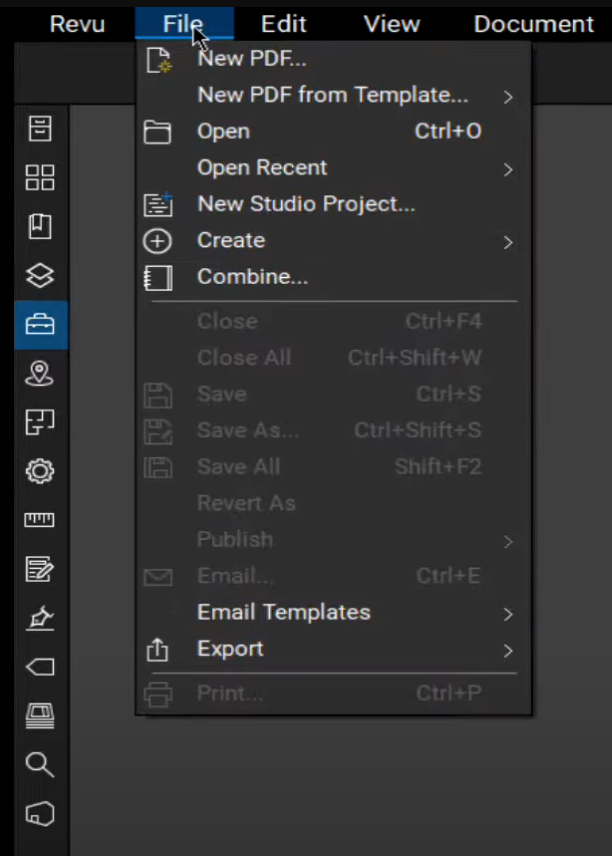
High-Quality How To Make A Pdf Fillable On Bluebeam Abstract Concept
Explore this high-quality how to make a pdf fillable on bluebeam image, perfect for enhancing your desktop or mobile wallpaper.
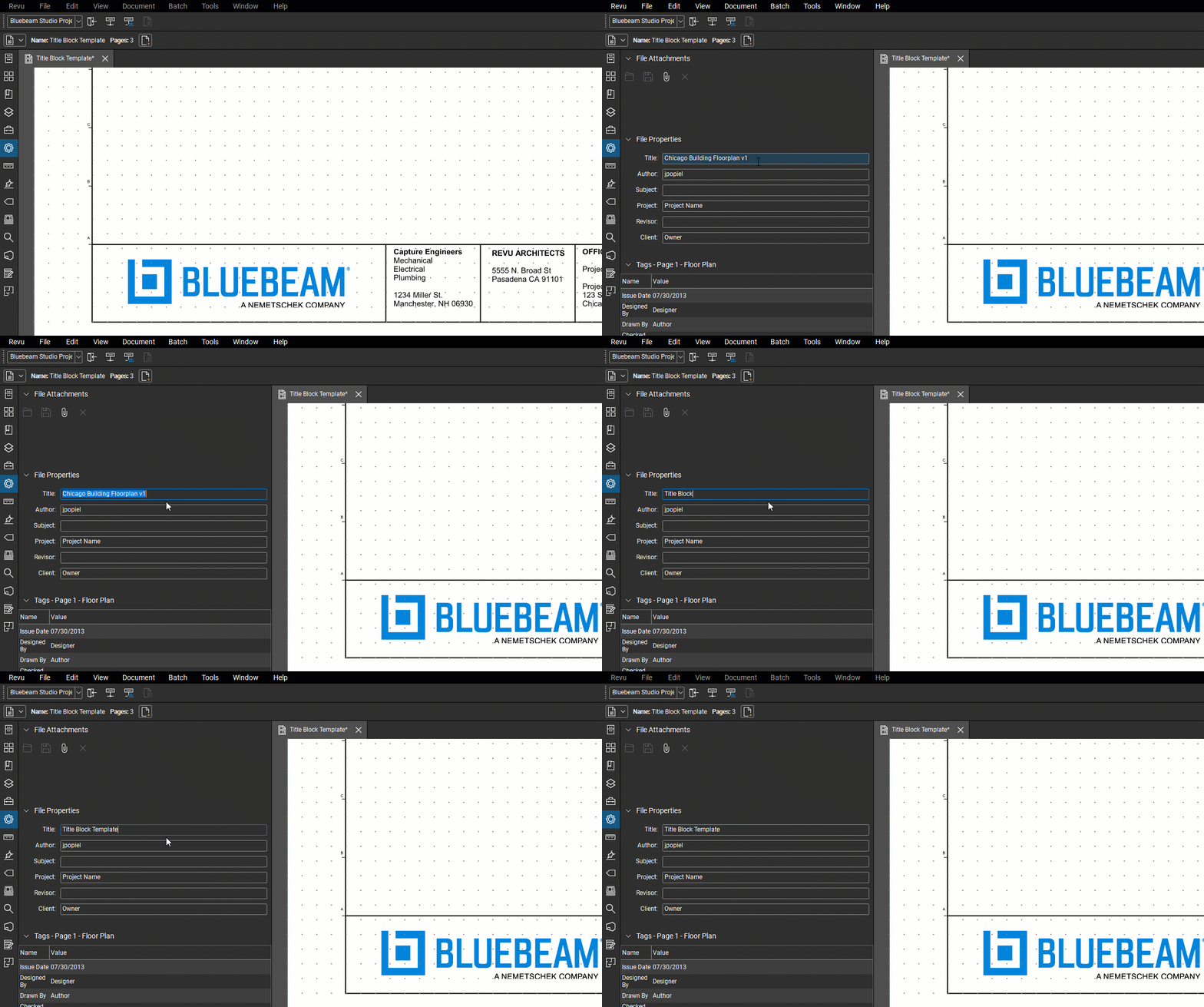
Mesmerizing How To Make A Pdf Fillable On Bluebeam Artwork for Your Screen
Explore this high-quality how to make a pdf fillable on bluebeam image, perfect for enhancing your desktop or mobile wallpaper.

Gorgeous How To Make A Pdf Fillable On Bluebeam Capture Collection
A captivating how to make a pdf fillable on bluebeam scene that brings tranquility and beauty to any device.
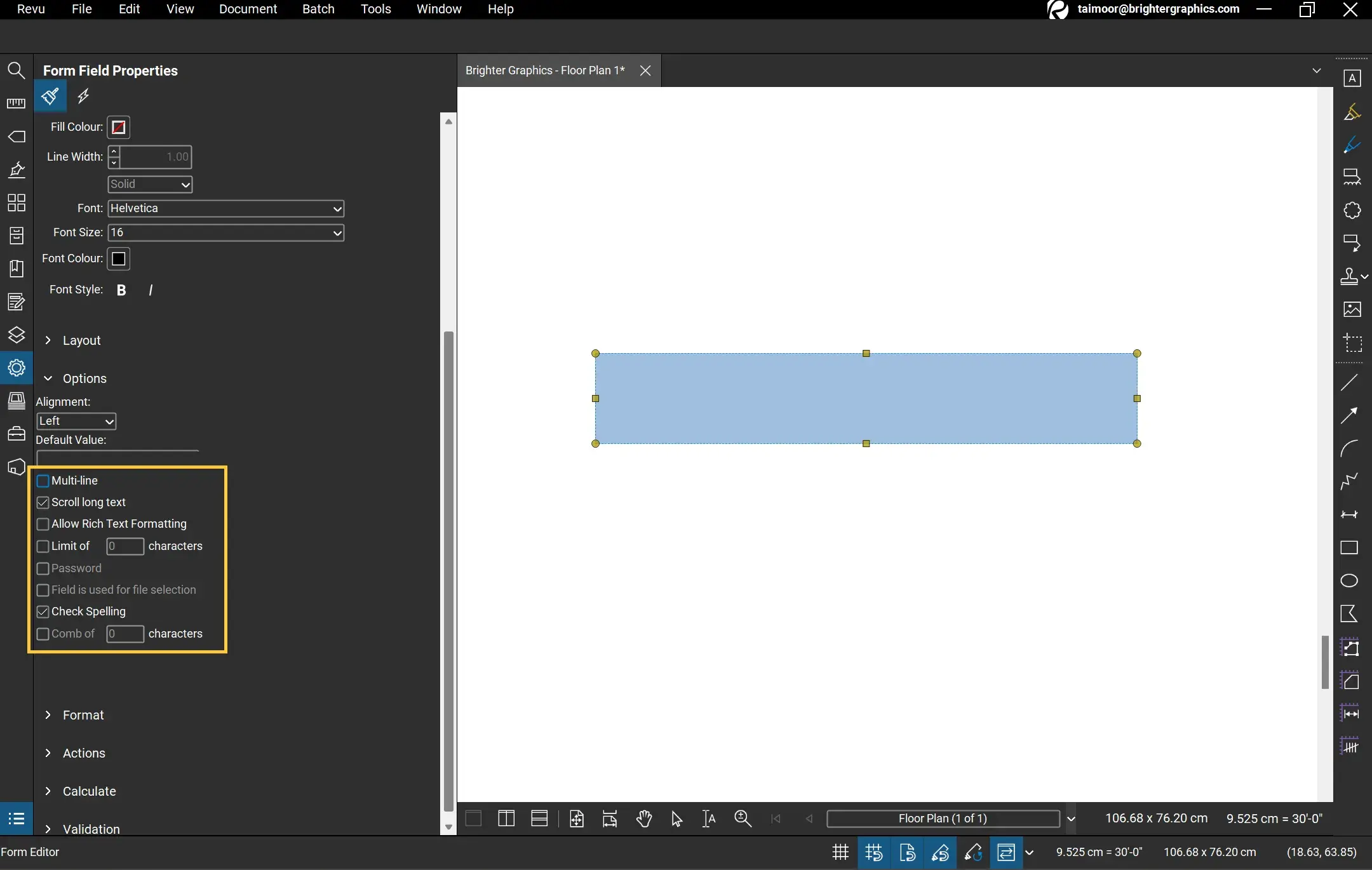
Amazing How To Make A Pdf Fillable On Bluebeam Artwork Nature
Experience the crisp clarity of this stunning how to make a pdf fillable on bluebeam image, available in high resolution for all your screens.
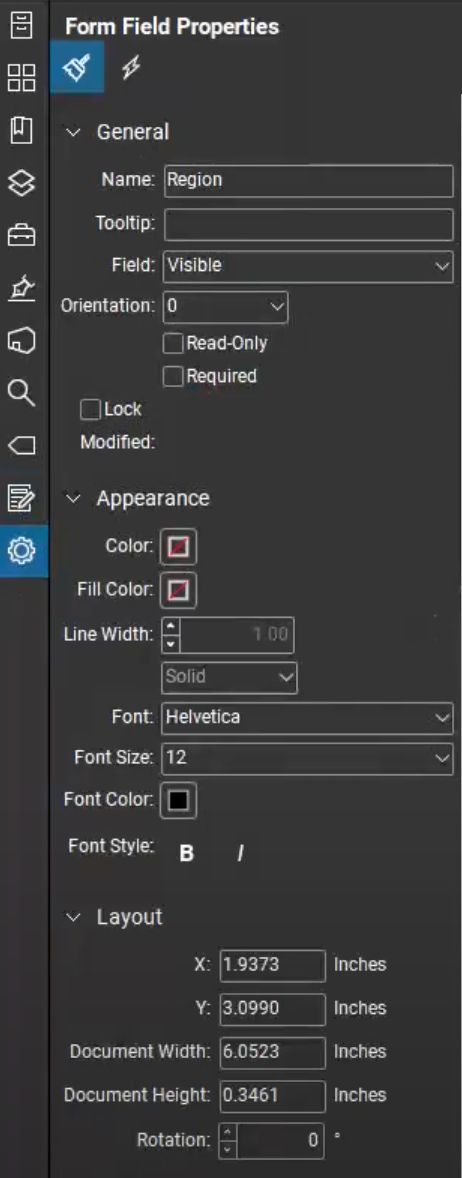
Detailed How To Make A Pdf Fillable On Bluebeam Landscape Digital Art
Experience the crisp clarity of this stunning how to make a pdf fillable on bluebeam image, available in high resolution for all your screens.
Captivating How To Make A Pdf Fillable On Bluebeam Background for Mobile
This gorgeous how to make a pdf fillable on bluebeam photo offers a breathtaking view, making it a perfect choice for your next wallpaper.
Spectacular How To Make A Pdf Fillable On Bluebeam Design in 4K
Find inspiration with this unique how to make a pdf fillable on bluebeam illustration, crafted to provide a fresh look for your background.
Spectacular How To Make A Pdf Fillable On Bluebeam Picture Illustration
Find inspiration with this unique how to make a pdf fillable on bluebeam illustration, crafted to provide a fresh look for your background.

Vibrant How To Make A Pdf Fillable On Bluebeam Scene Digital Art
Discover an amazing how to make a pdf fillable on bluebeam background image, ideal for personalizing your devices with vibrant colors and intricate designs.

Lush How To Make A Pdf Fillable On Bluebeam View in 4K
A captivating how to make a pdf fillable on bluebeam scene that brings tranquility and beauty to any device.
Beautiful How To Make A Pdf Fillable On Bluebeam Photo Art
Explore this high-quality how to make a pdf fillable on bluebeam image, perfect for enhancing your desktop or mobile wallpaper.
Mesmerizing How To Make A Pdf Fillable On Bluebeam Background in 4K
Transform your screen with this vivid how to make a pdf fillable on bluebeam artwork, a true masterpiece of digital design.

Breathtaking How To Make A Pdf Fillable On Bluebeam Capture for Desktop
Experience the crisp clarity of this stunning how to make a pdf fillable on bluebeam image, available in high resolution for all your screens.

Amazing How To Make A Pdf Fillable On Bluebeam Background Art
Explore this high-quality how to make a pdf fillable on bluebeam image, perfect for enhancing your desktop or mobile wallpaper.
Vivid How To Make A Pdf Fillable On Bluebeam Background Collection
Explore this high-quality how to make a pdf fillable on bluebeam image, perfect for enhancing your desktop or mobile wallpaper.
Exquisite How To Make A Pdf Fillable On Bluebeam Scene for Mobile
Find inspiration with this unique how to make a pdf fillable on bluebeam illustration, crafted to provide a fresh look for your background.
Serene How To Make A Pdf Fillable On Bluebeam Background in 4K
Experience the crisp clarity of this stunning how to make a pdf fillable on bluebeam image, available in high resolution for all your screens.

Captivating How To Make A Pdf Fillable On Bluebeam Design for Desktop
This gorgeous how to make a pdf fillable on bluebeam photo offers a breathtaking view, making it a perfect choice for your next wallpaper.
Stunning How To Make A Pdf Fillable On Bluebeam Wallpaper in 4K
A captivating how to make a pdf fillable on bluebeam scene that brings tranquility and beauty to any device.
Breathtaking How To Make A Pdf Fillable On Bluebeam Design in 4K
Transform your screen with this vivid how to make a pdf fillable on bluebeam artwork, a true masterpiece of digital design.
Download these how to make a pdf fillable on bluebeam wallpapers for free and use them on your desktop or mobile devices.