How Do I Fix Google Play Services Keep Stopping On My Samsung Tablet
How Do I Fix Google Play Services Keep Stopping On My Samsung Tablet?
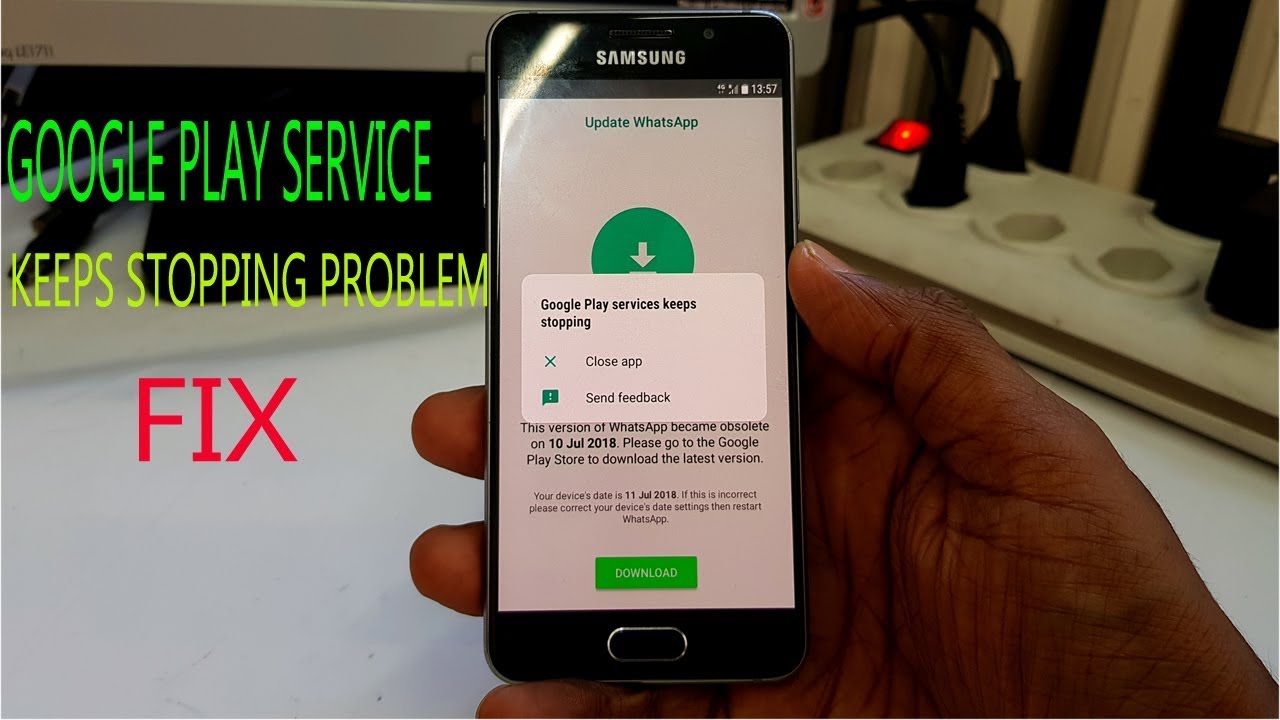
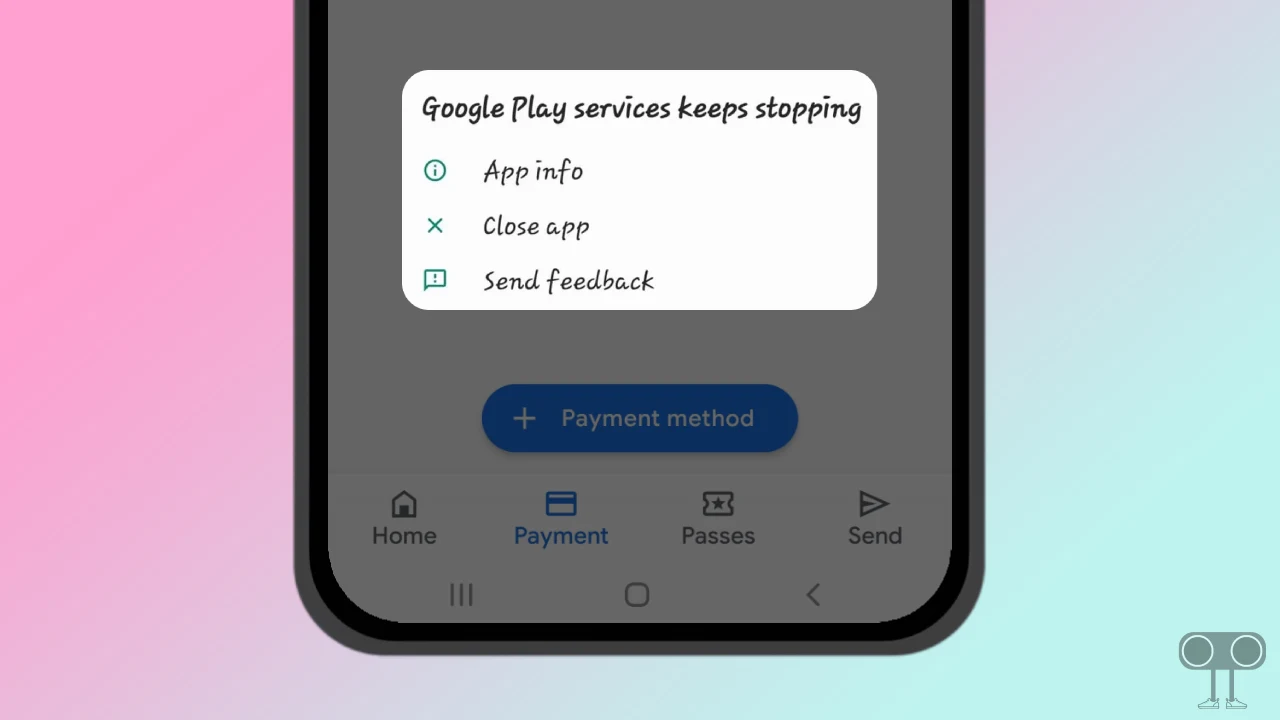
One of the most frustrating experiences for a Samsung Galaxy Tab user is seeing the repetitive and intrusive error message: "Google Play Services keeps stopping." This error can effectively paralyze your device, preventing you from downloading apps, using Gmail, syncing your calendar, or even playing games. Because Google Play Services is the backbone of the Android ecosystem, its failure ripples through almost every function of your tablet.
If you are wondering, "How do I fix Google Play Services keep stopping on my Samsung tablet?" you are in the right place. This comprehensive guide will walk you through everything from simple restarts to advanced system resets. By following these professional troubleshooting steps, you can restore your Samsung tablet to its optimal performance and stop those annoying pop-ups for good.
Understanding Why Google Play Services Fails
Before diving into the solutions, it is helpful to understand what Google Play Services actually is. It isn't a standard app that you open; rather, it is a background service that provides core functionality such as authentication to your Google services, synchronized contacts, access to the latest user privacy settings, and higher-quality, lower-powered location-based services.
Common reasons for it "stopping" on a Samsung tablet include:
- Corrupted Cache: Temporary files that have become buggy or outdated.
- Software Conflicts: A recent system update or a newly installed app might be clashing with the services.
- Outdated Version: Running an old version of the service that is no longer compatible with Google’s servers.
- Account Sync Issues: Glitches within your Google Account credentials.
- Date and Time Errors: If your tablet's time doesn't match the server time, Google services will fail to authenticate.
Step 1: Perform a Soft Reset and Check Connectivity
The first rule of tech support is to turn it off and back on again. A "Soft Reset" clears the RAM and stops all background processes that might be stuck in a loop. To do this on your Samsung tablet, press and hold the Power button and the Volume Down button simultaneously for about 10 to 15 seconds until the device restarts.
Additionally, ensure you have a stable internet connection. Google Play Services relies heavily on a constant data stream. If your Wi-Fi is flickering, the service may crash while attempting to sync data. Try switching to a different network or toggling Airplane Mode on and off to refresh your connection.
Step 2: Clear Cache and Data for Google Play Services
In many cases, the "keep stopping" error is caused by corrupted temporary data. Clearing the cache is a "safe" move as it doesn't delete your personal files, while clearing data resets the service to its factory state.
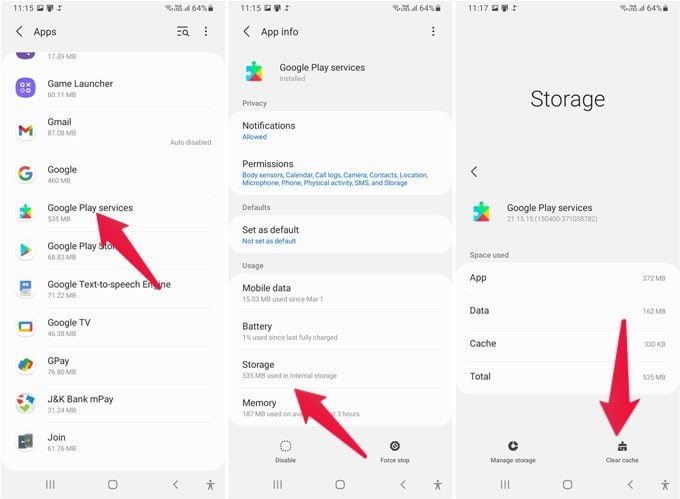
- Open the Settings app on your Samsung tablet.
- Go to Apps (or Applications).
- Tap on the Filter/Sort icon and ensure "Show system apps" is enabled, or simply scroll down to find Google Play Services.
- Tap on Storage.
- Tap Clear Cache.
- Next, tap Manage Storage (or Clear Storage) and select Clear All Data.
- Restart your tablet immediately after this.
Note: You may also want to repeat these steps for the Google Play Store app and the Google Services Framework to ensure a clean slate across all Google components.
Step 3: Update Google Play Services and System Software
Google frequently pushes updates to fix bugs. If your tablet hasn't been updated in a while, you might be running an unstable version of the service. Since you can't always update Play Services directly from the Play Store like a regular app, follow these steps:
Updating via Settings
- Go to Settings > Biometrics and Security > Other Security Settings.
- Look for Device Admin Apps and ensure "Find My Device" is temporarily deactivated (this allows the system to modify Play Services).
- Go back to Settings > Apps > Google Play Services and check if there is an "Update" option.
Updating Samsung System Firmware
Sometimes the issue lies within Samsung’s One UI. Go to Settings > Software Update > Download and Install. If an update is available, install it. Samsung often bundles Google Play patches within their monthly security updates.
| Troubleshooting Aspect | Description & Benefit |
|---|---|
| Clear Cache | Removes temporary files; usually the first and most effective fix for minor glitches. |
| Clear Data | Resets the app to factory settings; fixes deep-seated database corruption. |
| Update Firmware | Ensures Samsung's One UI is compatible with the latest Google API requirements. |
| Reset App Preferences | Restores disabled apps and permission restrictions that might block Google services. |
| Account Re-sync | Removes and re-adds the Google account to fix authentication token errors. |
Step 4: Verify Date and Time Settings
It sounds simple, but incorrect date and time settings are a frequent culprit for Google Play Services errors. Google's servers check the timestamp on your device for security certificates. If your Samsung tablet is set to the wrong year or even the wrong hour, the sync will fail, causing the service to crash.
Navigate to Settings > General Management > Date and Time. Ensure that Automatic date and time and Automatic time zone are toggled ON. If they are already on, try toggling them off and back on to force a re-sync with the network provider.
Step 5: Reset App Preferences
Sometimes, we accidentally disable a background process or change a permission that Google Play Services needs to function. Instead of hunting for the specific setting, you can reset all app preferences. This won't delete your data; it will just reset things like disabled apps, notification restrictions, and default app choices.
- Go to Settings > Apps.
- Tap the three-dot menu in the upper right corner.
- Select Reset app preferences.
- Confirm the choice and restart your tablet.
Step 6: Remove and Re-add Your Google Account
If the error persists, there might be a glitch with your Google account's authentication token. By removing the account and adding it back, you force the tablet to create a fresh connection with Google's servers.
- Go to Settings > Accounts and Backup > Manage Accounts.
- Select your Google Account.
- Tap Remove account.
- Restart your tablet.
- Go back to the same menu and select Add account to sign back in.
Advanced Solution: Wipe Cache Partition
If you have tried everything above and the error "Google Play Services keep stopping" still appears on your Samsung tablet, you may need to clear the system-level cache. This is done through the Android Recovery Mode.
- Turn off your tablet.
- Press and hold the Volume Up and Power buttons (and Home button if applicable) simultaneously until the Samsung logo appears.
- Use the volume buttons to navigate to Wipe Cache Partition.
- Press the Power button to select it.
- Once finished, select Reboot system now.
Frequently Asked Questions (FAQ)
1. Will clearing data for Google Play Services delete my photos?
No. Clearing the data for Google Play Services will not delete your photos, videos, or documents. It simply resets the background service settings. However, you might need to re-configure some Google-specific settings like Google Pay or location sharing preferences.
2. Why does this error happen specifically on Samsung tablets?
While it happens on all Android devices, Samsung tablets often face this due to the heavy "One UI" skin sitting on top of Android. Sometimes a Samsung system update isn't perfectly synced with the current Google Play Services version, leading to temporary instability.
3. Can I uninstall Google Play Services?
You cannot fully uninstall it because it is a system-critical application. You can "Uninstall Updates" to revert it to the factory version, which sometimes fixes the issue if a recent update was buggy. You can do this in the Apps menu by tapping the three dots in the top right of the Google Play Services info page.
Conclusion
Fixing the "Google Play Services keep stopping" error on your Samsung tablet requires a systematic approach. Most users will find success by simply clearing the cache or ensuring their date and time settings are correct. However, if the problem is rooted in deeper software corruption, removing the Google account or wiping the cache partition are powerful secondary tools.
By following the steps outlined in this guide, you can reclaim your tablet's functionality. Remember to keep your device updated and perform a regular restart once a week to prevent these background services from becoming overloaded. If all else fails, a factory data reset is the final resort, but always ensure your data is backed up to the cloud before taking that step.
How Do I Fix Google Play Services Keep Stopping On My Samsung Tablet
How Do I Fix Google Play Services Keep Stopping On My Samsung Tablet Wallpapers
Collection of how do i fix google play services keep stopping on my samsung tablet wallpapers for your desktop and mobile devices.

High-Quality How Do I Fix Google Play Services Keep Stopping On My Samsung Tablet Capture in HD
Explore this high-quality how do i fix google play services keep stopping on my samsung tablet image, perfect for enhancing your desktop or mobile wallpaper.

Exquisite How Do I Fix Google Play Services Keep Stopping On My Samsung Tablet Picture Illustration
Immerse yourself in the stunning details of this beautiful how do i fix google play services keep stopping on my samsung tablet wallpaper, designed for a captivating visual experience.
Breathtaking How Do I Fix Google Play Services Keep Stopping On My Samsung Tablet Capture in HD
Experience the crisp clarity of this stunning how do i fix google play services keep stopping on my samsung tablet image, available in high resolution for all your screens.

High-Quality How Do I Fix Google Play Services Keep Stopping On My Samsung Tablet View in 4K
Experience the crisp clarity of this stunning how do i fix google play services keep stopping on my samsung tablet image, available in high resolution for all your screens.

Vivid How Do I Fix Google Play Services Keep Stopping On My Samsung Tablet Wallpaper Art
Discover an amazing how do i fix google play services keep stopping on my samsung tablet background image, ideal for personalizing your devices with vibrant colors and intricate designs.

Spectacular How Do I Fix Google Play Services Keep Stopping On My Samsung Tablet Image in 4K
This gorgeous how do i fix google play services keep stopping on my samsung tablet photo offers a breathtaking view, making it a perfect choice for your next wallpaper.

Crisp How Do I Fix Google Play Services Keep Stopping On My Samsung Tablet Abstract for Your Screen
Immerse yourself in the stunning details of this beautiful how do i fix google play services keep stopping on my samsung tablet wallpaper, designed for a captivating visual experience.
Captivating How Do I Fix Google Play Services Keep Stopping On My Samsung Tablet Moment for Desktop
Find inspiration with this unique how do i fix google play services keep stopping on my samsung tablet illustration, crafted to provide a fresh look for your background.

Exquisite How Do I Fix Google Play Services Keep Stopping On My Samsung Tablet Scene Collection
Immerse yourself in the stunning details of this beautiful how do i fix google play services keep stopping on my samsung tablet wallpaper, designed for a captivating visual experience.

Breathtaking How Do I Fix Google Play Services Keep Stopping On My Samsung Tablet Photo in HD
Discover an amazing how do i fix google play services keep stopping on my samsung tablet background image, ideal for personalizing your devices with vibrant colors and intricate designs.

Dynamic How Do I Fix Google Play Services Keep Stopping On My Samsung Tablet View Illustration
Find inspiration with this unique how do i fix google play services keep stopping on my samsung tablet illustration, crafted to provide a fresh look for your background.

Vibrant How Do I Fix Google Play Services Keep Stopping On My Samsung Tablet Photo in HD
Transform your screen with this vivid how do i fix google play services keep stopping on my samsung tablet artwork, a true masterpiece of digital design.
Breathtaking How Do I Fix Google Play Services Keep Stopping On My Samsung Tablet Design in 4K
Transform your screen with this vivid how do i fix google play services keep stopping on my samsung tablet artwork, a true masterpiece of digital design.

Lush How Do I Fix Google Play Services Keep Stopping On My Samsung Tablet Image Collection
Immerse yourself in the stunning details of this beautiful how do i fix google play services keep stopping on my samsung tablet wallpaper, designed for a captivating visual experience.

Stunning How Do I Fix Google Play Services Keep Stopping On My Samsung Tablet Abstract for Mobile
This gorgeous how do i fix google play services keep stopping on my samsung tablet photo offers a breathtaking view, making it a perfect choice for your next wallpaper.

Detailed How Do I Fix Google Play Services Keep Stopping On My Samsung Tablet Image in HD
Transform your screen with this vivid how do i fix google play services keep stopping on my samsung tablet artwork, a true masterpiece of digital design.

Dynamic How Do I Fix Google Play Services Keep Stopping On My Samsung Tablet Capture Concept
Immerse yourself in the stunning details of this beautiful how do i fix google play services keep stopping on my samsung tablet wallpaper, designed for a captivating visual experience.

Captivating How Do I Fix Google Play Services Keep Stopping On My Samsung Tablet Abstract Nature
Immerse yourself in the stunning details of this beautiful how do i fix google play services keep stopping on my samsung tablet wallpaper, designed for a captivating visual experience.

Exquisite How Do I Fix Google Play Services Keep Stopping On My Samsung Tablet Scene Illustration
Immerse yourself in the stunning details of this beautiful how do i fix google play services keep stopping on my samsung tablet wallpaper, designed for a captivating visual experience.

Stunning How Do I Fix Google Play Services Keep Stopping On My Samsung Tablet View for Your Screen
Find inspiration with this unique how do i fix google play services keep stopping on my samsung tablet illustration, crafted to provide a fresh look for your background.
Download these how do i fix google play services keep stopping on my samsung tablet wallpapers for free and use them on your desktop or mobile devices.