How To Make A Pdf Editable In Word On Mac
How to Make a PDF Editable in Word on Mac: A Comprehensive Step-by-Step Guide
In today's digital workspace, the Portable Document Format (PDF) is the gold standard for sharing documents while preserving their layout and formatting. However, the very feature that makes PDFs great—their static nature—can become a hurdle when you need to make significant changes to the text or structure. If you are a macOS user, you might find yourself wondering how to bridge the gap between a read-only PDF and the versatile editing power of Microsoft Word. Learning how to make a PDF editable in Word on Mac is a vital skill that can save you hours of retyping and formatting.
Whether you are a student refining a thesis, a legal professional updating a contract, or a creative freelancer adjusting a proposal, converting a PDF to a Word document on a Mac is surprisingly straightforward. This guide explores multiple methods, from using Word’s built-in features to leveraging professional tools and free online alternatives, ensuring you achieve the best results regardless of the document's complexity.
Why Convert PDF to Word on macOS?
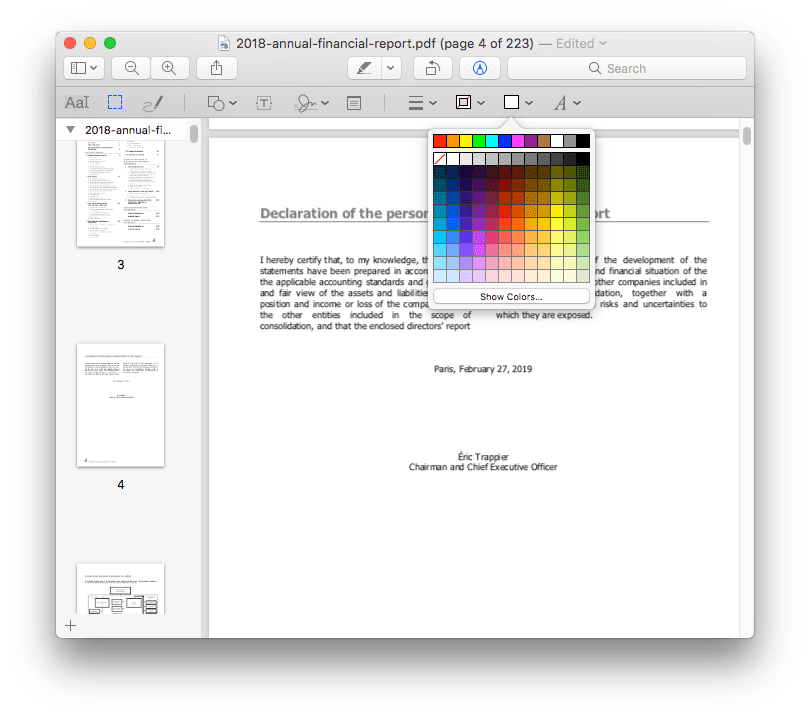
While macOS comes with Preview, a powerful built-in tool that allows for basic annotations, signing, and highlighting, it lacks the deep text-editing capabilities found in Microsoft Word. Converting a PDF to a Word file (.docx) allows you to utilize advanced features such as track changes, sophisticated spell-checking, and seamless integration with other Microsoft Office applications. Furthermore, Word’s "PDF Reflow" technology has improved significantly, making it easier than ever to maintain the integrity of your original document during the transition.
Method 1: Using Microsoft Word’s Built-in Converter (Best for Text)
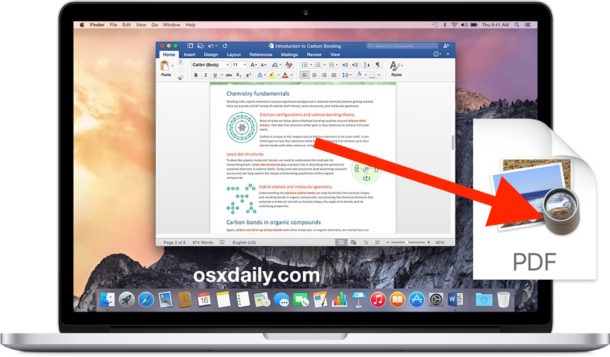
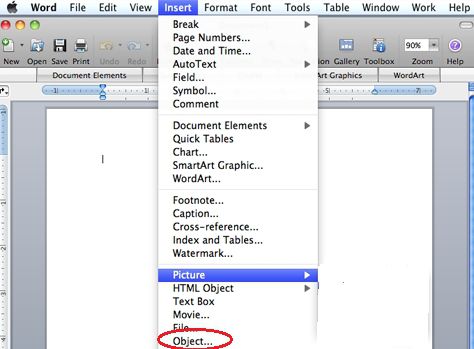
The easiest way to make a PDF editable in Word on Mac is to use the application itself. Microsoft Word for Mac (versions 2016 and later, including Microsoft 365) includes a feature that automatically converts PDFs into editable documents.
Step-by-Step Instructions:
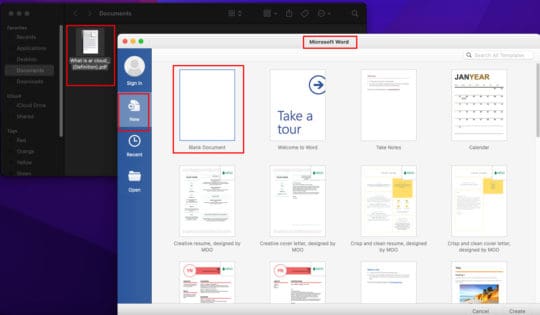
- Locate your PDF: Find the PDF file you wish to edit in your Finder.
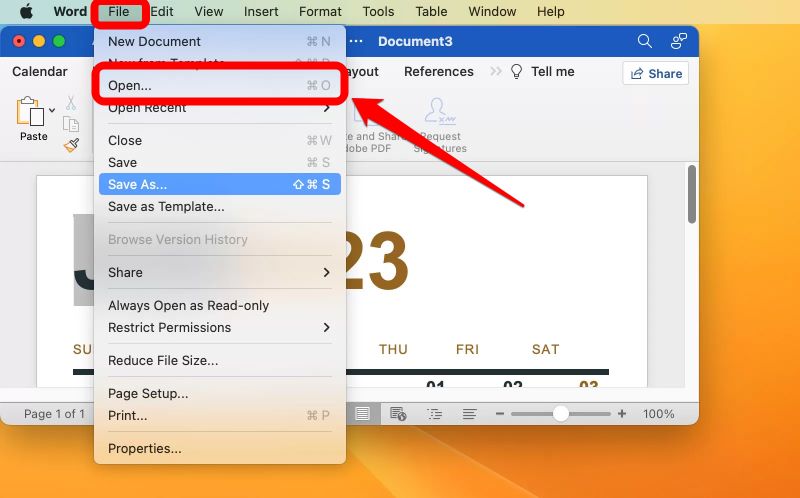
- Open with Word: Right-click (or Control-click) the file, select Open With, and choose Microsoft Word. Alternatively, open Word first, go to File > Open, and select your PDF.
- Acknowledge the Conversion: A dialog box will appear stating: "Word will now convert your PDF to an editable Word document. This may take a while..." Click OK.
- Edit and Save: Once the conversion is complete, the document will open in a Word window. You can now change text, delete images, or modify tables. Remember to save the file as a .docx to keep it editable.
Pro Tip: This method works best for documents that are primarily text-based. If your PDF contains complex graphics, intricate tables, or manual drawings, the layout might shift slightly during the conversion.
Method 2: Using Adobe Acrobat Pro for High-Fidelity Editing
For professionals who require 100% accuracy in layout and formatting, Adobe Acrobat Pro is the industry standard. Since Adobe created the PDF format, their conversion engine is the most sophisticated available for Mac users.
Step-by-Step Instructions:
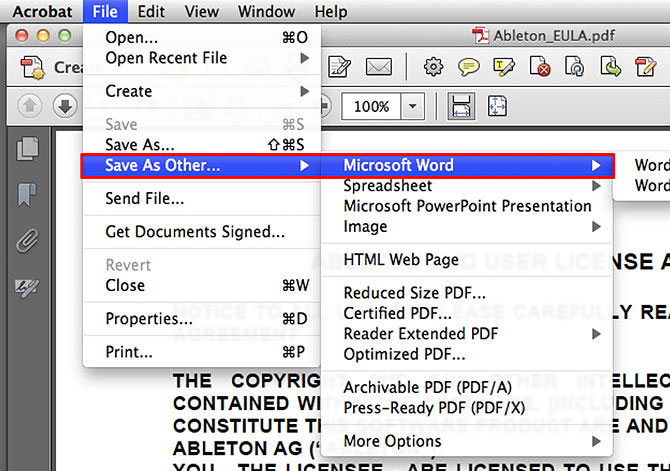
- Open the PDF file in Adobe Acrobat Pro.
- Click on the Export PDF tool in the right pane.
- Choose Microsoft Word as your export format, then select Word Document.
- Click Export. Acrobat will run Optical Character Recognition (OCR) if the document was originally scanned from paper.
- Name your file and click Save.
Adobe Acrobat is particularly effective at recognizing columns, custom fonts, and embedded images, making it the preferred choice for business reports and marketing materials.
Method 3: Utilizing Online Conversion Tools (Free and Fast)
If you don't have Microsoft Word installed or prefer not to use Adobe, several high-quality online converters can help you make a PDF editable. Popular options include Smallpdf, ILovePDF, and Adobe’s own online converter.
Steps for Online Conversion:
- Navigate to a trusted conversion website (e.g., Smallpdf.com).
- Upload your PDF file by dragging and dropping it into the browser window.
- Select the option to Convert to Word.
- Wait for the processing to finish and download the resulting .docx file to your Mac.
Security Note: Be cautious when using free online tools for sensitive or confidential documents, as you are uploading your data to an external server.
Comparison of PDF to Word Conversion Methods
To help you decide which approach is best for your specific needs, refer to the table below highlighting the key aspects of each method.
| Feature/Aspect | Description |
|---|---|
| MS Word Built-in | Free for Word users; best for text-heavy documents; occasionally loses complex formatting. |
| Adobe Acrobat Pro | Highly accurate; includes OCR for scanned docs; requires a paid subscription. |
| Online Converters | No software installation needed; fast; potential privacy risks for sensitive data. |
| Google Docs Method | Alternative cloud route; involves uploading to Drive and opening as Doc, then exporting to Word. |
| Formatting Retention | Varies by tool; Acrobat is highest, Word is moderate, online tools vary. |
Tips for Maintaining Formatting During Conversion
Converting a PDF isn't always perfect. Here are a few expert tips to ensure your Word document looks as close to the original as possible:
- Check for OCR: If your PDF is a scan of a physical paper, ensure your conversion tool uses Optical Character Recognition. Without OCR, the text will be treated as an uneditable image.
- Simplify the Source: If you have control over the PDF creation, avoid using overly complex layering or transparency before converting to Word.
- Review Tables: Tables are often the first thing to "break" during conversion. After opening the file in Word, check the borders and cell alignment.
- Font Matching: If the PDF uses a font not installed on your Mac, Word will substitute it with a similar one, which can alter the document's length and layout.
Frequently Asked Questions (FAQ)
1. Why does my Word document look different from the original PDF?
PDFs use fixed coordinates for every element, whereas Word uses a "flow" system. When converting, Word tries to guess how the text and images should be grouped. Complex layouts with many columns or overlapping images often require manual adjustment after conversion.
2. Can I convert a password-protected PDF to Word on Mac?
Yes, but you must have the password. You will need to enter the password to unlock the file before Word or any other converter can access the content for conversion.
3. Is there a free way to edit a PDF on Mac without converting to Word?
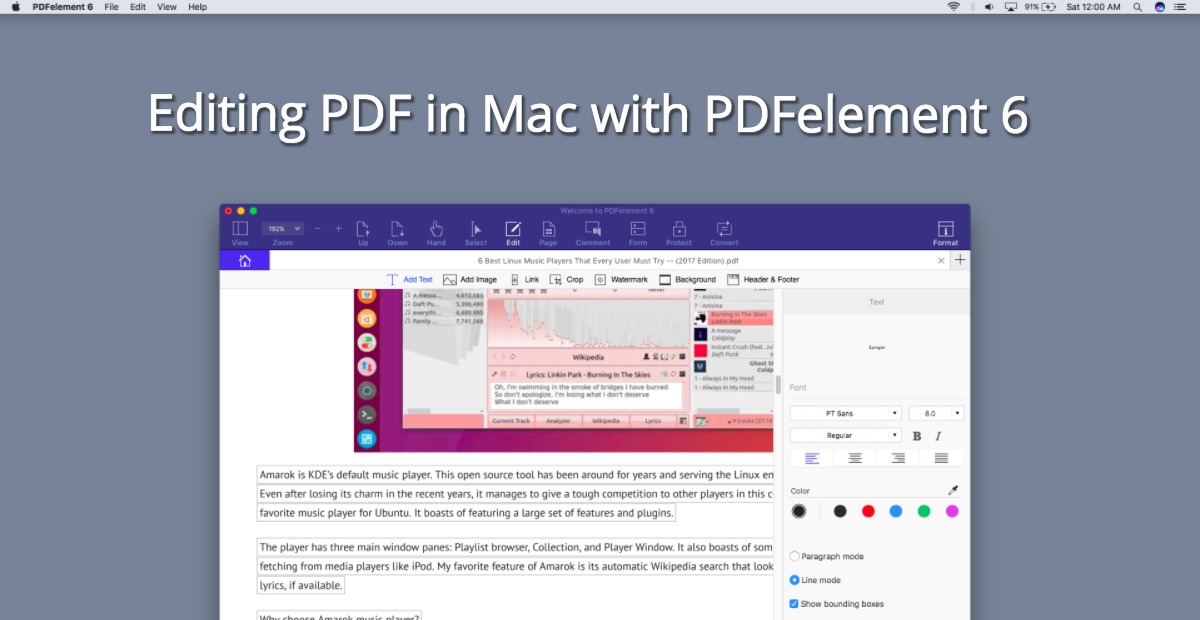
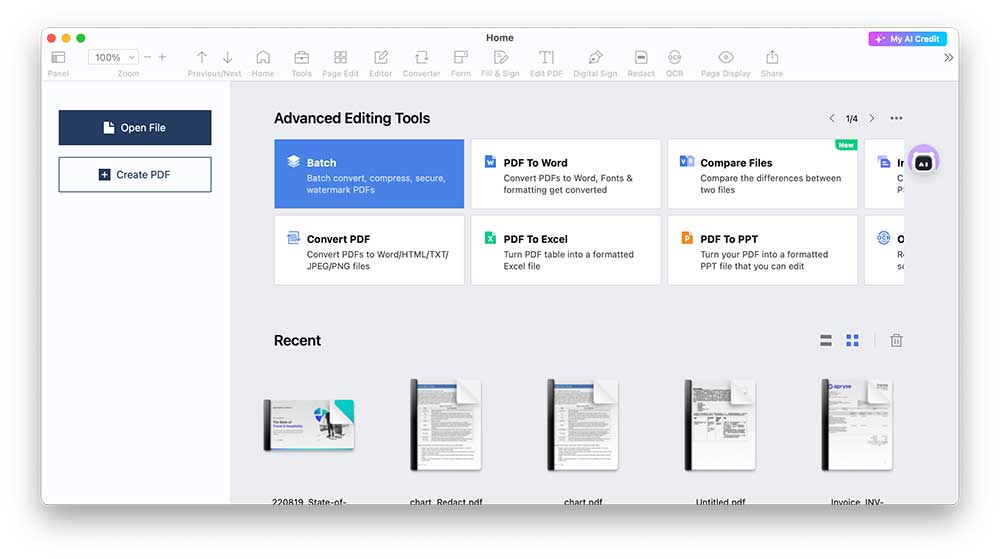
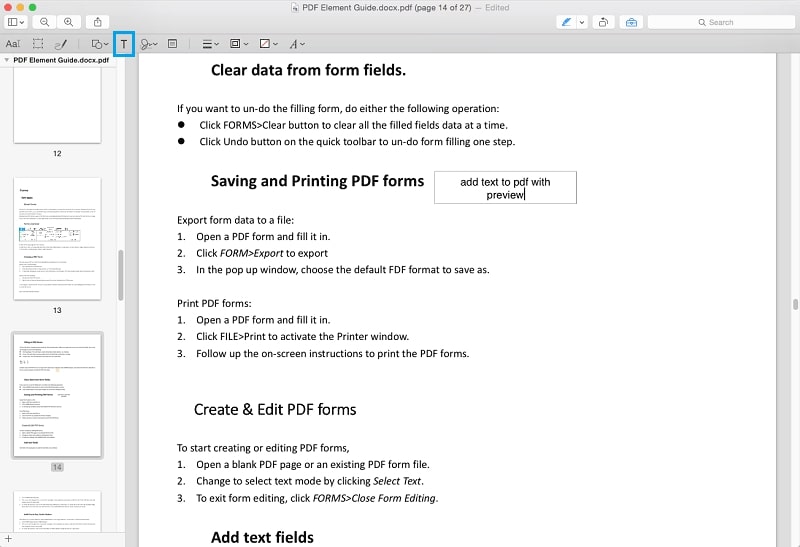
Yes, you can use the Preview app for basic edits like adding text boxes, shapes, or signatures. However, for editing existing text within the PDF itself, you would need a dedicated PDF editor like PDF Expert or Adobe Acrobat.
4. Will my images stay in high resolution?
Most converters preserve image quality, but some compression may occur depending on the settings of the tool you use. Adobe Acrobat generally offers the best image retention.
Conclusion
Learning how to make a PDF editable in Word on Mac is a transformative skill for anyone working with digital documents. For the majority of users, the built-in "Open With Word" feature provides a quick and efficient solution for text editing. However, for those dealing with high-stakes professional documents where formatting is paramount, investing in Adobe Acrobat Pro or using a high-quality online converter is often the better route.
By following the methods outlined above, you can stop struggling with static files and start leveraging the full power of Microsoft Word’s editing suite. Always remember to proofread your document after conversion to catch any formatting hiccups, and you’ll be well on your way to a more productive workflow on your Mac.
How To Make A Pdf Editable In Word On Mac
How To Make A Pdf Editable In Word On Mac Wallpapers
Collection of how to make a pdf editable in word on mac wallpapers for your desktop and mobile devices.

Gorgeous How To Make A Pdf Editable In Word On Mac Capture Collection
Immerse yourself in the stunning details of this beautiful how to make a pdf editable in word on mac wallpaper, designed for a captivating visual experience.
Artistic How To Make A Pdf Editable In Word On Mac Picture Digital Art
This gorgeous how to make a pdf editable in word on mac photo offers a breathtaking view, making it a perfect choice for your next wallpaper.
Amazing How To Make A Pdf Editable In Word On Mac Landscape Digital Art
Experience the crisp clarity of this stunning how to make a pdf editable in word on mac image, available in high resolution for all your screens.

Vibrant How To Make A Pdf Editable In Word On Mac Capture for Desktop
Transform your screen with this vivid how to make a pdf editable in word on mac artwork, a true masterpiece of digital design.
Mesmerizing How To Make A Pdf Editable In Word On Mac View for Mobile
Experience the crisp clarity of this stunning how to make a pdf editable in word on mac image, available in high resolution for all your screens.
High-Quality How To Make A Pdf Editable In Word On Mac Picture Photography
Discover an amazing how to make a pdf editable in word on mac background image, ideal for personalizing your devices with vibrant colors and intricate designs.
Breathtaking How To Make A Pdf Editable In Word On Mac Scene Illustration
Explore this high-quality how to make a pdf editable in word on mac image, perfect for enhancing your desktop or mobile wallpaper.

Serene How To Make A Pdf Editable In Word On Mac Scene for Desktop
Transform your screen with this vivid how to make a pdf editable in word on mac artwork, a true masterpiece of digital design.

Serene How To Make A Pdf Editable In Word On Mac Artwork Photography
Experience the crisp clarity of this stunning how to make a pdf editable in word on mac image, available in high resolution for all your screens.

Spectacular How To Make A Pdf Editable In Word On Mac Abstract Nature
This gorgeous how to make a pdf editable in word on mac photo offers a breathtaking view, making it a perfect choice for your next wallpaper.
Dynamic How To Make A Pdf Editable In Word On Mac Background in HD
Find inspiration with this unique how to make a pdf editable in word on mac illustration, crafted to provide a fresh look for your background.
Dynamic How To Make A Pdf Editable In Word On Mac View for Mobile
Find inspiration with this unique how to make a pdf editable in word on mac illustration, crafted to provide a fresh look for your background.

Spectacular How To Make A Pdf Editable In Word On Mac View Digital Art
Find inspiration with this unique how to make a pdf editable in word on mac illustration, crafted to provide a fresh look for your background.

Gorgeous How To Make A Pdf Editable In Word On Mac Wallpaper for Desktop
Find inspiration with this unique how to make a pdf editable in word on mac illustration, crafted to provide a fresh look for your background.

Breathtaking How To Make A Pdf Editable In Word On Mac Scene for Desktop
Discover an amazing how to make a pdf editable in word on mac background image, ideal for personalizing your devices with vibrant colors and intricate designs.
Amazing How To Make A Pdf Editable In Word On Mac Picture for Your Screen
Discover an amazing how to make a pdf editable in word on mac background image, ideal for personalizing your devices with vibrant colors and intricate designs.

Exquisite How To Make A Pdf Editable In Word On Mac Picture Concept
This gorgeous how to make a pdf editable in word on mac photo offers a breathtaking view, making it a perfect choice for your next wallpaper.

Stunning How To Make A Pdf Editable In Word On Mac Picture for Mobile
Immerse yourself in the stunning details of this beautiful how to make a pdf editable in word on mac wallpaper, designed for a captivating visual experience.
Captivating How To Make A Pdf Editable In Word On Mac Wallpaper Concept
This gorgeous how to make a pdf editable in word on mac photo offers a breathtaking view, making it a perfect choice for your next wallpaper.
Mesmerizing How To Make A Pdf Editable In Word On Mac Abstract for Mobile
Transform your screen with this vivid how to make a pdf editable in word on mac artwork, a true masterpiece of digital design.
Download these how to make a pdf editable in word on mac wallpapers for free and use them on your desktop or mobile devices.